Light to dark blue smooth gradient transition.

Accept PayNow with Xero, reconciled automatically

Accept PayNow with Xero, reconciled automatically

Accept PayNow with Xero, reconciled automatically

HitPay connects to Xero in a few clicks. Payments you take through HitPay — PayNow QR, Visa, Mastercard, AMEX, Apple Pay, Google Pay and more, online, in-store or on invoices — sync to your Xero account automatically, so you stop reconciling by hand. No coding needed. A +0.2% plugin surcharge applies on top of the method rate. Card payouts T+1 business days. MAS licensed.

Get HitPay on the Xero App Store · Setup guide

HitPay connects to Xero in a few clicks. Payments you take through HitPay — PayNow QR, Visa, Mastercard, AMEX, Apple Pay, Google Pay and more, online, in-store or on invoices — sync to your Xero account automatically, so you stop reconciling by hand. No coding needed. A +0.2% plugin surcharge applies on top of the method rate. Card payouts T+1 business days. MAS licensed.

Get HitPay on the Xero App Store · Setup guide

HitPay connects to Xero in a few clicks. Payments you take through HitPay — PayNow QR, Visa, Mastercard, AMEX, Apple Pay, Google Pay and more, online, in-store or on invoices — sync to your Xero account automatically, so you stop reconciling by hand. No coding needed. A +0.2% plugin surcharge applies on top of the method rate. Card payouts T+1 business days. MAS licensed.

Get HitPay on the Xero App Store · Setup guide

Why businesses in Singapore choose

HitPay + Xero

Why businesses in Singapore choose

HitPay + Xero

Why businesses in Singapore choose HitPay + Xero

Why businesses in Singapore choose HitPay + Xero

Accept multiple payment methods on HitPay including PayNow, Visa, and Apple Pay

Accept multiple payment methods on HitPay including PayNow, Visa, and Apple Pay

Automatically sync payments with your Xero invoices

Automatically sync payments with your Xero invoices

Reduce time spent on manual reconciliation

Reduce time spent on manual reconciliation

Easily track transactions from a single dashboard

Easily track transactions from a single dashboard

Plain white square background with a soft, light blue horizontal gradient across the center.

Easily connect HitPay with Xero

Easily connect HitPay with Xero

Easily connect HitPay with Xero

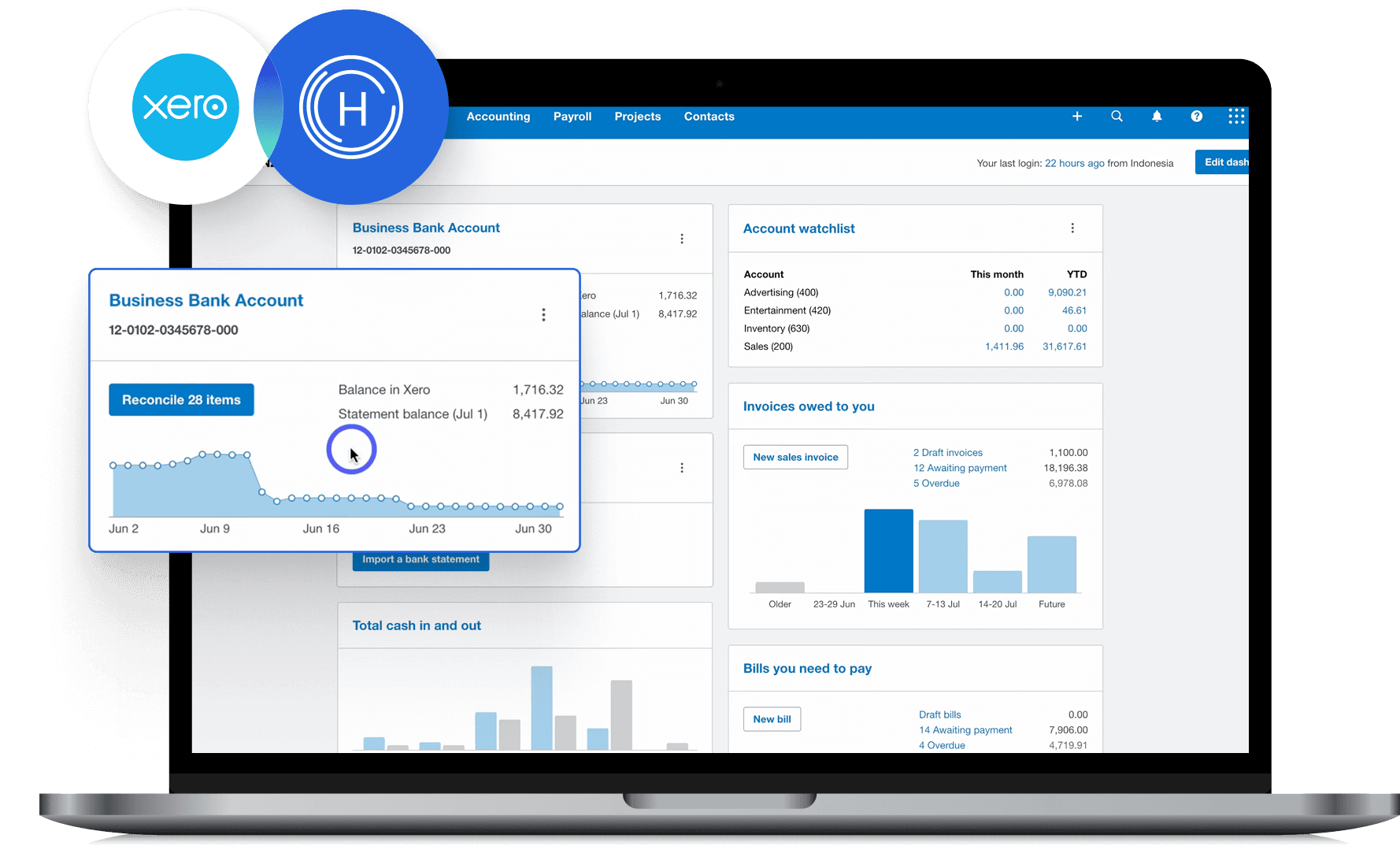
Getting started is quick and hassle-free. Simply connect your Xero account to HitPay in just a few clicks—no technical setup required. Whether you’re collecting payments in-store, online, or via invoice, all transactions are synced to Xero in real time—making reconciliation fast and effortless.
Get HitPay on the Xero App Store

Why choose HitPay

Why choose HitPay

Why choose HitPay

Trusted and secure

Trusted and secure

HitPay is licensed by MAS as a Major Payment Institution and is PCI DSS certified.

Transparent Pricing

Transparent Pricing

No setup fees, no hidden charges. Know exactly what you’re paying for.

Omni-channel Integration

Omni-channel Integration

Whether you sell in-store, online, or both—HitPay ties it all together with Xero.

Trusted and secure

HitPay is licensed by MAS as a Major Payment Institution and is PCI DSS certified.

Transparent Pricing

No setup fees, no hidden charges. Know exactly what you’re paying for.

Omni-channel Integration

Whether you sell in-store, online, or both—HitPay ties it all together with Xero.

Frequently Asked Questions

Frequently Asked Questions

Is the HitPay Xero integration free?

Connecting HitPay and Xero is free — no setup or monthly fee. Payments on your Xero invoices through HitPay carry a 0.2% Xero add-on on top of HitPay's usual per-transaction fees. See the Singapore pricing page.

Can I still use HitPay in-store if I use Xero online invoicing?

Absolutely. All HitPay transactions—including POS—can be synced to Xero.

What payment methods are supported?

PayNow QR, Visa, Mastercard, AMEX, Apple Pay, Google Pay, AliPay, and WeChatPay.

Where can I get help setting up the integration?

Install HitPay from the Xero App Store, then follow our step-by-step setup guide.

How do I connect HitPay to Xero?

In your HitPay dashboard, connect your Xero account and approve access. Your HitPay payments then sync to Xero. Full steps are in the setup guide.

Can customers pay my Xero invoices with PayNow?

Yes. With HitPay connected, customers can pay Xero invoices by PayNow QR or card, and the payment syncs back to Xero. Invoice payments through HitPay carry a 0.2% Xero add-on on top of method fees.

Does it work in Malaysia?

Not yet. HitPay's Xero integration is available in Singapore today. Xero for Malaysia is coming soon.

When do I get paid?

Card payouts arrive T+1 business days and non-card payouts, including PayNow, T+1 calendar day. Online and in-store sales land in one HitPay dashboard and one payout. See the Singapore pricing page.

Is HitPay licensed in Singapore?

Yes. HitPay is licensed by MAS as a Major Payment Institution. Details are on the licence and registrations page.

Still have questions?

Contact our team.

Connect Xero with HitPay

Connect HitPay to Xero and save hours on invoicing and reconciliation.

Connect Xero with HitPay

Connect HitPay to Xero and save hours on invoicing and reconciliation.

Connect Xero with HitPay

Connect HitPay to Xero and save hours on invoicing and reconciliation.

Connect Xero with HitPay

Connect HitPay to Xero and save hours on invoicing and reconciliation.

Connect Xero with HitPay

Connect HitPay to Xero and save hours on invoicing and reconciliation.