All-in-one finance stack for SEA businesses. BillPay →

QUICK ANSWER
The simplest way for a Singapore business to pay supplier invoices is from the account it already gets paid into. With HitPay BillPay you upload or forward the invoice, approve it, then pay. Local suppliers get paid by PayNow or FAST in real time for S$0.50 per transfer. International suppliers in 150+ countries cost from a 0.5% FX fee. There’s no monthly fee.
Most Southeast Asian businesses run money-in and money-out on entirely different systems - a payment processor for customer collections, a bank for local supplier transfers, and a separate service for anything international. HitPay is building one connected stack instead: accept customer payments, collect from local and overseas business partners, and now pay suppliers — all from the same account, the same login, and the same Xero sync.
How it works
01
Upload / Forward
Upload an invoice or forward it to your BillPay email. OCR and AI read the vendor, amount, account number, and due date automatically.

02
Approve
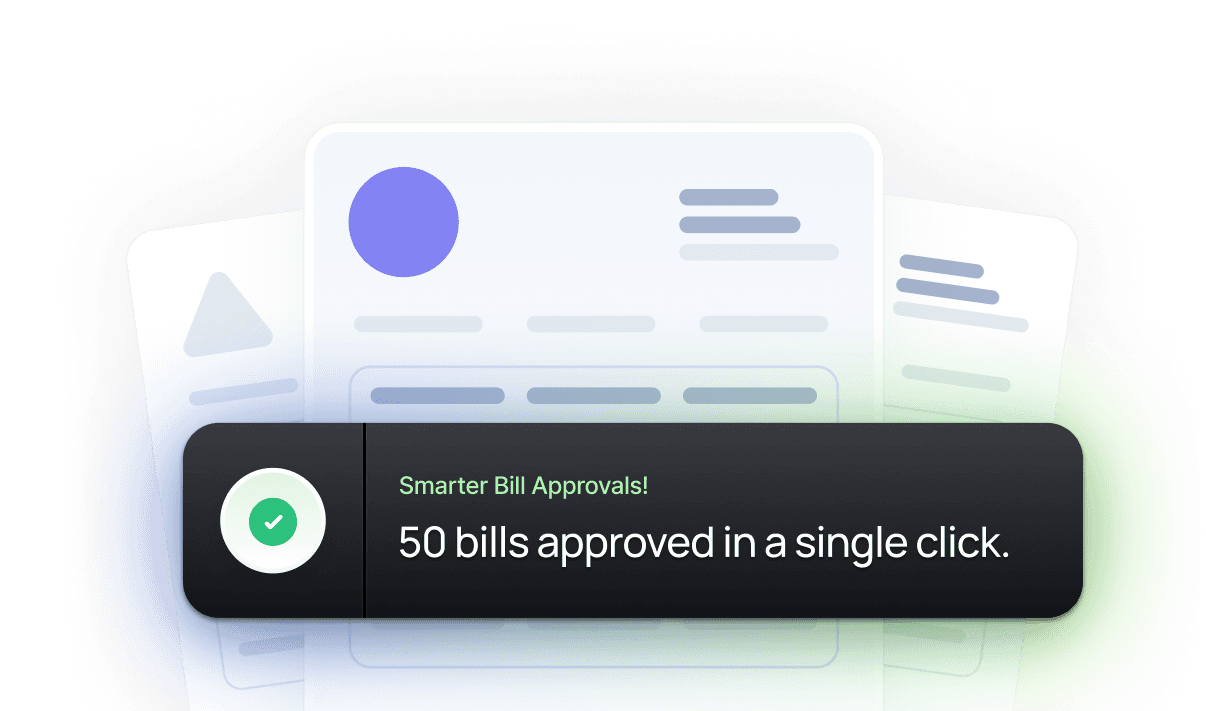
Bills route through multi-level approval by amount. Select several at once and approve them together - no more 50 separate sign-offs.
03
Paid
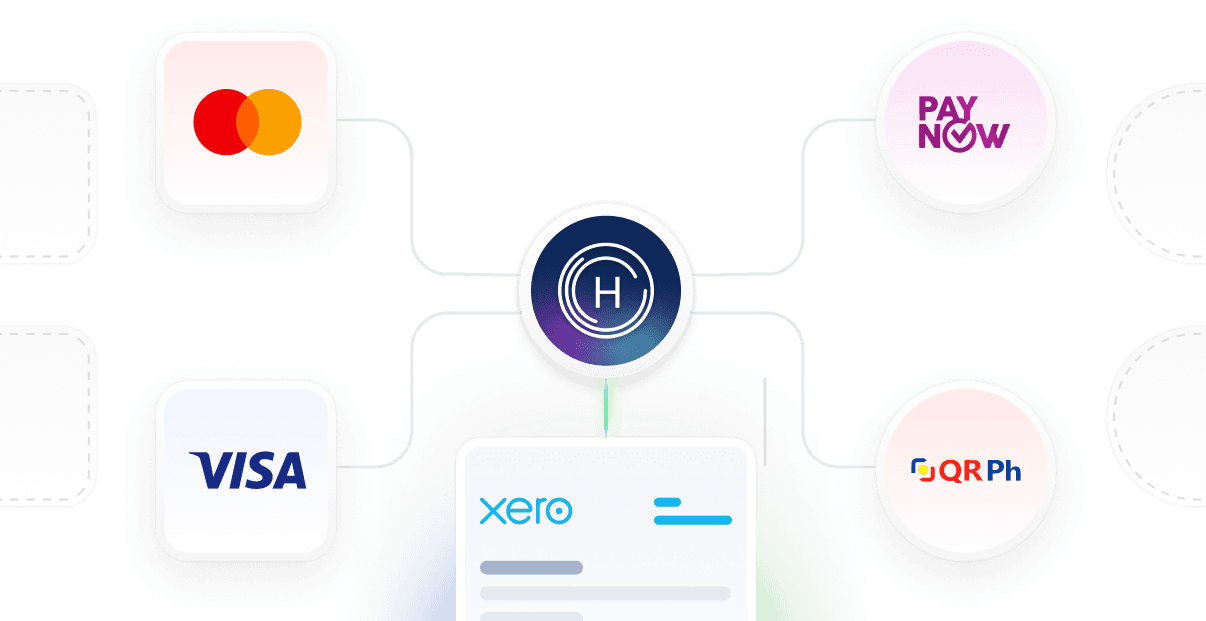
Pay local suppliers via PayNow, QRPH, or bank transfer, and international suppliers in one batch - funded and reconciled to Xero automatically.
01. OCR & AI Capture
Most merchants in Singapore and the Philippines still enter supplier invoices into a spreadsheet by hand, one line at a time. HitPay BillPay removes that step. Upload an invoice as a PDF or photo, or forward it straight from a supplier’s email to your account’s dedicated bill address, and OCR combined with AI reads the vendor name, amount, bank account number, and due date directly into a draft bill. For merchants processing dozens of invoices a month, this turns hours of manual data entry into a single review - no re-typing, no transposition errors, and no invoice sitting forgotten in an inbox.
Instant OCR
Reads vendor, amount, account number, and due date automatically.
Email Forwarding
No manual upload required - invoices land straight from a supplier’s email.
Vendor Directory
Bulk import for merchants migrating off spreadsheets.
AI Categorisation
Categories mapped to your Xero account codes before the bill syncs.

02. Approval Controls
A finance manager or staff member can prepare and submit a bill, while the business owner retains final sign-off - without either party needing to be in the same room or on the same bank login. HitPay BillPay’s multi-level approval rules route bills by amount, so a small recurring invoice can auto-clear while a large or international payment always reaches the owner first. Every approval, decline, and edit is timestamped and logged, giving audit-ready visibility by default rather than as an add-on — a control most banks and basic bill-pay tools simply don’t offer.
Rules by Amount
Multi-level approval routing configured to the bill amount.
Bulk Approve
Select multiple bills and approve them in one action.
Full Audit Trail
Every approval, decline, and edit timestamped automatically.
Free, No Tier
Included by default - no separate paid approvals plan.

03. Local & International, One Workflow
Most businesses use their bank for local supplier payments and a separate service for international transfers - two logins, two workflows, two reconciliation exports. HitPay BillPay combines both. In Singapore, you can pay a local supplier in SGD via PayNow or FAST and an overseas supplier - say, a manufacturer in China or United States - in the same review and the same funding action. Pay suppliers in 150+ countries and territories over local rails or SWIFT, from 0.5% FX fee. In the Philippines, BillPay funds local supplier payments via InstaPay and PESONet in PHP. Due-date scheduling lets you approve ahead and fund each bill close to its due date. A bill that is not funded in time expires after three days and the money is returned to you.
Singapore
Local PayNow/FAST and international supplier (e.g. USD/GBP/AUD) payments together.
Philippines
Local InstaPay and PESONet supplier payments at launch.
Per-Bill Funding
Choose PayNow, QRPH, or bank transfer for each bill.
Due-Date Scheduling
Approve ahead, fund near the due date, pay automatically.

04. Xero Sync & Tracking
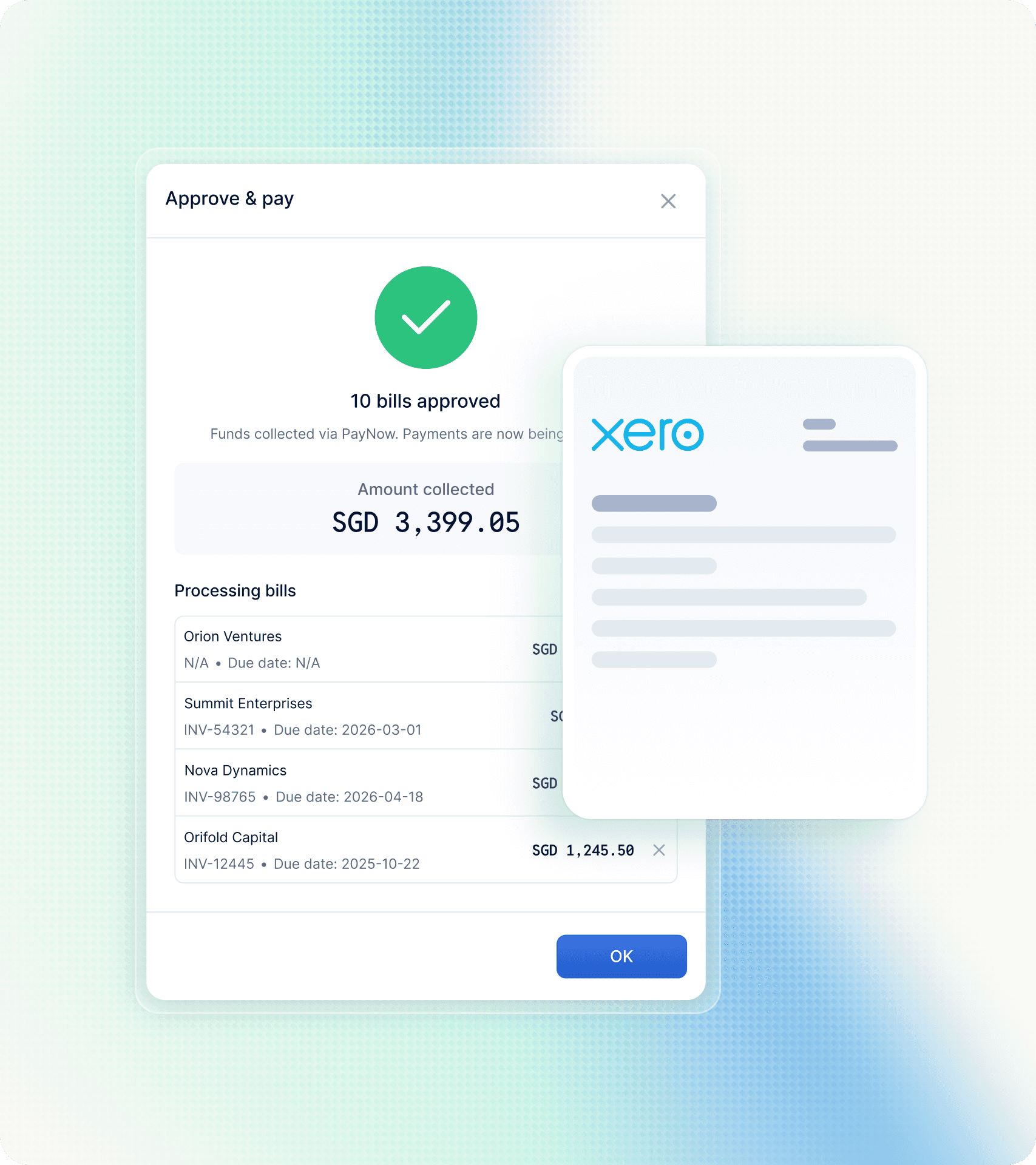
Once a bill is paid, HitPay BillPay pushes the payment record straight into Xero against the right vendor and GL account, using your mapping from BillPay categories to Xero expense accounts, and marks the Xero bill as paid - the manual reconciliation step most finance teams dread simply disappears. Every bill also carries a full status timeline, from creation and OCR extraction through approval and payment, so a merchant or finance manager can see exactly where any payment stands: pending, processing, completed, or failed, with a timestamp at each stage. Nothing gets lost between a forwarded email and a supplier’s bank account.
Xero Sync
Per-line-item accounting categories, synced automatically.
Full Timeline
Pending, processing, completed, or failed - timestamped.
Zero Manual Entry
No manual reconciliation or duplicate entry, ever.
Never Miss a Due Date
Notifications at every step of the payment journey.
Why HitPay
Every tool that pays supplier invoices automates bill capture - that’s table stakes. What’s different is where it lives: the same account your business already uses to get paid, built for Singapore and Philippine payment rails, at no monthly cost.
Compare
HitPay sources: Singapore pricing · this page. Aspire, Airwallex and YouBiz figures link to each provider’s own pages. Collecting from B2B clients into the same wallet? See Collection Account. Airwallex on its own: HitPay vs Airwallex.
| Need | HitPay BillPay (SG) | Aspire Bills / Bill Pay | Airwallex Bill Pay | YouBiz | Revolut Business |
|---|---|---|---|---|---|
| Primary job | Pay supplier invoices from the same HitPay account used to get paid | Vendor bills inside Aspire business account | Domestic + international bills inside Airwallex Spend | Pay/spend from YouBiz multi-currency account + cards | Multi-currency business account; pulls bills from accounting software |
| Monthly platform fee | S$0 (/sg/pricing) | Bills service included in your Aspire subscription; Basic account SGD $0/mo · Premium SGD $15/mo (Aspire Bill Pay · Aspire pricing) | Explore Free · Grow S$79 · Accelerate from S$399; Bill Pay listed on plans; transaction fees still apply (Airwallex SG pricing · SG how-it-works) | S$0/mo (YouBiz) | Basic from S$0 · Grow from S$15 · Scale from S$84 · Enterprise from S$417/mo (annual billing) (Revolut plans) |
| Local SG supplier pay | PayNow/FAST · S$0.50/transfer (/sg/pricing) | Local transfers via FAST/GIRO/PayNow described as zero fees / free (Aspire payments · MCA transfer fees) | Local-rail payouts Free to 120+ countries (SG how-it-works); Fee Schedule lists local payout $0 (Fee Schedule PDF) | Local FAST transfer free (YouBiz MCA); PayNow top-up/receive free (guide) | 5 no-fee local transfers on Basic; S$8 fee outside the allowance (transfer type not listed) (Revolut plans) |
| International supplier pay | From 0.5% FX fee · no per-transfer or SWIFT fee · 150+ countries (/sg/pricing) | FX Send: from 0.46% on Basic; SWIFT send USD 15 (SHA) / USD 30 (OUR) per transfer (Aspire SG transfer fees); Premium (SGD 15/mo) includes 5 free outbound international transfers worth up to USD 75/month (Aspire pricing) | FX 0.4%–0.6% above interbank; local rails free; SWIFT S$20–S$35/transfer (SG how-it-works · pricing) | Overseas transfers in 20 currencies with no FX fee at YouBiz wholesale rate; per-transfer remittance fee not published, shown in-app before you confirm (YouBiz FX transfers · guide); card spend FX 0% is not the same as a bank remittance | Interbank FX up to S$1,500/mo (Basic) or S$13,000 (Grow), then 0.6%; 1% outside market hours (Revolut plans) |
| OCR / email bill capture | Upload or forward to BillPay email · OCR · multi-level approval | Upload or forward to [email protected] · AI draft · approval (Aspire Bill Pay) | Upload, email, or sync from accounting · approvals (Airwallex Bill Pay) | 2-step transfer approvals, batch transfers up to 1,000 payments, receipt attach on transactions (YouBiz MCA · FX transfers · expense management); invoice OCR / email-forward bill capture not listed on YouBiz pages | Pulls bills from accounting software; OCR or email-forward capture not listed on Revolut's plans page |
| Payment acceptance + bill pay, one account | Yes — HitPay checkout + BillPay | Acquiring depth: confirm on Aspire (business account first) | Payments + Bill Pay available on Airwallex — confirm plan | Card/spend-led — confirm acquiring | Accepts online and in-person payments (Revolut Terminal S$285 one-time, Revolut Pay, payment links) |
| Funding rule | Pay from your HitPay balance, or fund by PayNow / bank transfer | Debit from Aspire accounts (confirm in-app) | Pay from Airwallex wallet / held balances (confirm) | Spend from topped-up YouBiz balance / wallets | Not listed on Revolut's plans page |
| Best for | Merchants who already collect via HitPay and need supplier pay on the same account | Teams standardising on Aspire as finance OS | Teams buying Airwallex for global FX + bill workflows | Teams buying YouBiz for 0% FX card spend who also send overseas | Teams that want to hold and exchange currencies with an FX allowance and cards |
Compare
Bank transfer features and fees depend on your bank’s business plan, so this table doesn’t quote them. HitPay fees are from /sg/pricing.
| HitPay BillPay | Bank transfer | |
|---|---|---|
| OCR / email bill capture | ✓ | Depends on your bank's business plan |
| Multi-level approval | ✓ | Depends on your bank's business plan |
| Local and international suppliers in one run | ✓ | Depends on your bank's business plan |
| Xero sync | ✓ | Depends on your bank's business plan |
| Local supplier transfer | S$0.50 (PayNow or FAST) | Depends on your bank's business plan |
Coverage
Where BillPay sends money, and how fast
Which rails a payment goes out on, and how long it takes, depends on where your business is registered and where the supplier is. A Singapore account sends locally and internationally; a Philippine account sends locally.
Overseas suppliers
01
Upload or forward
Upload the supplier’s invoice or forward it to your BillPay email. OCR reads the vendor, amount and bank details.
02
Approve
Route the bill through multi-level approval, then schedule it for its due date.
03
Pay in their currency
Pay the supplier in their own currency over local rails or SWIFT, to 150+ countries and territories, from a 0.5% FX fee with no per-transfer or SWIFT fee.
Compare against Aspire (FX from 0.46%), Airwallex (0.4% on major currencies, free local transfers, SWIFT $20–35), Revolut (interbank allowance, then 0.6%) and Wise (from 0.19%, varies by currency). For large or frequent FX, a treasury account may be cheaper. HitPay saves you a second platform if you already sell on HitPay. Last checked 17 Oct 2026.
Paying suppliers abroad? Compare HitPay vs Aspire and HitPay vs Revolut Business, or read our multi-currency business account guide.
Pricing
Confirm live on Singapore pricing. You pay per transfer; a quiet month costs nothing in platform fees.
| Transfer type | Rails | HitPay fee (confirm /sg/pricing) |
|---|---|---|
| Local SG | PayNow or FAST | S$0.50 per transfer |
| International | Local rails or SWIFT · 150+ countries/territories | From 0.5% FX fee |
| Platform | — | No monthly fee |
| Funding | HitPay balance, PayNow or bank transfer | Pay from money you've collected on HitPay, or fund by PayNow or bank transfer |

S$0
Monthly subscription - pay per transaction
1
Account for accepting payments and paying suppliers
0
Manual re-entry - OCR capture to Xero sync
Accounts unified
From invoice capture to a paid, reconciled bill — one workflow, one account, no monthly fee.


frequently asked questions
What merchants ask most about paying suppliers from their HitPay account.
What is HitPay BillPay and how does it work?
BillPay pays supplier invoices from the HitPay account you already use to get paid. Upload a supplier invoice or forward it to your account's bill email address, and OCR reads the vendor, amount, account number and due date into a draft bill. It routes for approval, then pays out on the date you set. One account for money in and money out, with no monthly fee.
Who can create, submit and approve bills?
Any staff member with BillPay access can upload an invoice or forward it to the bill email address to create a bill. Approvers, usually owners or finance managers, sign off before money moves. Approval rules can be set by amount, so small bills clear quickly and large ones need a second pair of eyes. Every action is recorded in the bill's timeline.
Which payment rails does BillPay use in Singapore?
Local Singapore payments go out over PayNow or FAST and arrive in real time. International payments reach 150+ countries and territories, sent either over local rails in the destination country or by SWIFT. Local rails arrive anywhere from real time to T+3 depending on the country; SWIFT is T+3 business days.
How much does BillPay cost in Singapore?
There is no monthly subscription. Local transfers over PayNow or FAST cost S$0.50 each. International transfers are priced from 0.5% FX fee (150+ countries and territories; local rails or SWIFT) — confirm live on the Singapore pricing page. You pay per transfer, so a quiet month costs you nothing in platform fees. You can pay a transfer from your HitPay balance, and international transfers have no per-transfer or SWIFT fee.
How does funding and scheduling work?
Pay each bill from your HitPay balance, or fund it by PayNow or bank transfer. A local bill can be funded any time from three days before its scheduled date through the date itself; a foreign-currency bill can be funded up to 24 hours before, with the FX rate locked for that period. If a bill is not funded in time it is marked Expired after three days and the funds are returned to you, with a warning email the day before.
What do the bill statuses mean?
A bill moves through Pending, then Need Approval while it waits for sign-off, then Approved and Scheduled once it has a funding date. From there it goes to Processing, may pass through Compliance Screening, and finishes as Completed. A bill that does not go through ends as Failed, Expired, Rejected or Canceled.
Is there a limit on how many bills or suppliers I can manage?
There is no cap on the total number of bills. Two working limits are worth knowing: a batch action covers up to 50 bills at a time, and a vendor CSV import takes up to 500 rows per file. Invoice files can be PDF, JPG or PNG up to 10MB each.
Can Singapore merchants pay overseas suppliers?
Yes. A Singapore-registered business can pay an overseas supplier in the supplier’s local currency in the same approval run as a local PayNow payment. International payments reach 150+ countries and territories and use HitPay’s published international BillPay FX — from 0.5% FX fee on /sg/pricing. Philippine-registered BillPay remains local-only and is out of scope for this Singapore comparison.
Does BillPay sync with Xero?
Yes. New vendors are created in Xero automatically, or linked to an existing supplier rather than duplicated. An approved bill is pushed to Xero against the right vendor and GL account, using your mapping from BillPay categories to Xero expense accounts. When the bill is paid in HitPay, the Xero bill is marked as paid. Vendors imported from Xero are read-only in HitPay.
How does HitPay BillPay compare to Aspire, Airwallex, or YouBiz?
Aspire Bills, Airwallex Bill Pay, and YouBiz transfers are usually part of a business-account or spend platform. HitPay BillPay is built for merchants who already get paid on HitPay and want supplier payments on that same account — OCR, approvals, local PayNow/FAST at S$0.50, international from 0.5% FX fee, no monthly fee (/sg/pricing). Always verify Aspire, Airwallex, and YouBiz fees on their own Singapore pages.
How do I pay a supplier by PayNow or FAST from my business?
On HitPay BillPay, add the supplier's bank or PayNow details from their invoice, approve the bill, fund it, and the payment goes out by PayNow or FAST in real time for S$0.50 per transfer. You don't need a separate banking platform for local supplier payments.
What is the cheapest way to pay an overseas supplier from Singapore?
Compare the total cost: transfer fee plus FX margin. HitPay BillPay has no per-transfer or SWIFT fee on international payments, only the FX fee from 0.5%, across 150+ countries and territories. For comparison, Aspire Basic lists FX from 0.46% (Aspire pricing), Airwallex 0.4% on major currencies with SWIFT at $20–35 (Airwallex pricing), Revolut Business interbank FX up to a monthly allowance, then 0.6% (Revolut plans), and Wise from 0.19%, varying by currency (Wise pricing). For large or frequent FX, a treasury account may be cheaper. Check the live rate on /sg/pricing before each run.
Can I collect from customers and pay suppliers from one account?
Yes. HitPay takes customer payments (PayNow, cards, payment links), collects B2B receivables through the Collection Account, and pays supplier invoices through BillPay, all under one HitPay login with Xero sync.
Is there a monthly fee for BillPay?
No. You pay S$0.50 per local PayNow or FAST transfer and from 0.5% FX fee for international transfers.
Can I pay suppliers from my HitPay balance?
Yes. Money you've collected through HitPay can pay supplier bills directly.
Is there a SWIFT fee on international BillPay?
No. You pay only the FX fee, from 0.5%.
What's the best bill payment platform for Singapore SMEs?
Look at three things: transfer fees, FX cost and how you fund payments. HitPay BillPay charges S$0.50 per local transfer (PayNow or FAST) and, for international transfers, only an FX fee from 0.5% with no per-transfer or SWIFT fee. You can pay suppliers from your HitPay balance, with OCR bill capture, multi-level approval and Xero sync.
What’s the best way to pay overseas suppliers from Singapore?
Compare the total cost: the FX margin, any per-transfer fee and any SWIFT fee. HitPay BillPay pays suppliers in 150+ countries and territories over local rails where available, otherwise SWIFT, with only an FX fee from 0.5% and no per-transfer or SWIFT fee. You upload or forward the invoice, approve it, and pay from the same account you get paid into. SWIFT transfers take about T+3 business days; local rails range from real time to T+3 depending on the country.
Still have questions?
Get in touch
Get in touch with our sales team for more information.
Help and Support
Find answers to your questions and get support for our services.
