Light to dark blue smooth gradient transition.

Simplify Accounting with Xero Integration via HitPay

Simplify Accounting with Xero Integration via HitPay

Simplify Accounting with Xero Integration via HitPay

Streamline your payments and invoicing with HitPay’s Xero integration in Singapore. Accept PayNow QR, cards, and more—automatically synced to your Xero account.

Streamline your payments and invoicing with HitPay’s Xero integration in Singapore. Accept PayNow QR, cards, and more—automatically synced to your Xero account.

Streamline your payments and invoicing with HitPay’s Xero integration in Singapore. Accept PayNow QR, cards, and more—automatically synced to your Xero account.

Why businesses in Singapore choose

HitPay + Xero

Why businesses in Singapore choose

HitPay + Xero

Why businesses in Singapore choose HitPay + Xero

Why businesses in Singapore choose HitPay + Xero

Accept multiple payment methods on HitPay including PayNow, Visa, and Apple Pay

Accept multiple payment methods on HitPay including PayNow, Visa, and Apple Pay

Automatically sync payments with your Xero invoices

Automatically sync payments with your Xero invoices

Reduce time spent on manual reconciliation

Reduce time spent on manual reconciliation

Easily track transactions from a single dashboard

Easily track transactions from a single dashboard

Plain white square background with a soft, light blue horizontal gradient across the center.

Easily connect HitPay with Xero

Easily connect HitPay with Xero

Easily connect HitPay with Xero

Getting started is quick and hassle-free. Simply connect your Xero account to HitPay in just a few clicks—no technical setup required. Whether you're collecting payments in-store, online, or via invoice, all transactions are synced to Xero in real time—making reconciliation fast and effortless.
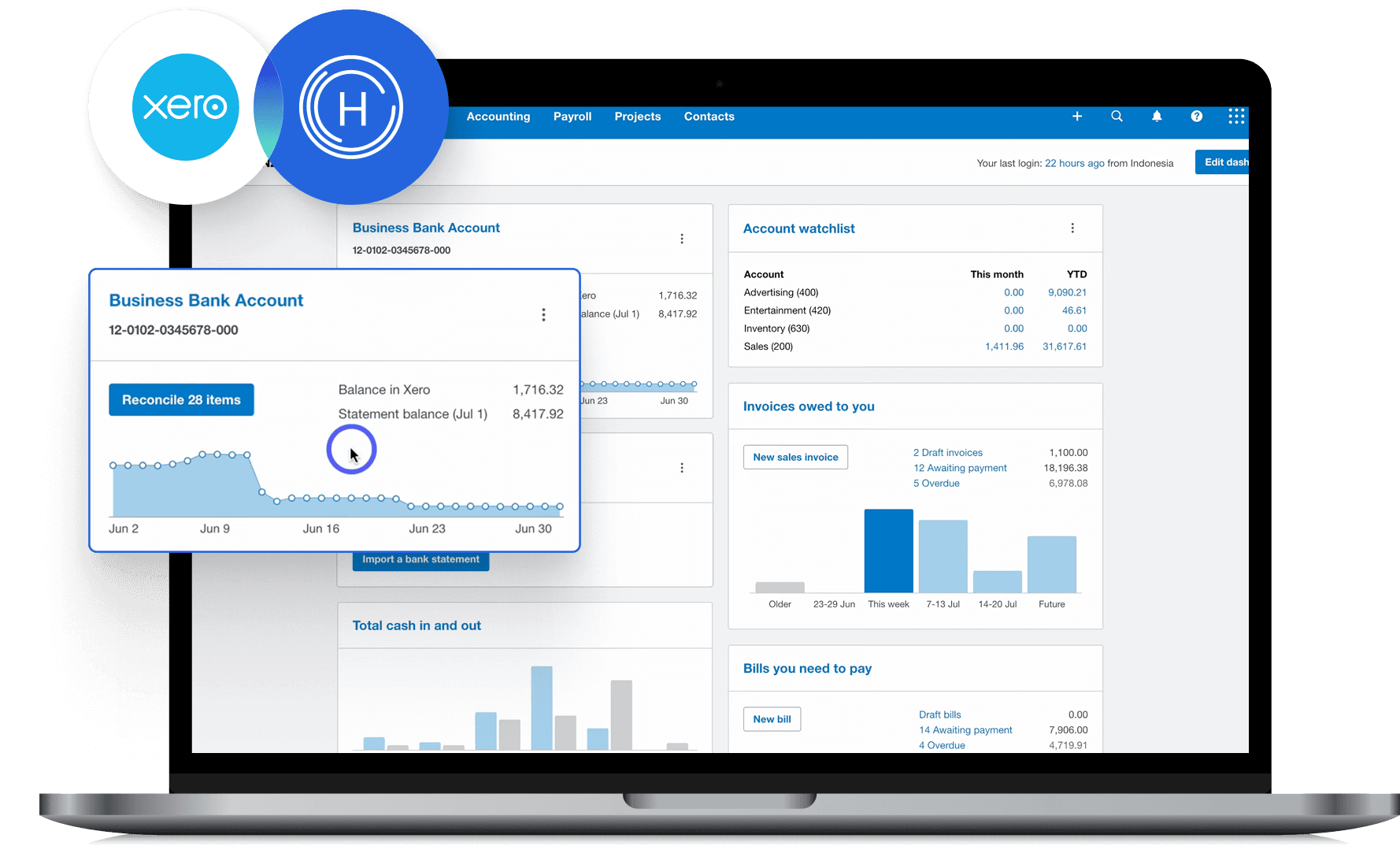
Getting started is quick and hassle-free. Simply connect your Xero account to HitPay in just a few clicks—no technical setup required. Whether you're collecting payments in-store, online, or via invoice, all transactions are synced to Xero in real time—making reconciliation fast and effortless.

Getting started is quick and hassle-free. Simply connect your Xero account to HitPay in just a few clicks—no technical setup required. Whether you're collecting payments in-store, online, or via invoice, all transactions are synced to Xero in real time—making reconciliation fast and effortless.

Why choose HitPay

Why choose HitPay

Why choose HitPay

Trusted and secure

Trusted and secure

We are a MAS-registered payment provider, ensuring high security and compliance for your business.

Transparent Pricing

Transparent Pricing

No setup fees, no hidden charges. Know exactly what you’re paying for.

Omni-channel Integration

Omni-channel Integration

Whether you sell in-store, online, or both—HitPay ties it all together with Xero.

Trusted and secure

We are a MAS-registered payment provider, ensuring high security and compliance for your business.

Transparent Pricing

No setup fees, no hidden charges. Know exactly what you’re paying for.

Omni-channel Integration

Whether you sell in-store, online, or both—HitPay ties it all together with Xero.

Frequently Asked Questions

Frequently Asked Questions

Is the HitPay Xero integration free?

Yes, there are no additional fees to connect your HitPay and Xero accounts.

Can I still use HitPay in-store if I use Xero online invoicing?

Absolutely. All HitPay transactions—including POS—can be synced to Xero.

What payment methods are supported?

PayNow QR, Visa, Mastercard, AMEX, Apple Pay, Google Pay, AliPay, and WeChatPay.

Where can I get help setting up the integration?

Is the HitPay Xero integration free?

Yes, there are no additional fees to connect your HitPay and Xero accounts.

Can I still use HitPay in-store if I use Xero online invoicing?

Absolutely. All HitPay transactions—including POS—can be synced to Xero.

What payment methods are supported?

PayNow QR, Visa, Mastercard, AMEX, Apple Pay, Google Pay, AliPay, and WeChatPay.

Where can I get help setting up the integration?

Is the HitPay Xero integration free?

Yes, there are no additional fees to connect your HitPay and Xero accounts.

Can I still use HitPay in-store if I use Xero online invoicing?

Absolutely. All HitPay transactions—including POS—can be synced to Xero.

What payment methods are supported?

PayNow QR, Visa, Mastercard, AMEX, Apple Pay, Google Pay, AliPay, and WeChatPay.

Where can I get help setting up the integration?

Is the HitPay Xero integration free?

Yes, there are no additional fees to connect your HitPay and Xero accounts.

Can I still use HitPay in-store if I use Xero online invoicing?

Absolutely. All HitPay transactions—including POS—can be synced to Xero.

What payment methods are supported?

PayNow QR, Visa, Mastercard, AMEX, Apple Pay, Google Pay, AliPay, and WeChatPay.

Where can I get help setting up the integration?

Is the HitPay Xero integration free?

Yes, there are no additional fees to connect your HitPay and Xero accounts.

Can I still use HitPay in-store if I use Xero online invoicing?

Absolutely. All HitPay transactions—including POS—can be synced to Xero.

What payment methods are supported?

PayNow QR, Visa, Mastercard, AMEX, Apple Pay, Google Pay, AliPay, and WeChatPay.

Where can I get help setting up the integration?

Still have questions?

Contact our team.

Still have questions?

Contact our team.

Still have questions?

Contact our team.

Still have questions?

Contact our team.

Still have questions?

Contact our team.