Light to dark blue smooth gradient transition.

Trusted by finance teams in Malaysia

Trusted by finance teams in Malaysia

Payments that sync with your books. Automatically.

Payments that sync with your books. Automatically.

Payments that sync with your books. Automatically.

If your business lives in Xero or Odoo, HitPay connects your invoicing to your payments without adding a new tool to your workflow. Your clients pay the way they prefer — by card, DuitNow, FPX, and more. Your books update themselves.

If your business lives in Xero or Odoo, HitPay connects your invoicing to your payments without adding a new tool to your workflow. Your clients pay the way they prefer — by card, DuitNow, FPX, and more. Your books update themselves.

If your business lives in Xero or Odoo, HitPay connects your invoicing to your payments without adding a new tool to your workflow. Your clients pay the way they prefer — by card, DuitNow, FPX, and more. Your books update themselves.

Businesses Running on Xero

Businesses Running on Odoo

Bookkeepers & Accountants

Legal Firms

Consulting Practices

Medical Clinics

Finance & Operations Teams

Businesses Running on Xero

Businesses Running on Odoo

Bookkeepers & Accountants

Legal Firms

Consulting Practices

Medical Clinics

Finance & Operations Teams

Connect HitPay to Xero or Odoo. Your invoices get a Pay Now button. When your client pays — by card, DuitNow, or FPX — the payment is recorded and matched against the invoice automatically. No manual entry. No end-of-month scramble.

Connect HitPay to Xero or Odoo. Your invoices get a Pay Now button. When your client pays — by card, DuitNow, or FPX — the payment is recorded and matched against the invoice automatically. No manual entry. No end-of-month scramble.

MYR 0

MYR 0

MYR 0

Monthly platform fees

Monthly platform fees

Monthly platform fees

Auto

Auto

Auto

Invoice reconciliation

Invoice reconciliation

Invoice reconciliation

T+2

T+2

T+2

Business day payouts

Business day payouts

Business day payouts

Real-time

Real-time

Real-time

Xero / Odoo sync

Xero / Odoo sync

Xero / Odoo sync

Payments that work the way your accounting software expects

Payments that work the way your accounting software expects

Payments that work the way your accounting software expects

XERO INTEGRATION

Xero invoices that collect themselves

Xero invoices that collect themselves

Xero invoices that collect themselves

Connect your HitPay account to Xero in a few clicks. From that point, every Xero invoice you send includes a Pay Now button. When your client pays, the payment is automatically recorded in Xero and the invoice moves from Awaiting Payment to Paid. No manual matching. No CSV imports.

Connect your HitPay account to Xero in a few clicks. From that point, every Xero invoice you send includes a Pay Now button. When your client pays, the payment is automatically recorded in Xero and the invoice moves from Awaiting Payment to Paid. No manual matching. No CSV imports.

Connect your HitPay account to Xero in a few clicks. From that point, every Xero invoice you send includes a Pay Now button. When your client pays, the payment is automatically recorded in Xero and the invoice moves from Awaiting Payment to Paid. No manual matching. No CSV imports.

OAuth connection between HitPay and Xero — set up in a few clicks

OAuth connection between HitPay and Xero — set up in a few clicks

OAuth connection between HitPay and Xero — set up in a few clicks

Payments matched to the correct invoice automatically — no manual reconciliation

Payments matched to the correct invoice automatically — no manual reconciliation

Payments matched to the correct invoice automatically — no manual reconciliation

Multi-currency support — foreign currency transactions recorded correctly in Xero

Multi-currency support — foreign currency transactions recorded correctly in Xero

Multi-currency support — foreign currency transactions recorded correctly in Xero

Payment method noted in Xero transaction records for audit purposes

Payment method noted in Xero transaction records for audit purposes

Payment method noted in Xero transaction records for audit purposes

Particularly popular with Malaysian businesses using DuitNow alongside card payments

Particularly popular with Malaysian businesses using DuitNow alongside card payments

Particularly popular with Malaysian businesses using DuitNow alongside card payments

XERO INTEGRATION

Xero invoices that collect themselves

Connect your HitPay account to Xero in a few clicks. From that point, every Xero invoice you send includes a Pay Now button. When your client pays, the payment is automatically recorded in Xero and the invoice moves from Awaiting Payment to Paid. No manual matching. No CSV imports.

OAuth connection between HitPay and Xero — set up in a few clicks

Payments matched to the correct invoice automatically — no manual reconciliation

Multi-currency support — foreign currency transactions recorded correctly in Xero

Payment method noted in Xero transaction records for audit purposes

Particularly popular with Malaysian businesses using DuitNow alongside card payments

ODOO INTEGRATION

ERP-native payment collection for Odoo businesses

ERP-native payment collection for Odoo businesses

ERP-native payment collection for Odoo businesses

HitPay provides an official Odoo extension supporting online payments, Point-of-Sale, and subscriptions. Install it and accept payments on sales orders and invoices without leaving Odoo. All transactions sync back to your accounting ledger automatically.

HitPay provides an official Odoo extension supporting online payments, Point-of-Sale, and subscriptions. Install it and accept payments on sales orders and invoices without leaving Odoo. All transactions sync back to your accounting ledger automatically.

HitPay provides an official Odoo extension supporting online payments, Point-of-Sale, and subscriptions. Install it and accept payments on sales orders and invoices without leaving Odoo. All transactions sync back to your accounting ledger automatically.

Official HitPay Odoo extension — available here

Official HitPay Odoo extension — available here

Official HitPay Odoo extension — available here

Supports Odoo 16, 17, 18, and 19 for online payments and POS

Supports Odoo 16, 17, 18, and 19 for online payments and POS

Supports Odoo 16, 17, 18, and 19 for online payments and POS

Subscription billing available on Odoo 19 — check your version before enabling

Subscription billing available on Odoo 19 — check your version before enabling

Subscription billing available on Odoo 19 — check your version before enabling

Accept cards, DuitNow, GrabPay, FPX, and 50+ other methods inside Odoo

Accept cards, DuitNow, GrabPay, FPX, and 50+ other methods inside Odoo

Accept cards, DuitNow, GrabPay, FPX, and 50+ other methods inside Odoo

Refunds can be initiated directly from the Odoo backend

Refunds can be initiated directly from the Odoo backend

Refunds can be initiated directly from the Odoo backend

ODOO INTEGRATION

ERP-native payment collection for Odoo businesses

HitPay provides an official Odoo extension supporting online payments, Point-of-Sale, and subscriptions. Install it and accept payments on sales orders and invoices without leaving Odoo. All transactions sync back to your accounting ledger automatically.

Official HitPay Odoo extension — available here

Supports Odoo 16, 17, 18, and 19 for online payments and POS

Subscription billing available on Odoo 19 — check your version before enabling

Accept cards, DuitNow, GrabPay, FPX, and 50+ other methods inside Odoo

Refunds can be initiated directly from the Odoo backend

MULTI-CURRENCY

Bill and collect in multiple currencies — recorded correctly in your books

Bill and collect in multiple currencies — recorded correctly in your books

Bill and collect in multiple currencies — recorded correctly in your books

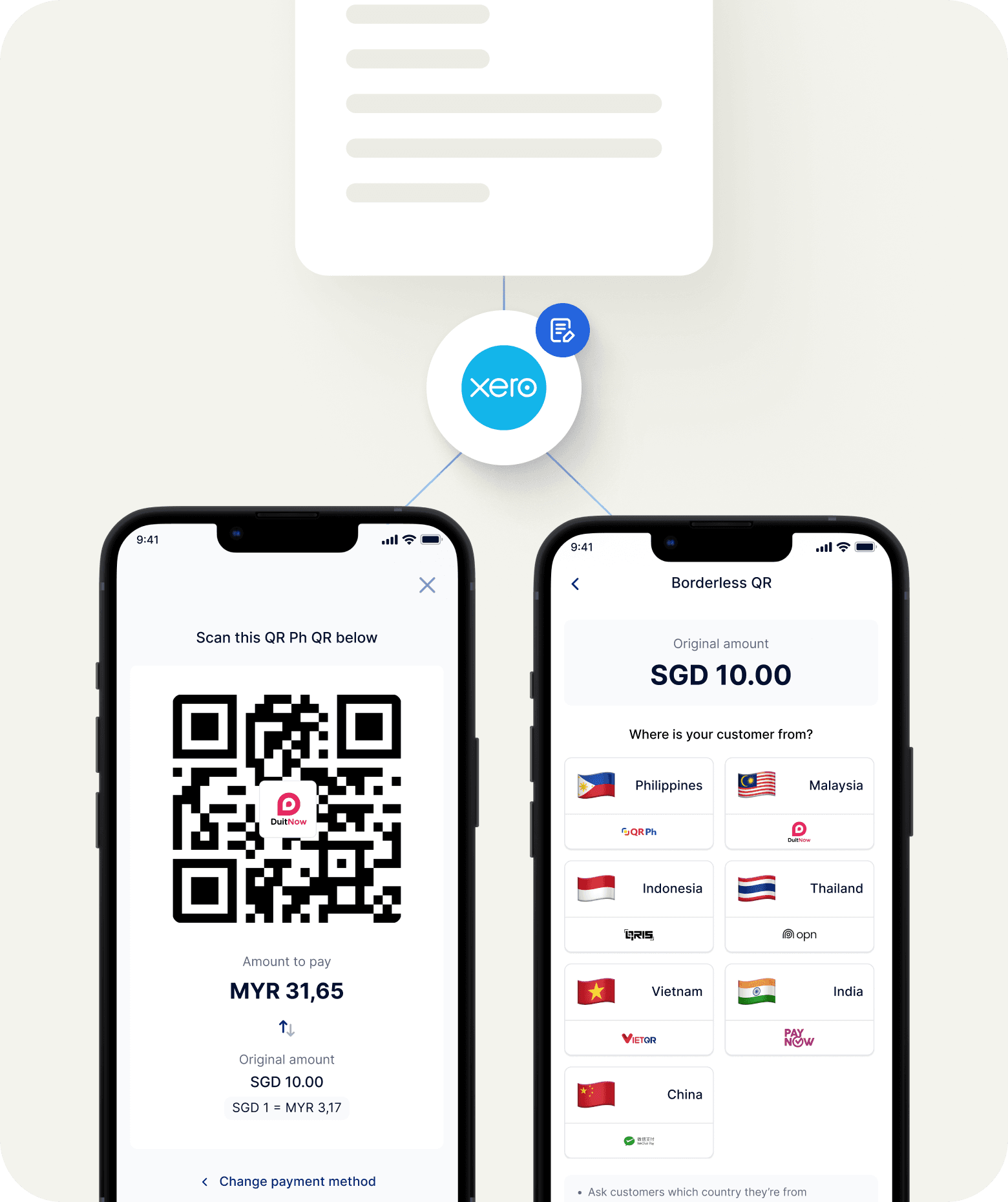
If you invoice international clients in SGD, USD, or other currencies, HitPay handles the FX. Multi-currency transactions are automatically converted and recorded in Xero with the correct exchange rates — so your accounting stays accurate without manual currency adjustment.

If you invoice international clients in SGD, USD, or other currencies, HitPay handles the FX. Multi-currency transactions are automatically converted and recorded in Xero with the correct exchange rates — so your accounting stays accurate without manual currency adjustment.

If you invoice international clients in SGD, USD, or other currencies, HitPay handles the FX. Multi-currency transactions are automatically converted and recorded in Xero with the correct exchange rates — so your accounting stays accurate without manual currency adjustment.

Accept payments in 150+ currencies

Accept payments in 150+ currencies

Accept payments in 150+ currencies

Multi-currency transactions recorded in Xero with correct FX conversion

Multi-currency transactions recorded in Xero with correct FX conversion

Multi-currency transactions recorded in Xero with correct FX conversion

Useful for Malaysian professional services firms billing Singapore or overseas clients

Useful for Malaysian professional services firms billing Singapore or overseas clients

Useful for Malaysian professional services firms billing Singapore or overseas clients

No manual exchange rate entries required

No manual exchange rate entries required

No manual exchange rate entries required

MULTI-CURRENCY

Bill and collect in multiple currencies — recorded correctly in your books

If you invoice international clients in SGD, USD, or other currencies, HitPay handles the FX. Multi-currency transactions are automatically converted and recorded in Xero with the correct exchange rates — so your accounting stays accurate without manual currency adjustment.

Accept payments in 150+ currencies

Multi-currency transactions recorded in Xero with correct FX conversion

Useful for Malaysian professional services firms billing Singapore or overseas clients

No manual exchange rate entries required

AUTO-RECONCILIATION

The end-of-month reconciliation work, automatically done

The end-of-month reconciliation work, automatically done

The end-of-month reconciliation work, automatically done

Manual reconciliation often takes up too much time. With HitPay connected to Xero, every payment is recorded and matched automatically — in real time, not at month end.

Manual reconciliation often takes up too much time. With HitPay connected to Xero, every payment is recorded and matched automatically — in real time, not at month end.

Manual reconciliation often takes up too much time. With HitPay connected to Xero, every payment is recorded and matched automatically — in real time, not at month end.

WITHOUT HITPAY

WITH HITPAY ACCOUNTING INTEGRATIONS

Download bank statements

Client pays the invoice

Match each payment to an invoice manually

Payment recorded in Xero automatically

Chase unmatched transactions

Invoice marked as Paid

Enter missing payments manually

Books updated in real time

Repeat every month

Nothing left to reconcile at month end

WITHOUT HITPAY

WITH HITPAY ACCOUNTING INTEGRATIONS

Download bank statements

Client pays the invoice

Match each payment to an invoice manually

Payment recorded in Xero automatically

Chase unmatched transactions

Invoice marked as Paid

Enter missing payments manually

Books updated in real time

Repeat every month

Nothing left to reconcile at month end

Everything your finance-focused business needs

Everything your finance-focused business needs

Everything your finance-focused business needs

Xero integration

Xero integration

OAuth connection. Payments auto-reconcile. No CSV imports. No manual matching.

OAuth connection. Payments auto-reconcile. No CSV imports. No manual matching.

OAuth connection. Payments auto-reconcile. No CSV imports. No manual matching.

Odoo integration

Odoo integration

Official HitPay extension for Odoo 16–19. Payments sync to your accounting ledger from inside Odoo.

Official HitPay extension for Odoo 16–19. Payments sync to your accounting ledger from inside Odoo.

Official HitPay extension for Odoo 16–19. Payments sync to your accounting ledger from inside Odoo.

All Malaysian payment methods

All Malaysian payment methods

DuitNow, FPX, GrabPay, Touch ‘n Go, Visa, Mastercard, and more. Clients pay how they prefer — all recorded automatically.

DuitNow, FPX, GrabPay, Touch ‘n Go, Visa, Mastercard, and more. Clients pay how they prefer — all recorded automatically.

DuitNow, FPX, GrabPay, Touch ‘n Go, Visa, Mastercard, and more. Clients pay how they prefer — all recorded automatically.

Automatic payment reminders

Automatic payment reminders

HitPay can send reminders before and after invoice due dates. Fewer overdue invoices. Less manual chasing.

HitPay can send reminders before and after invoice due dates. Fewer overdue invoices. Less manual chasing.

HitPay can send reminders before and after invoice due dates. Fewer overdue invoices. Less manual chasing.

Multi-currency support

Multi-currency support

Bill international clients in their currency. FX recorded correctly in Xero.

Bill international clients in their currency. FX recorded correctly in Xero.

Bill international clients in their currency. FX recorded correctly in Xero.

Zero monthly fees

Zero monthly fees

Pay per successful transaction only. No accounting software add-on subscription required.

Pay per successful transaction only. No accounting software add-on subscription required.

Pay per successful transaction only. No accounting software add-on subscription required.

Explore more solutions

Explore more solutions

Explore more solutions

Freelancers & Services

Payment links, invoicing, and retainer billing for service businesses — with Xero integration.

E-commerce

Accept online payments across Shopify, WooCommerce, and 10+ platforms.

Subscriptions & Memberships

Recurring billing for gyms, co-working spaces, and SaaS businesses.

Frequently Asked Questions

Frequently Asked Questions

Which accounting tools does HitPay integrate with in Malaysia?

HitPay integrates with Xero, QuickBooks Online, and Odoo Accounting. All three allow payments collected through HitPay to sync automatically with your accounting records — eliminating manual reconciliation and keeping your books current in real time.

What payment methods can Malaysian clients use when paying through HitPay?

Malaysian clients can pay by DuitNow, FPX (online banking), GrabPay, ShopeePay, Touch 'n Go eWallet, Boost, Visa, Mastercard, and more. All options are presented in the same Pay Now button — clients choose their preferred method at checkout. Each payment is recorded in your accounting software regardless of which method is used.

Is there a monthly fee to use HitPay's accounting integrations?

No. Xero, QuickBooks, and Odoo integrations are included with your HitPay account at no additional monthly fee. You pay only per successful transaction. See hitpayapp.com/my/pricing for current rates.

How does the HitPay + Xero integration work in Malaysia?

Connect HitPay to Xero via OAuth — go to HitPay Dashboard → Integrations → Xero and authorise with your Xero credentials. Every payment collected through HitPay is then automatically recorded in Xero and matched against the relevant invoice. The invoice status updates from Awaiting Payment to Paid without any manual action.

Can I add a Pay Now button to my Xero invoices in Malaysia?

Yes. Once HitPay is connected to Xero, your invoices automatically include a Pay Now button. Clients can pay by DuitNow, FPX, GrabPay, ShopeePay, Touch 'n Go, or card. Each payment is recorded in Xero immediately after completion.

How does the HitPay × QuickBooks integration work?

Connect via HitPay Dashboard → Settings → Integrations → QuickBooks and authorise through the QuickBooks OAuth flow. Configure your account mapping (income account, fees account), and every future HitPay payment syncs to QuickBooks automatically — no manual exports required.

Does HitPay support Odoo in Malaysia?

Yes. HitPay provides an official Odoo extension supporting online payments and POS for Odoo 16, 17, 18, and 19. Subscription billing is available on Odoo 19. All methods enabled on your HitPay account — DuitNow, FPX, GrabPay, ShopeePay, Touch 'n Go, cards, and more — are automatically available inside Odoo. The extension is open-source at github.com/hit-pay/odoo-extension.

How do I set up HitPay as a payment provider in Odoo?

Clone the HitPay Odoo extension from GitHub and check out the branch matching your Odoo version. Add the module path to your Odoo configuration and install it from the Apps menu. In Odoo, go to Accounting → Configuration → Payment Providers, select HitPay, and enter your API Key and Salt from HitPay Dashboard → Settings → Payment Gateway → API Keys.

Can HitPay handle multi-currency invoices for Malaysian businesses billing overseas clients?

Yes. You can invoice clients in SGD, USD, or other currencies. The foreign currency amount is automatically converted and recorded correctly in Xero or QuickBooks. For Odoo, multi-currency support follows Odoo's own currency configuration. This is particularly useful for Malaysian professional services firms, consultants, and agencies with Singapore or international clients.

Does HitPay send automatic payment reminders?

Yes. HitPay sends automated reminders to clients before and after an invoice due date — reducing overdue invoices without manual follow-up. When a reminder results in payment, the transaction reconciles in your connected accounting software automatically.

Can I manage multiple client businesses through HitPay's accounting integrations?

Each HitPay account connects to one Xero organisation or QuickBooks company. If you manage multiple client businesses, each would need its own HitPay account connected to its own accounting software. Contact the HitPay team to discuss the best setup for your practice.

Still have questions?

Contact our support team.

Stop reconciling manually

Connect HitPay to Xero or Odoo today. Your invoices collect themselves. Your books stay current. Free to sign up — no monthly fees, no setup costs.

Stop reconciling manually

Connect HitPay to Xero or Odoo today. Your invoices collect themselves. Your books stay current. Free to sign up — no monthly fees, no setup costs.

Stop reconciling manually

Connect HitPay to Xero or Odoo today. Your invoices collect themselves. Your books stay current. Free to sign up — no monthly fees, no setup costs.

Stop reconciling manually

Connect HitPay to Xero or Odoo today. Your invoices collect themselves. Your books stay current. Free to sign up — no monthly fees, no setup costs.