Online
Cross - Border
See Their Success Stories
Discover how businesses are growing with HitPay, through real stories, results, and experiences from our merchants.
See How Merchants Use HitPay
Developer Resources
Explore our comprehensive developer resources designed to enhance your experience. From detailed API documentation to interactive tutorials.
POS Systems: How They Work, Types and Benefits for Retail
Author:
The HitPay Team
Last Updated:
A POS (point-of-sale) system records sales, takes payment and tracks stock in one place. The main types are mobile/tablet POS, Tap to Pay on a phone (no hardware), card terminals and cloud POS that syncs in-store and online sales. Small retailers usually start with a mobile POS plus Tap to Pay and add a terminal when volume grows.
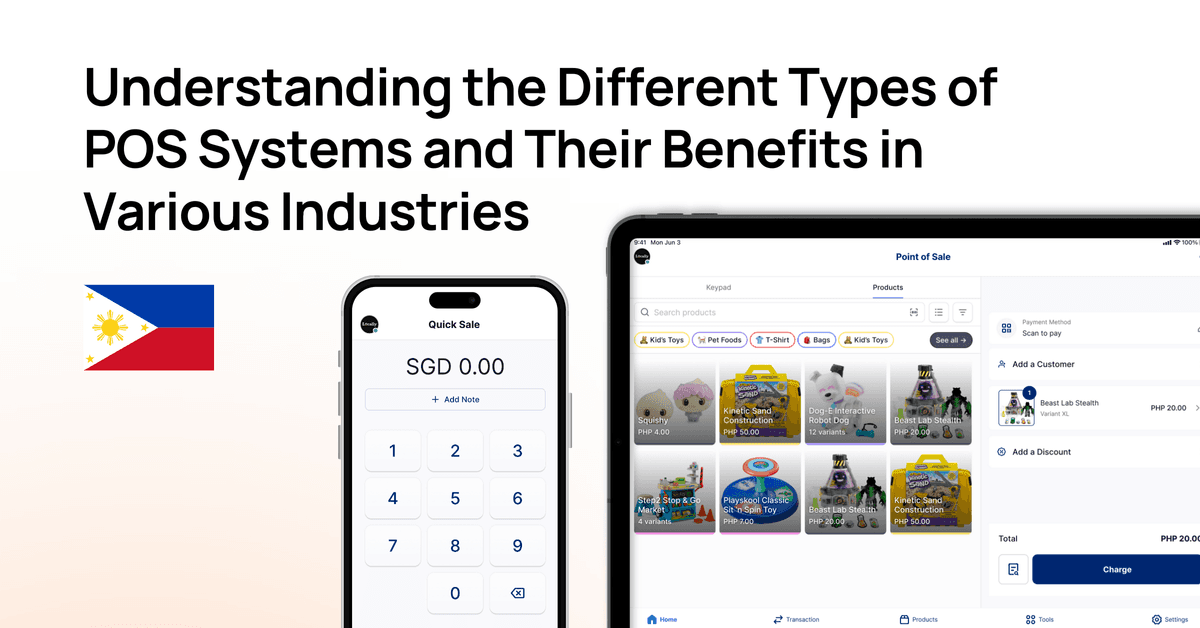
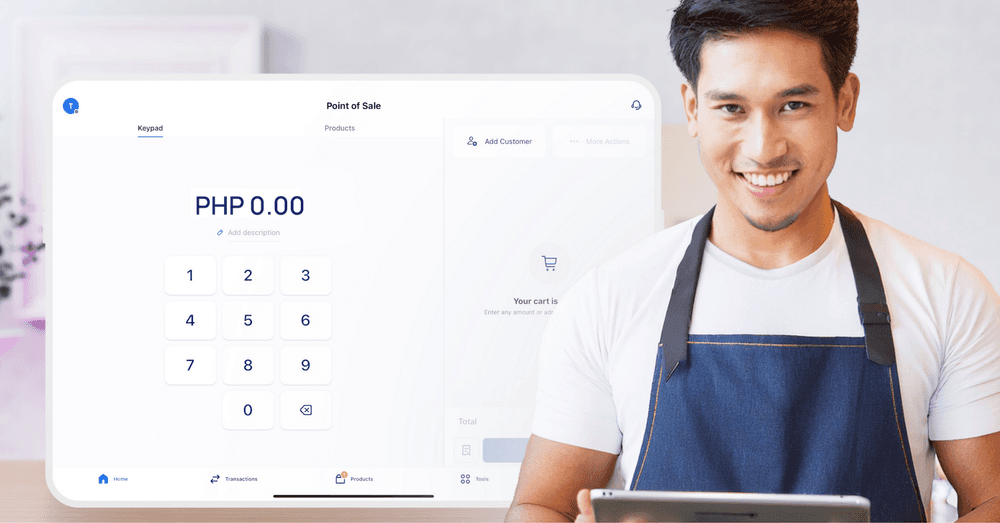
Quick Answer: A POS (point-of-sale) system records sales, takes payment and tracks stock in one place. The main types are mobile/tablet POS, Tap to Pay on a phone (no hardware), card terminals and cloud POS that syncs in-store and online sales. Small retailers usually start with a mobile POS plus Tap to Pay and add a terminal when volume grows.
This guide covers how a POS system works, the main types you can choose from, what a POS does for a retail store, and how to pick the right setup for a shop, café, market stall or multi-outlet business in Singapore, Malaysia and the Philippines.
What Is a POS System and How Does It Work?
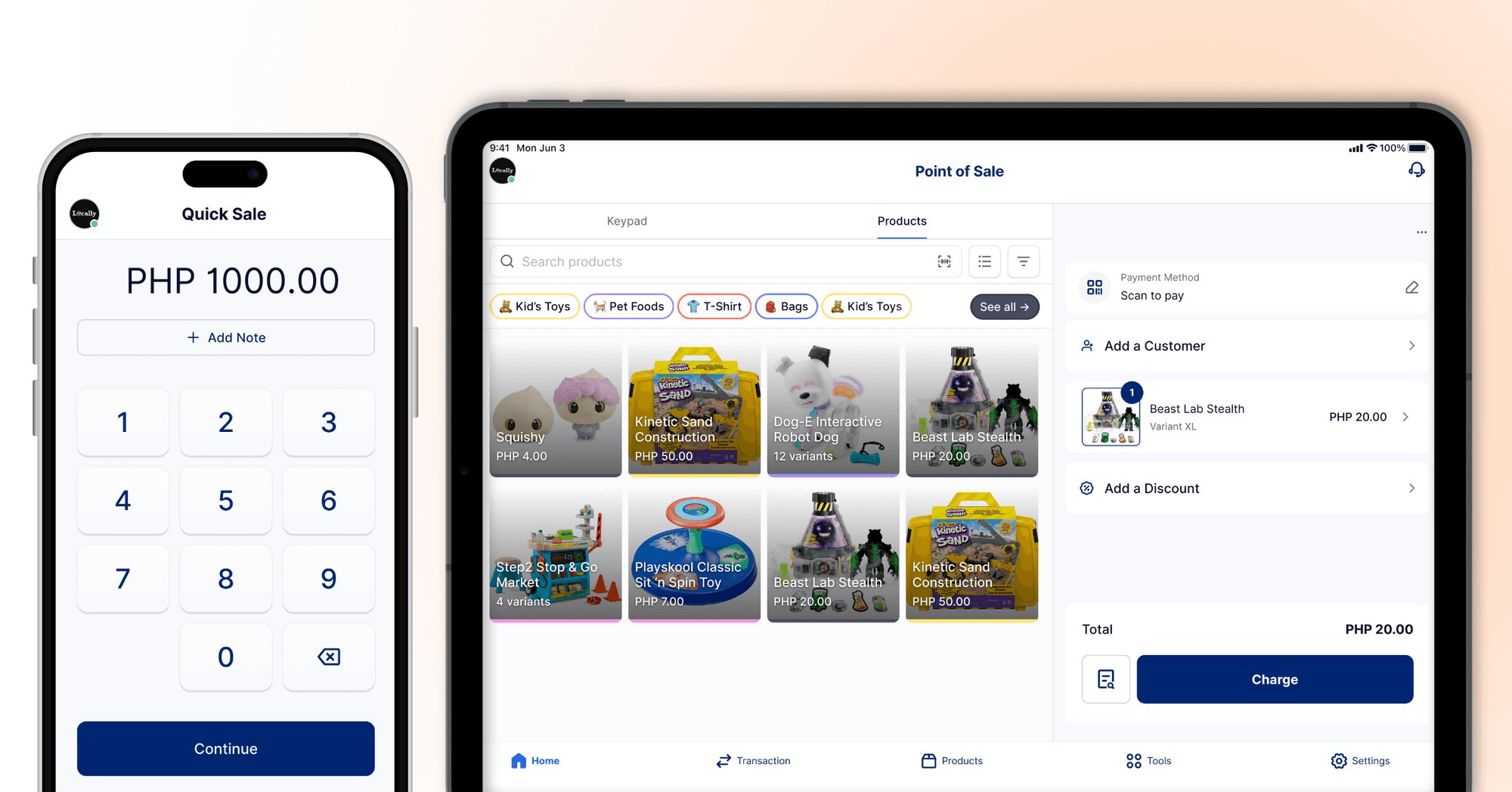
A POS system has three parts: software that rings up items and stores your catalogue, a way to take payment (cash, cards, QR, e-wallets), and reporting. When a sale is made the software updates stock, records the payment method and issues a receipt.
Key components of a POS system
Software: the brain of the system. It holds your product catalogue, records every sale, manages inventory and customer details, and produces reports on how the business is performing.
Payment acceptance: the part that takes cash, credit and debit cards, QR codes and e-wallets, and confirms each payment securely and quickly.
Hardware: whatever the counter needs: a phone or tablet, a card terminal, a barcode scanner, a receipt printer or a cash drawer. Some setups need nothing beyond a phone.
The POS workflow
When a customer buys something, the POS scans or selects the items, calculates the total including taxes, and takes the payment. If the customer pays by card, the POS checks with the card network and bank that the payment is approved. At the same time it updates stock levels, so your inventory count is always current.
Most transactions take a few seconds. Because each sale is recorded automatically, you avoid the errors that come with copying figures between a till, a notebook and a spreadsheet.
Component | What it is | What it does |
Software | The POS app or system | Tracks sales and inventory, generates reports |
Card terminal or phone | Where the customer pays | Takes card, QR and e-wallet payments |
Barcode scanner | Device for reading item codes | Speeds up checkout and keeps stock accurate |
Receipt printer | Prints transaction receipts | Gives customers proof of purchase |
Types of POS Systems
The right type depends on where you sell, how many transactions you take and how much hardware you want to manage. Many small businesses combine two types, for example a POS app on a tablet plus Tap to Pay for staff on the floor.
Mobile and tablet POS
Mobile POS turns a smartphone or tablet into a till. It suits market vendors, food trucks, event sellers and pop-up shops, and tablet setups work well at a café or shop counter because staff already know how to use a touchscreen. Pair it with a receipt printer or barcode scanner when you need them.
Tap to Pay
Tap to Pay lets you accept contactless cards and mobile wallets on a supported phone, with no card reader. Customers tap their card or phone against yours, which makes it the quickest way to start taking card payments.
Card terminals
A card terminal is a dedicated device for card, QR and e-wallet payments at the counter. It suits busy checkouts with steady card volume, where a fixed device is faster than passing a phone around.
Cloud POS
Cloud POS keeps your sales and inventory data online, so you can check stock and daily sales from anywhere and run several outlets from one account. It needs no local server, costs less to start than a traditional system, and syncs in-store sales with your online store.
Traditional on-premise registers
Traditional POS systems run on a cash register and a local computer in the store. They work without an internet connection, but they cost more to buy and maintain, and they are harder to connect to online sales or to manage across outlets.
Type | Cost to start | Hardware | Best for |
Mobile / tablet POS | Low: an app on a device you already own | Phone or tablet; printer and scanner optional | Small shops, cafés, pop-ups |
Tap to Pay | Lowest: no card reader to buy | A supported phone | Market stalls, deliveries, staff taking payment on the floor |
Card terminal | Medium: buy or rent a terminal | Dedicated payment terminal | Busy counters with steady card volume |
Cloud POS | Low to medium: software plus devices | Any device with internet | Multi-outlet and online + in-store sellers |
Traditional on-premise | High: hardware, licences and installation | Register and local computer | Large stores with in-house IT |
Benefits of a Retail POS

Faster checkout
A POS calculates totals and takes payment in seconds, so queues move faster. That matters: two-thirds of shoppers expect checkout to take 4 minutes or less. With a mobile POS or Tap to Pay, staff can also take payment anywhere in the store instead of sending customers back to the counter.
Live stock counts
Every sale updates your stock levels instantly, and you can set alerts for items that are running low. You reorder before popular products run out and avoid tying up cash in stock that does not sell.
One view of in-store and online sales
When your POS and online store share one catalogue, an item sold in the shop is deducted from your website stock too. That prevents overselling and lets you offer options like buying online and picking up in store. HitPay POS syncs inventory with Shopify and WooCommerce.
Fewer cash errors
The POS records each payment against the sale, including cash, so end-of-day counts reconcile against the system instead of a handwritten tally. Removing manual data entry removes most of the mistakes that come with it.
Customer and staff reports
A POS keeps purchase history and customer details, so you can run loyalty rewards and send offers based on what people buy. It also tracks sales by staff member and by time of day, which helps with rosters and targets.
Which POS Fits Your Business?
Boutique or retail store: a tablet POS with a barcode scanner and receipt printer, plus a card terminal or Tap to Pay at the counter. Use inventory and customer records to manage stock and repeat buyers.
F&B (café or restaurant): a tablet POS that handles table orders, split bills, tips and surcharges, with a terminal or Tap to Pay for payment at the table.
Market stall or pop-up: a mobile POS app with Tap to Pay and QR payments on your phone. Nothing to install, and you can sell anywhere with a data connection.
Multi-outlet business: a cloud POS with one product catalogue, stock counts per outlet and combined reports, synced with your online store.
Whatever you choose, check that the POS accepts the payment methods your customers use, works with the hardware you already have, connects to your accounting or e-commerce tools, and has clear transaction fees with no hidden charges.
POS in Your Market
Singapore: HitPay POS software, Tap to Pay; PayNow and cards on one app.
Malaysia: HitPay POS software, Tap to Pay; DuitNow QR and cards.
Philippines: HitPay POS software; QR Ph and GCash.
Start selling in-store with HitPay POS — free app, no monthly fee. Singapore → · Malaysia → · Philippines →
Frequently Asked Questions About POS Systems
What is a POS system?
A POS (point-of-sale) system is the software and hardware you use to ring up a sale, take payment (cash, cards, QR or e-wallets) and record it. It also updates your stock and keeps your sales reports in one place.
What are the types of POS?
The main types are mobile or tablet POS, Tap to Pay on a phone, card terminals, cloud POS and traditional on-premise registers. Many small businesses combine a POS app with Tap to Pay or a card terminal.
Do I need hardware?
No. Tap to Pay lets you accept contactless cards and mobile wallets on a supported phone, and a POS app runs on a phone or tablet you already own. Add a card terminal, receipt printer or barcode scanner as your volume grows.
How much does a POS cost?
It depends on the provider, the hardware you need and the payment methods you accept. HitPay POS has no monthly fee; you pay per transaction. See current rates for Singapore, Malaysia and the Philippines.
Can a POS track inventory?
Yes. Each sale updates your stock counts automatically, and most POS systems alert you when an item runs low. HitPay POS can also sync stock with Shopify and WooCommerce.
POS Systems: How They Work, Types and Benefits for Retail
Author:
The HitPay Team
Last Updated:
A POS (point-of-sale) system records sales, takes payment and tracks stock in one place. The main types are mobile/tablet POS, Tap to Pay on a phone (no hardware), card terminals and cloud POS that syncs in-store and online sales. Small retailers usually start with a mobile POS plus Tap to Pay and add a terminal when volume grows.
Quick Answer: A POS (point-of-sale) system records sales, takes payment and tracks stock in one place. The main types are mobile/tablet POS, Tap to Pay on a phone (no hardware), card terminals and cloud POS that syncs in-store and online sales. Small retailers usually start with a mobile POS plus Tap to Pay and add a terminal when volume grows.
This guide covers how a POS system works, the main types you can choose from, what a POS does for a retail store, and how to pick the right setup for a shop, café, market stall or multi-outlet business in Singapore, Malaysia and the Philippines.
What Is a POS System and How Does It Work?
A POS system has three parts: software that rings up items and stores your catalogue, a way to take payment (cash, cards, QR, e-wallets), and reporting. When a sale is made the software updates stock, records the payment method and issues a receipt.
Key components of a POS system
Software: the brain of the system. It holds your product catalogue, records every sale, manages inventory and customer details, and produces reports on how the business is performing.
Payment acceptance: the part that takes cash, credit and debit cards, QR codes and e-wallets, and confirms each payment securely and quickly.
Hardware: whatever the counter needs: a phone or tablet, a card terminal, a barcode scanner, a receipt printer or a cash drawer. Some setups need nothing beyond a phone.
The POS workflow
When a customer buys something, the POS scans or selects the items, calculates the total including taxes, and takes the payment. If the customer pays by card, the POS checks with the card network and bank that the payment is approved. At the same time it updates stock levels, so your inventory count is always current.
Most transactions take a few seconds. Because each sale is recorded automatically, you avoid the errors that come with copying figures between a till, a notebook and a spreadsheet.
Component | What it is | What it does |
Software | The POS app or system | Tracks sales and inventory, generates reports |
Card terminal or phone | Where the customer pays | Takes card, QR and e-wallet payments |
Barcode scanner | Device for reading item codes | Speeds up checkout and keeps stock accurate |
Receipt printer | Prints transaction receipts | Gives customers proof of purchase |
Types of POS Systems
The right type depends on where you sell, how many transactions you take and how much hardware you want to manage. Many small businesses combine two types, for example a POS app on a tablet plus Tap to Pay for staff on the floor.
Mobile and tablet POS
Mobile POS turns a smartphone or tablet into a till. It suits market vendors, food trucks, event sellers and pop-up shops, and tablet setups work well at a café or shop counter because staff already know how to use a touchscreen. Pair it with a receipt printer or barcode scanner when you need them.
Tap to Pay
Tap to Pay lets you accept contactless cards and mobile wallets on a supported phone, with no card reader. Customers tap their card or phone against yours, which makes it the quickest way to start taking card payments.
Card terminals
A card terminal is a dedicated device for card, QR and e-wallet payments at the counter. It suits busy checkouts with steady card volume, where a fixed device is faster than passing a phone around.
Cloud POS
Cloud POS keeps your sales and inventory data online, so you can check stock and daily sales from anywhere and run several outlets from one account. It needs no local server, costs less to start than a traditional system, and syncs in-store sales with your online store.
Traditional on-premise registers
Traditional POS systems run on a cash register and a local computer in the store. They work without an internet connection, but they cost more to buy and maintain, and they are harder to connect to online sales or to manage across outlets.
Type | Cost to start | Hardware | Best for |
Mobile / tablet POS | Low: an app on a device you already own | Phone or tablet; printer and scanner optional | Small shops, cafés, pop-ups |
Tap to Pay | Lowest: no card reader to buy | A supported phone | Market stalls, deliveries, staff taking payment on the floor |
Card terminal | Medium: buy or rent a terminal | Dedicated payment terminal | Busy counters with steady card volume |
Cloud POS | Low to medium: software plus devices | Any device with internet | Multi-outlet and online + in-store sellers |
Traditional on-premise | High: hardware, licences and installation | Register and local computer | Large stores with in-house IT |
Benefits of a Retail POS
Faster checkout
A POS calculates totals and takes payment in seconds, so queues move faster. That matters: two-thirds of shoppers expect checkout to take 4 minutes or less. With a mobile POS or Tap to Pay, staff can also take payment anywhere in the store instead of sending customers back to the counter.
Live stock counts
Every sale updates your stock levels instantly, and you can set alerts for items that are running low. You reorder before popular products run out and avoid tying up cash in stock that does not sell.
One view of in-store and online sales
When your POS and online store share one catalogue, an item sold in the shop is deducted from your website stock too. That prevents overselling and lets you offer options like buying online and picking up in store. HitPay POS syncs inventory with Shopify and WooCommerce.
Fewer cash errors
The POS records each payment against the sale, including cash, so end-of-day counts reconcile against the system instead of a handwritten tally. Removing manual data entry removes most of the mistakes that come with it.
Customer and staff reports
A POS keeps purchase history and customer details, so you can run loyalty rewards and send offers based on what people buy. It also tracks sales by staff member and by time of day, which helps with rosters and targets.
Which POS Fits Your Business?
Boutique or retail store: a tablet POS with a barcode scanner and receipt printer, plus a card terminal or Tap to Pay at the counter. Use inventory and customer records to manage stock and repeat buyers.
F&B (café or restaurant): a tablet POS that handles table orders, split bills, tips and surcharges, with a terminal or Tap to Pay for payment at the table.
Market stall or pop-up: a mobile POS app with Tap to Pay and QR payments on your phone. Nothing to install, and you can sell anywhere with a data connection.
Multi-outlet business: a cloud POS with one product catalogue, stock counts per outlet and combined reports, synced with your online store.
Whatever you choose, check that the POS accepts the payment methods your customers use, works with the hardware you already have, connects to your accounting or e-commerce tools, and has clear transaction fees with no hidden charges.
POS in Your Market
Singapore: HitPay POS software, Tap to Pay; PayNow and cards on one app.
Malaysia: HitPay POS software, Tap to Pay; DuitNow QR and cards.
Philippines: HitPay POS software; QR Ph and GCash.
Start selling in-store with HitPay POS — free app, no monthly fee. Singapore → · Malaysia → · Philippines →
Frequently Asked Questions About POS Systems
What is a POS system?
A POS (point-of-sale) system is the software and hardware you use to ring up a sale, take payment (cash, cards, QR or e-wallets) and record it. It also updates your stock and keeps your sales reports in one place.
What are the types of POS?
The main types are mobile or tablet POS, Tap to Pay on a phone, card terminals, cloud POS and traditional on-premise registers. Many small businesses combine a POS app with Tap to Pay or a card terminal.
Do I need hardware?
No. Tap to Pay lets you accept contactless cards and mobile wallets on a supported phone, and a POS app runs on a phone or tablet you already own. Add a card terminal, receipt printer or barcode scanner as your volume grows.
How much does a POS cost?
It depends on the provider, the hardware you need and the payment methods you accept. HitPay POS has no monthly fee; you pay per transaction. See current rates for Singapore, Malaysia and the Philippines.
Can a POS track inventory?
Yes. Each sale updates your stock counts automatically, and most POS systems alert you when an item runs low. HitPay POS can also sync stock with Shopify and WooCommerce.
POS Systems: How They Work, Types and Benefits for Retail
Author:
The HitPay Team
Last Updated:
A POS (point-of-sale) system records sales, takes payment and tracks stock in one place. The main types are mobile/tablet POS, Tap to Pay on a phone (no hardware), card terminals and cloud POS that syncs in-store and online sales. Small retailers usually start with a mobile POS plus Tap to Pay and add a terminal when volume grows.
Quick Answer: A POS (point-of-sale) system records sales, takes payment and tracks stock in one place. The main types are mobile/tablet POS, Tap to Pay on a phone (no hardware), card terminals and cloud POS that syncs in-store and online sales. Small retailers usually start with a mobile POS plus Tap to Pay and add a terminal when volume grows.
This guide covers how a POS system works, the main types you can choose from, what a POS does for a retail store, and how to pick the right setup for a shop, café, market stall or multi-outlet business in Singapore, Malaysia and the Philippines.
What Is a POS System and How Does It Work?
A POS system has three parts: software that rings up items and stores your catalogue, a way to take payment (cash, cards, QR, e-wallets), and reporting. When a sale is made the software updates stock, records the payment method and issues a receipt.
Key components of a POS system
Software: the brain of the system. It holds your product catalogue, records every sale, manages inventory and customer details, and produces reports on how the business is performing.
Payment acceptance: the part that takes cash, credit and debit cards, QR codes and e-wallets, and confirms each payment securely and quickly.
Hardware: whatever the counter needs: a phone or tablet, a card terminal, a barcode scanner, a receipt printer or a cash drawer. Some setups need nothing beyond a phone.
The POS workflow
When a customer buys something, the POS scans or selects the items, calculates the total including taxes, and takes the payment. If the customer pays by card, the POS checks with the card network and bank that the payment is approved. At the same time it updates stock levels, so your inventory count is always current.
Most transactions take a few seconds. Because each sale is recorded automatically, you avoid the errors that come with copying figures between a till, a notebook and a spreadsheet.
Component | What it is | What it does |
Software | The POS app or system | Tracks sales and inventory, generates reports |
Card terminal or phone | Where the customer pays | Takes card, QR and e-wallet payments |
Barcode scanner | Device for reading item codes | Speeds up checkout and keeps stock accurate |
Receipt printer | Prints transaction receipts | Gives customers proof of purchase |
Types of POS Systems
The right type depends on where you sell, how many transactions you take and how much hardware you want to manage. Many small businesses combine two types, for example a POS app on a tablet plus Tap to Pay for staff on the floor.
Mobile and tablet POS
Mobile POS turns a smartphone or tablet into a till. It suits market vendors, food trucks, event sellers and pop-up shops, and tablet setups work well at a café or shop counter because staff already know how to use a touchscreen. Pair it with a receipt printer or barcode scanner when you need them.
Tap to Pay
Tap to Pay lets you accept contactless cards and mobile wallets on a supported phone, with no card reader. Customers tap their card or phone against yours, which makes it the quickest way to start taking card payments.
Card terminals
A card terminal is a dedicated device for card, QR and e-wallet payments at the counter. It suits busy checkouts with steady card volume, where a fixed device is faster than passing a phone around.
Cloud POS
Cloud POS keeps your sales and inventory data online, so you can check stock and daily sales from anywhere and run several outlets from one account. It needs no local server, costs less to start than a traditional system, and syncs in-store sales with your online store.
Traditional on-premise registers
Traditional POS systems run on a cash register and a local computer in the store. They work without an internet connection, but they cost more to buy and maintain, and they are harder to connect to online sales or to manage across outlets.
Type | Cost to start | Hardware | Best for |
Mobile / tablet POS | Low: an app on a device you already own | Phone or tablet; printer and scanner optional | Small shops, cafés, pop-ups |
Tap to Pay | Lowest: no card reader to buy | A supported phone | Market stalls, deliveries, staff taking payment on the floor |
Card terminal | Medium: buy or rent a terminal | Dedicated payment terminal | Busy counters with steady card volume |
Cloud POS | Low to medium: software plus devices | Any device with internet | Multi-outlet and online + in-store sellers |
Traditional on-premise | High: hardware, licences and installation | Register and local computer | Large stores with in-house IT |
Benefits of a Retail POS
Faster checkout
A POS calculates totals and takes payment in seconds, so queues move faster. That matters: two-thirds of shoppers expect checkout to take 4 minutes or less. With a mobile POS or Tap to Pay, staff can also take payment anywhere in the store instead of sending customers back to the counter.
Live stock counts
Every sale updates your stock levels instantly, and you can set alerts for items that are running low. You reorder before popular products run out and avoid tying up cash in stock that does not sell.
One view of in-store and online sales
When your POS and online store share one catalogue, an item sold in the shop is deducted from your website stock too. That prevents overselling and lets you offer options like buying online and picking up in store. HitPay POS syncs inventory with Shopify and WooCommerce.
Fewer cash errors
The POS records each payment against the sale, including cash, so end-of-day counts reconcile against the system instead of a handwritten tally. Removing manual data entry removes most of the mistakes that come with it.
Customer and staff reports
A POS keeps purchase history and customer details, so you can run loyalty rewards and send offers based on what people buy. It also tracks sales by staff member and by time of day, which helps with rosters and targets.
Which POS Fits Your Business?
Boutique or retail store: a tablet POS with a barcode scanner and receipt printer, plus a card terminal or Tap to Pay at the counter. Use inventory and customer records to manage stock and repeat buyers.
F&B (café or restaurant): a tablet POS that handles table orders, split bills, tips and surcharges, with a terminal or Tap to Pay for payment at the table.
Market stall or pop-up: a mobile POS app with Tap to Pay and QR payments on your phone. Nothing to install, and you can sell anywhere with a data connection.
Multi-outlet business: a cloud POS with one product catalogue, stock counts per outlet and combined reports, synced with your online store.
Whatever you choose, check that the POS accepts the payment methods your customers use, works with the hardware you already have, connects to your accounting or e-commerce tools, and has clear transaction fees with no hidden charges.
POS in Your Market
Singapore: HitPay POS software, Tap to Pay; PayNow and cards on one app.
Malaysia: HitPay POS software, Tap to Pay; DuitNow QR and cards.
Philippines: HitPay POS software; QR Ph and GCash.
Start selling in-store with HitPay POS — free app, no monthly fee. Singapore → · Malaysia → · Philippines →
Frequently Asked Questions About POS Systems
What is a POS system?
A POS (point-of-sale) system is the software and hardware you use to ring up a sale, take payment (cash, cards, QR or e-wallets) and record it. It also updates your stock and keeps your sales reports in one place.
What are the types of POS?
The main types are mobile or tablet POS, Tap to Pay on a phone, card terminals, cloud POS and traditional on-premise registers. Many small businesses combine a POS app with Tap to Pay or a card terminal.
Do I need hardware?
No. Tap to Pay lets you accept contactless cards and mobile wallets on a supported phone, and a POS app runs on a phone or tablet you already own. Add a card terminal, receipt printer or barcode scanner as your volume grows.
How much does a POS cost?
It depends on the provider, the hardware you need and the payment methods you accept. HitPay POS has no monthly fee; you pay per transaction. See current rates for Singapore, Malaysia and the Philippines.
Can a POS track inventory?
Yes. Each sale updates your stock counts automatically, and most POS systems alert you when an item runs low. HitPay POS can also sync stock with Shopify and WooCommerce.

Ready to apply what you just read?
Turn payment insights into action with HitPay’s online and in-person payment tools for growing businesses.
Ready to apply what you just read?
Turn payment insights into action with HitPay’s online and in-person payment tools for growing businesses.
Ready to apply what you just read?
Turn payment insights into action with HitPay’s online and in-person payment tools for growing businesses.
Ready to apply what you just read?
Turn payment insights into action with HitPay’s online and in-person payment tools for growing businesses.
Ready to apply what you just read?
Turn payment insights into action with HitPay’s online and in-person payment tools for growing businesses.