Payment Links, Online Store, Invoicing, POS and Recurring Billing add 0.2%; the Shopify app adds 0.5%. Fees checked 17 Oct 2026 — see Philippines pricing.
To accept QR Ph on your website, open a HitPay account, turn on QR Ph, and add it to your checkout. Customers scan the code with GCash, Maya or a participating bank app.
Sign up at dashboard.hit-pay.com/register and verify your business (DTI for sole proprietors; SEC for corporations and partnerships; plus BIR Form 2303 and business bank account proof).
In the dashboard, go to Settings → Payment Methods and enable QR Ph.
Add QR Ph to your checkout with the HitPay Shopify app, the WooCommerce plugin or the API.
No website? Create a payment link with QR Ph and share it on Messenger, Viber or WhatsApp.
Make a small test payment, then go live.
QR Ph costs 1% or ₱20 per payment, whichever is higher (excl. VAT), with no setup or monthly fee. Payouts reach your HitPay Balance on T+1 calendar day. Limits: ₱1 minimum per payment, ₱100,000 a day.

Customers love to pay with QR Ph as itʼs fast, secure, and integrates with all their favorite e-wallets and apps like GCash, Maya, and UnionBank.
HitPay charges 1% or ₱20, whichever is higher, for QR Ph in the Philippines. There is no setup fee and no monthly fee. Shopify adds 0.5% and WooCommerce 0.2% when you use those plugins. Non-card funds follow T+1 calendar day. Always confirm the live table on Philippines pricing.
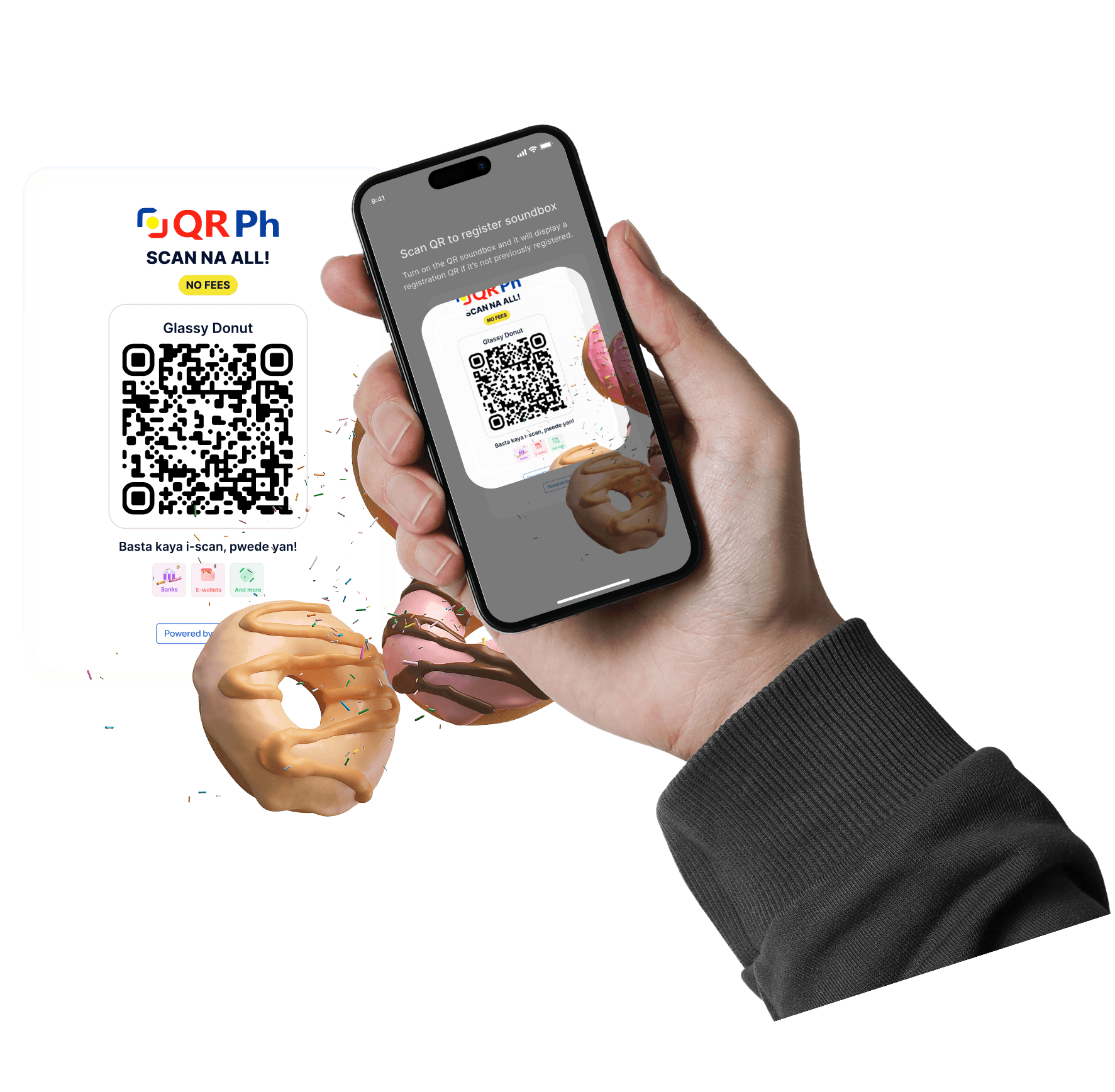
No more managing multiple QR codes from different providers — with QR Ph, you only need one QR code.


E-Commerce Platforms
WooCommerce, Shopify, Wix, Magento, and more

Payment Links
Share a QR Ph payment link on chat or social. No website required.

Payment APIs
Integrate QR Ph payments directly into your website, app, or system with HitPay’s API. You get full control over the payment experience—ideal for custom checkouts or platforms. Use qrph_netbank in payment_methods[].

Point of Sale (POS)
Accept QR Ph in-store via mobile or printed QR codes


HitPay Payment Solutions Inc is a BSP-registered operator of a payment system.
Enjoy clear, pay-per-transaction pricing. No setup fees, no subscription fees, and no hidden charges.
Accept QR Ph anywhere – online or offline –and track all payments in one place on the HitPay dashboard.

What is QR Ph?
QR Ph is the Philippine national QR code standard, developed by BSP, that lets consumers pay merchants using any supported mobile banking or wallet app with a single QR code.
How to get QR Ph for my business?
You can get QR Ph with HitPay by signing up for a free account, enabling QR Ph in your dashboard, and displaying a QR Ph code online or at your store. For in-store card payments, see the card terminal for your store.
How to generate a QR Ph code?
Once you activate QR Ph with HitPay, youʼll be able to:
Automatically generate QR Ph for online checkouts
Print a static QR Ph code for your physical store
Let customers scan your HitPay POS app QR code
What payment apps work with QR Ph?
Your customers can pay using:
GCash
Maya
UnionBank
BPI
RCBC
Metrobank
and all other QR Ph-enabled banking apps
What are QR Ph merchant fees?
HitPay: 1% or ₱20, whichever is higher, online and in person (/ph/pricing). Rates exclude VAT. Add 0.2% if you collect through Payment Links, Online Store, Invoicing, POS or Recurring Billing, or 0.5% via the Shopify app. No setup or monthly fee.
Can I accept QR Ph on Shopify and WooCommerce?
Yes — through HitPay’s Shopify app and WooCommerce plugin after Philippines verification. Shopify adds 0.5% and WooCommerce 0.2% on top of method fees.
How do I accept QR Ph payments online?
Sign up at dashboard.hit-pay.com/register and verify your business (DTI for sole proprietors; SEC for corporations and partnerships; plus BIR Form 2303 and business bank account proof). In the dashboard, go to Settings → Payment Methods and enable QR Ph. Add QR Ph to your checkout with the HitPay Shopify app, the WooCommerce plugin or the API. No website? Create a payment link with QR Ph and share it on Messenger, Viber or WhatsApp. Make a small test payment, then go live.
What is the API enum for QR Ph?
Is HitPay registered in the Philippines?
Yes. HitPay Payment Solutions Inc is BSP registered as an operator of a payment system. Details on the licence and registrations page.
QR Ph vs GCash — which should I enable?
Enable both if you want national QR interoperability and explicit GCash wallet checkout. On HitPay, QR Ph is 1% or ₱20 whichever is higher, and online GCash is 2.3%. You can also accept GCash payments directly on the same account.
Can I get a QR Ph code for my business without separate GCash and Maya QRs?
Yes. A HitPay QR Ph code is a single code that customers can pay from GCash, Maya or participating bank apps. You don’t need a separate QR for each wallet. Generate it from the HitPay dashboard or app after verification.
Do I need separate QRs for every wallet?
No. QR Ph is designed as one interoperable standard that participating banks and e-wallets can scan, so a single merchant QR covers them.
HitPay vs Stripe or Airwallex for QR Ph?
If you already run Stripe, check Stripe's own Philippines pages for QR Ph and local method coverage before moving. Airwallex fits when multi-market treasury is the main job. For domestic PHP acceptance, HitPay is national-QR-first: QR Ph is 1% or ₱20, whichever is higher, with no setup fee and no monthly fee, on a BSP-registered operator of a payment system. Confirm on Philippines pricing.
Can I collect QR Ph with a payment link?
Yes — create a link on /ph/payment-links, enable QR Ph, share URL/QR. Payment Links add +0.2%. See QR Ph payment links.
When do I get paid for QR Ph payments?
Non-card HitPay Balance payouts are T+1 calendar day (see the payout table on Philippines pricing).
Where is the Philippines payment gateway overview?
This page is the QR Ph product URL. The Philippines payment gateway overview is https://hitpayapp.com/ph/payment-gateway.
Is QRPh the same as QR Ph?
Yes. QRPh and QR Ph are the same Bangko Sentral ng Pilipinas standard; both spellings are used.
Still have questions?
Contact our team.