HitPay Changelog
Discover the latest features, enhancements, and bug fixes that we've implemented to improve your HitPay experience.
HitPay Changelog
Discover the latest features, enhancements, and bug fixes that we've implemented to improve your HitPay experience.
HitPay Changelog
Discover the latest features, enhancements, and bug fixes that we've implemented to improve your HitPay experience.
December 4, 2025
Tap to Pay on iPhone
In-Person Payments •
This release introduces Tap to Pay on iPhone for Singapore merchants
December 4, 2025
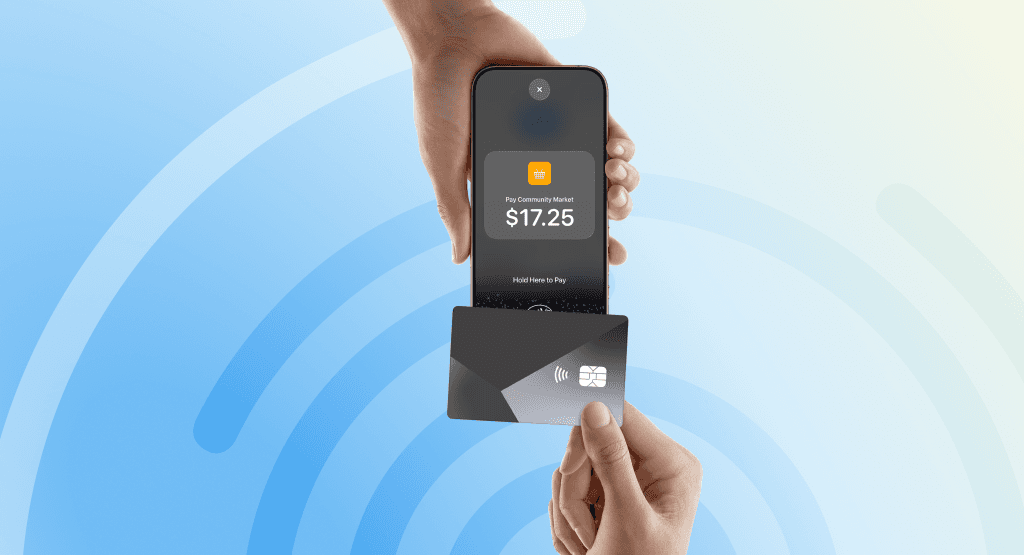
This release introduces Tap to Pay on iPhone for Singapore merchants
December 4, 2025
Tap to Pay on iPhone Accept quick contactless payments right on your iPhone
Tap to Pay on iPhone is now available with HitPay. That means anyone can accept all types of in-person, contactless payments — from physical credit and debit cards to Apple Pay and other digital wallets. It’s easy and secure, and no additional hardware is needed. All you need is iPhone.
Expand where you do business.
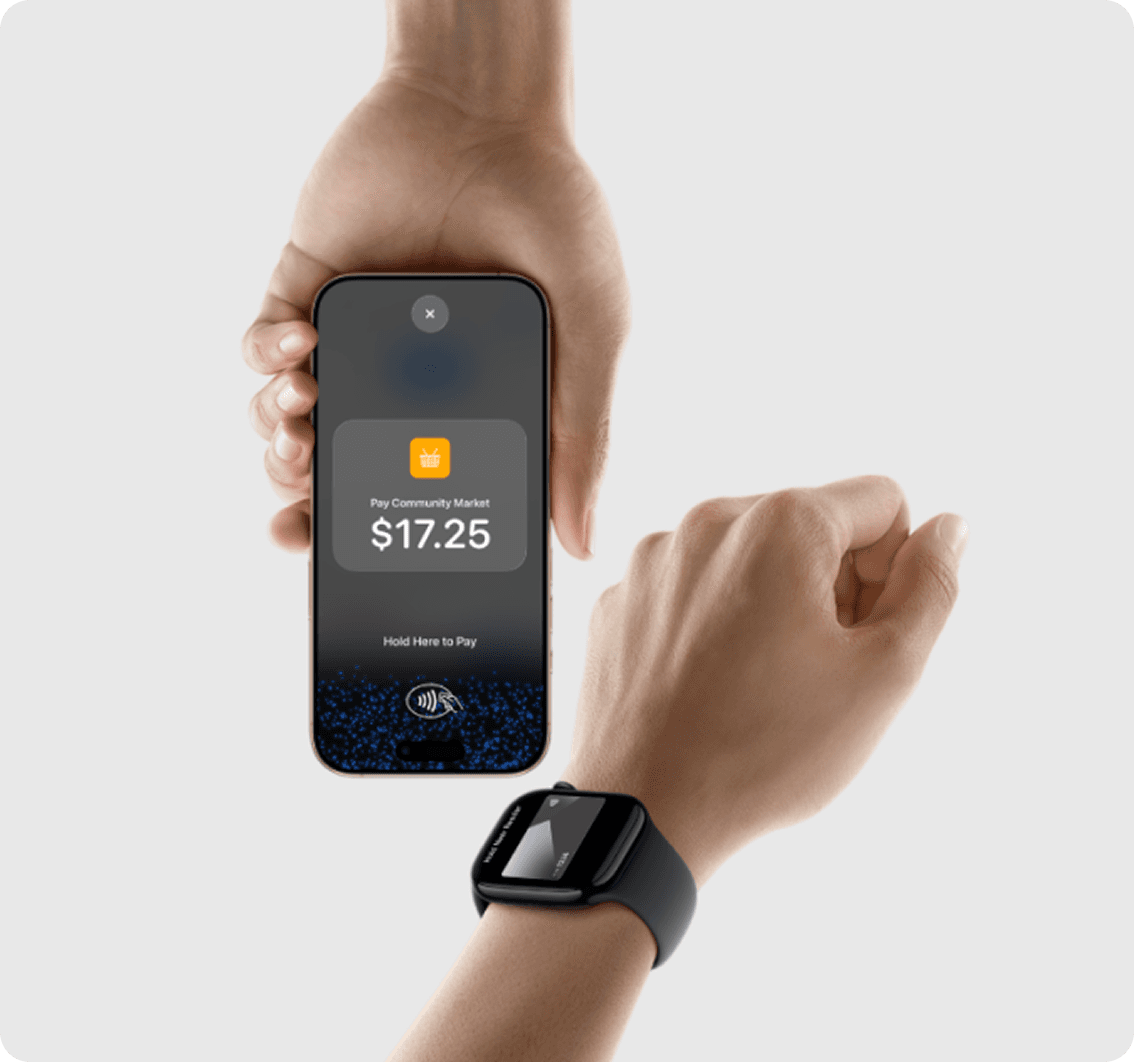
With Tap to Pay on iPhone, anyone can do business in more places simply by accepting contactless payments right on iPhone. The checkout experience makes it easy to reach new customers and take payments on the go. All you need is iPhone and the HitPay app.
No additional hardware.
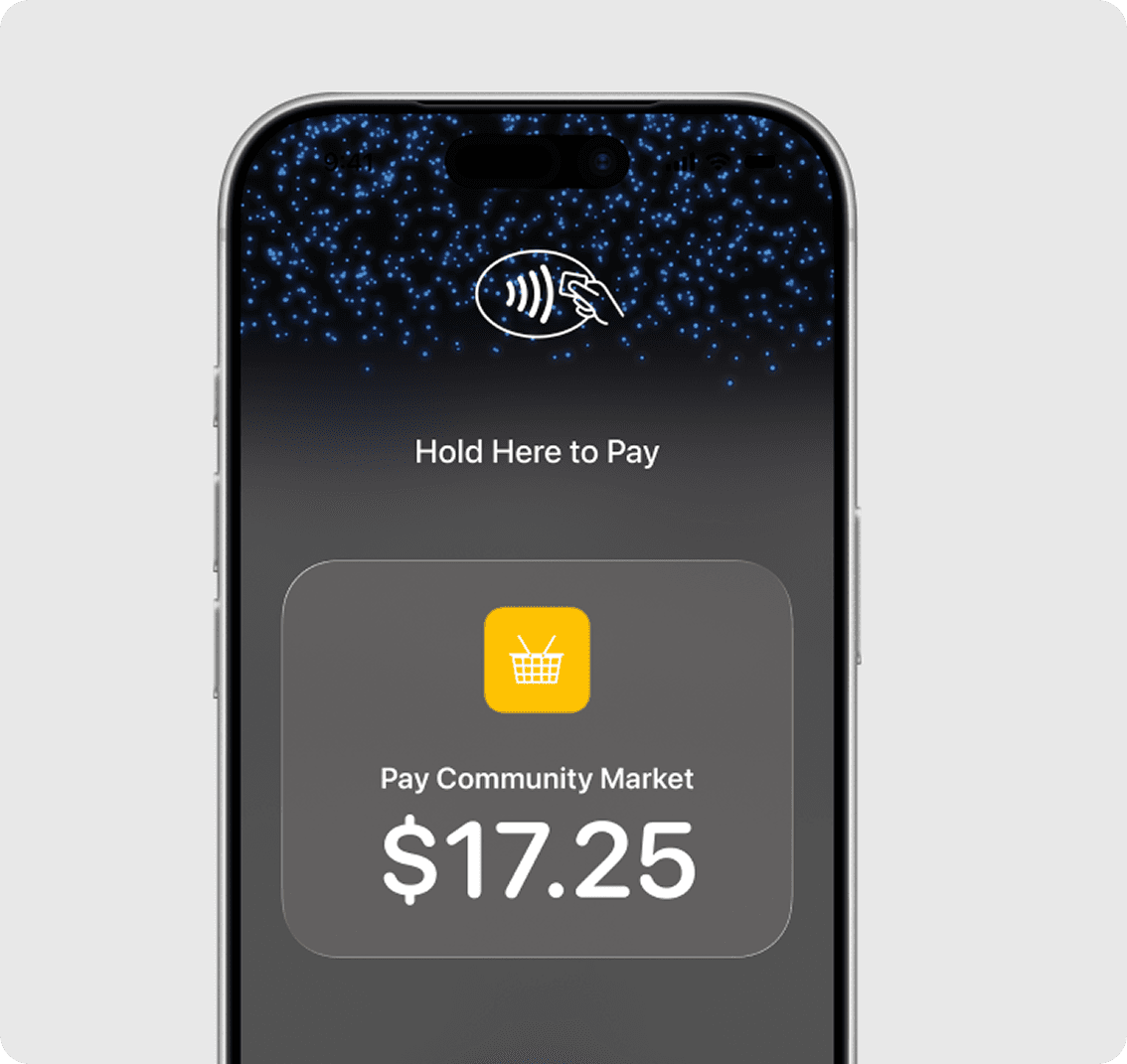
There’s no need to invest in and manage card readers and terminals, so Tap to Pay on iPhone makes it simple to start a new business or expand a current one. With just an iPhone and the HitPay app, anyone can accept contactless payments. It’s that simple.
Privacy and security built in.
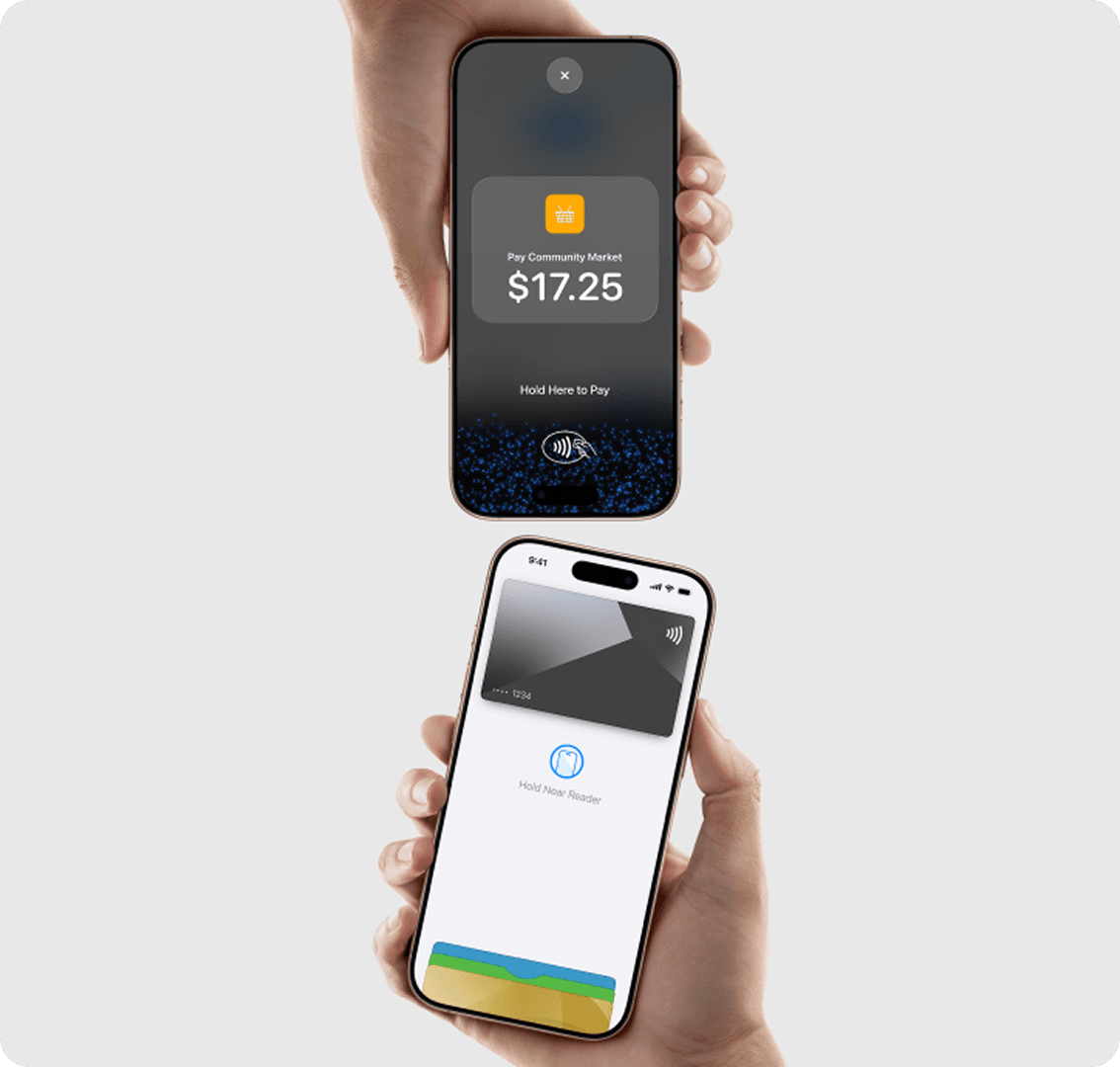
Tap to Pay on iPhone uses the built-in security and privacy features of iPhone. When a payment is processed, Apple doesn’t store card numbers or PIN information on Apple servers — helping to protect your business and customer data. So merchants and customers can rest assured that their data stays theirs.
PIN transaction protection.
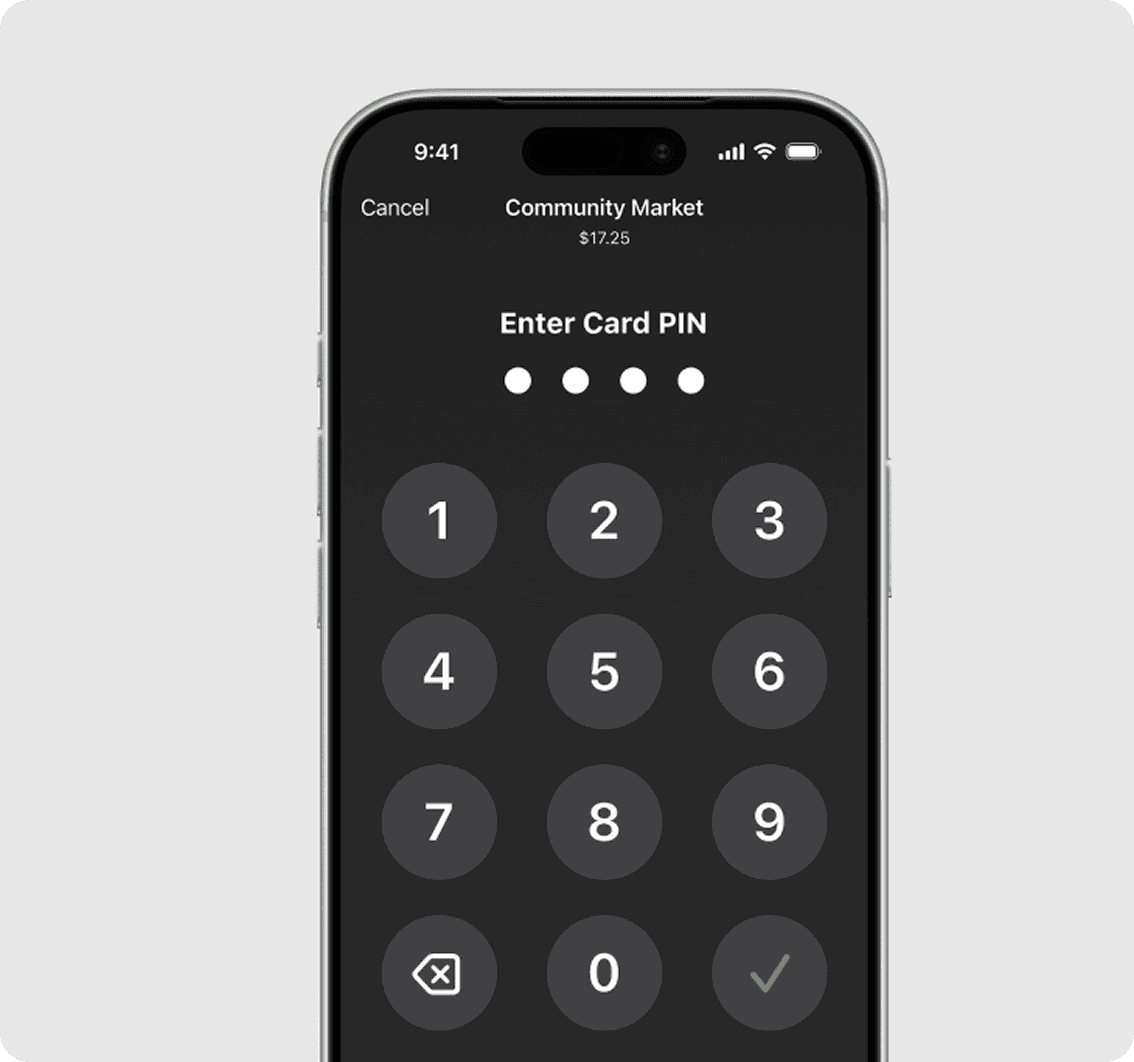
Transactions that require PIN entry will automatically prompt a PIN entry screen when using Tap to Pay on iPhone. During a transaction, Tap to Pay on iPhone is designed to prevent all photo, video, screenshot, and screen recording features on the merchant’s iPhone from capturing a customer’s card number or PIN information.
Accessible for everyone.

For customers needing visual or other assistance, accessibility options are built into Tap to Pay on iPhone to help them securely enter PIN information. Audible instructions guide customers to draw their PIN on the screen or tap the screen to indicate each digit — tapping once for 1, twice for 2, and so on. To submit their PIN, they simply swipe right with two fingers.
December 4, 2025
Tap to Pay on iPhone
In-Person Payments •
This release introduces Tap to Pay on iPhone for Singapore merchants
December 4, 2025
This release introduces Tap to Pay on iPhone for Singapore merchants
December 4, 2025
Tap to Pay on iPhone Accept quick contactless payments right on your iPhone
Tap to Pay on iPhone is now available with HitPay. That means anyone can accept all types of in-person, contactless payments — from physical credit and debit cards to Apple Pay and other digital wallets. It’s easy and secure, and no additional hardware is needed. All you need is iPhone.
Expand where you do business.
With Tap to Pay on iPhone, anyone can do business in more places simply by accepting contactless payments right on iPhone. The checkout experience makes it easy to reach new customers and take payments on the go. All you need is iPhone and the HitPay app.
No additional hardware.
There’s no need to invest in and manage card readers and terminals, so Tap to Pay on iPhone makes it simple to start a new business or expand a current one. With just an iPhone and the HitPay app, anyone can accept contactless payments. It’s that simple.
Privacy and security built in.
Tap to Pay on iPhone uses the built-in security and privacy features of iPhone. When a payment is processed, Apple doesn’t store card numbers or PIN information on Apple servers — helping to protect your business and customer data. So merchants and customers can rest assured that their data stays theirs.
PIN transaction protection.
Transactions that require PIN entry will automatically prompt a PIN entry screen when using Tap to Pay on iPhone. During a transaction, Tap to Pay on iPhone is designed to prevent all photo, video, screenshot, and screen recording features on the merchant’s iPhone from capturing a customer’s card number or PIN information.
Accessible for everyone.
For customers needing visual or other assistance, accessibility options are built into Tap to Pay on iPhone to help them securely enter PIN information. Audible instructions guide customers to draw their PIN on the screen or tap the screen to indicate each digit — tapping once for 1, twice for 2, and so on. To submit their PIN, they simply swipe right with two fingers.
December 4, 2025
Tap to Pay on iPhone
In-Person Payments •
This release introduces Tap to Pay on iPhone for Singapore merchants
December 4, 2025
This release introduces Tap to Pay on iPhone for Singapore merchants
December 4, 2025
Tap to Pay on iPhone Accept quick contactless payments right on your iPhone
Tap to Pay on iPhone is now available with HitPay. That means anyone can accept all types of in-person, contactless payments — from physical credit and debit cards to Apple Pay and other digital wallets. It’s easy and secure, and no additional hardware is needed. All you need is iPhone.
Expand where you do business.
With Tap to Pay on iPhone, anyone can do business in more places simply by accepting contactless payments right on iPhone. The checkout experience makes it easy to reach new customers and take payments on the go. All you need is iPhone and the HitPay app.
No additional hardware.
There’s no need to invest in and manage card readers and terminals, so Tap to Pay on iPhone makes it simple to start a new business or expand a current one. With just an iPhone and the HitPay app, anyone can accept contactless payments. It’s that simple.
Privacy and security built in.
Tap to Pay on iPhone uses the built-in security and privacy features of iPhone. When a payment is processed, Apple doesn’t store card numbers or PIN information on Apple servers — helping to protect your business and customer data. So merchants and customers can rest assured that their data stays theirs.
PIN transaction protection.
Transactions that require PIN entry will automatically prompt a PIN entry screen when using Tap to Pay on iPhone. During a transaction, Tap to Pay on iPhone is designed to prevent all photo, video, screenshot, and screen recording features on the merchant’s iPhone from capturing a customer’s card number or PIN information.
Accessible for everyone.
For customers needing visual or other assistance, accessibility options are built into Tap to Pay on iPhone to help them securely enter PIN information. Audible instructions guide customers to draw their PIN on the screen or tap the screen to indicate each digit — tapping once for 1, twice for 2, and so on. To submit their PIN, they simply swipe right with two fingers.