Online
Cross - Border
See Their Success Stories
Discover how businesses are growing with HitPay, through real stories, results, and experiences from our merchants.
See How Merchants Use HitPay
Developer Resources
Explore our comprehensive developer resources designed to enhance your experience. From detailed API documentation to interactive tutorials.
Enjoy easier in-person payments with HitPay Scan to Pay
Author:
The HitPay Team
Last Updated:
Accept contactless in-person payments with Scan to Pay! It's simpler than a POS terminal — just use the free HitPay app on your mobile device.
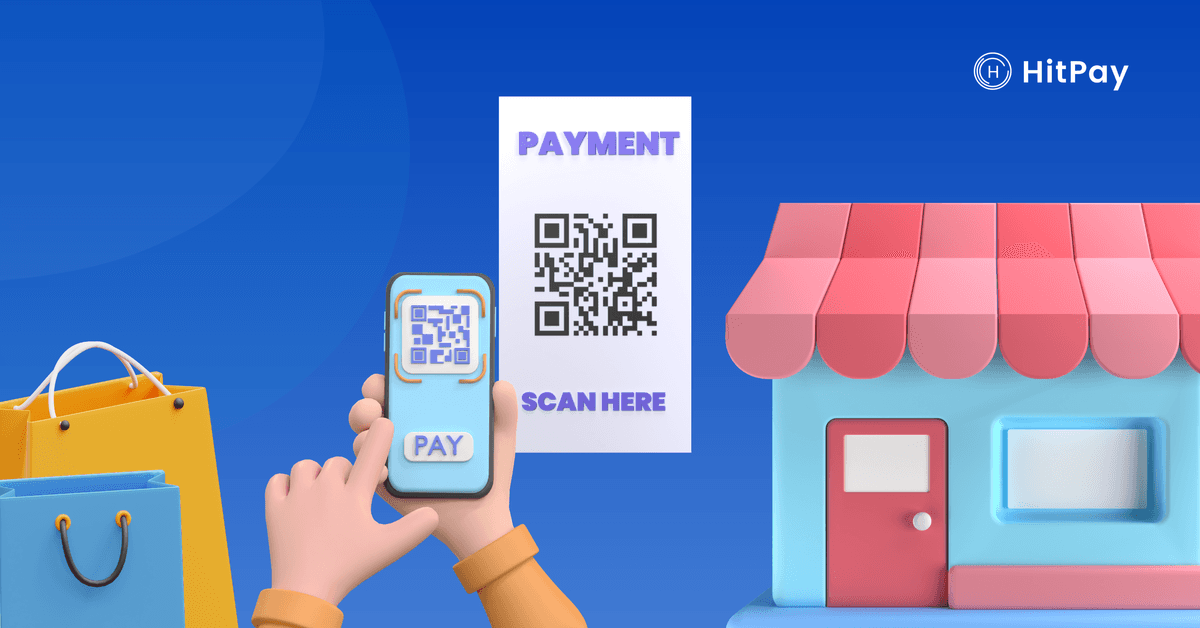
With Scan to Pay, you can accept in-person payments directly through the HitPay app! It's simpler than a POS terminal and completely touch-free.
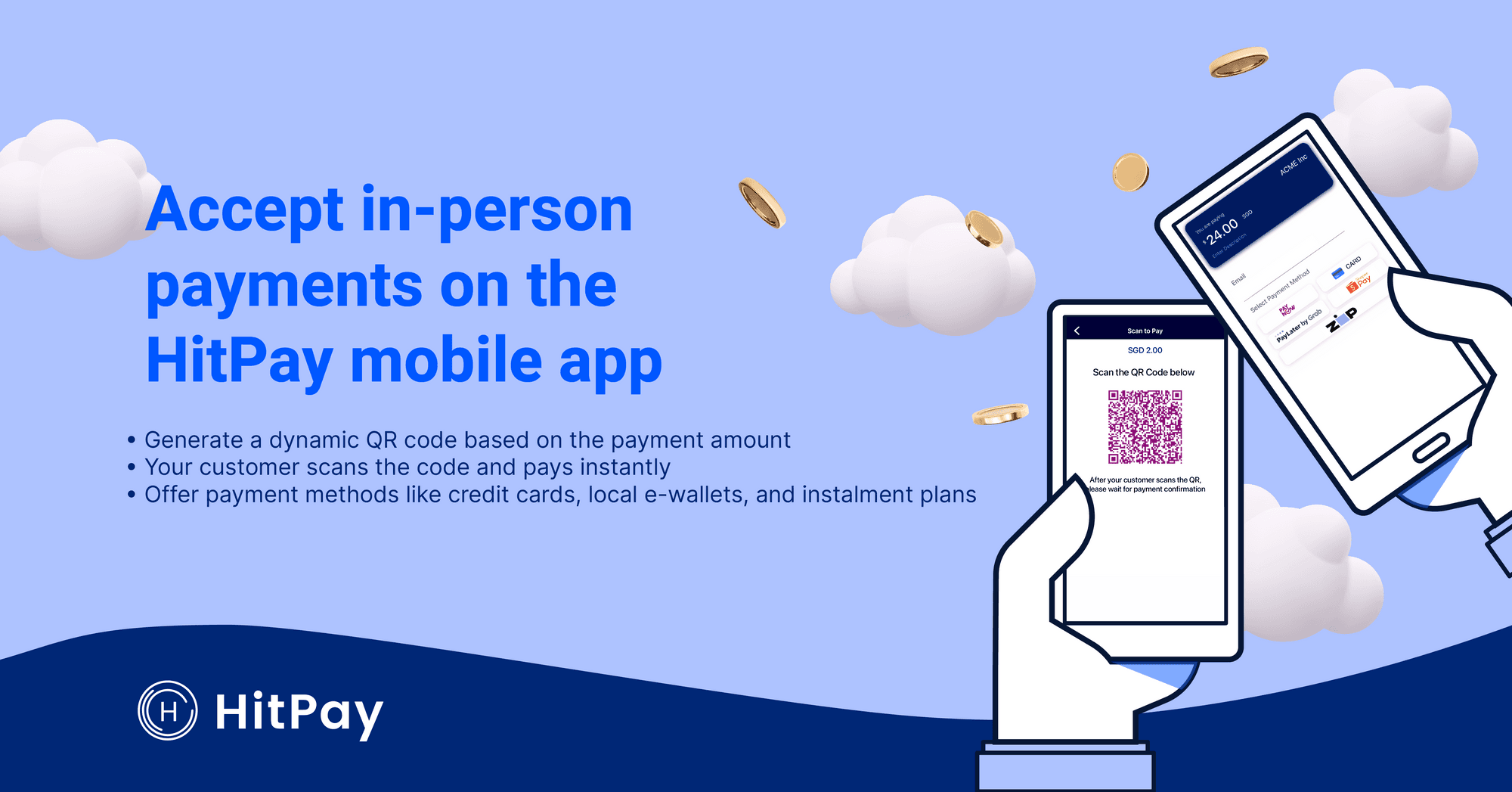
Why use Scan to Pay?
🤳🏻 Completely contactless — With Scan to Pay, you don't need to handle your customer's cards or cash. Your customer simply scans the QR code on your HitPay app, and makes payment on their own phone.
⚡️Extremely efficient — Scan and pay in just seconds. As a merchant, all you need is the HitPay iOS or Android app on your phone.
💰 Full range of HitPay payment methods — Scan to Pay supports:
Credit cards
Apple Pay
Google Pay
Bank transfers
Buy Now Pay Later
E-wallets, including PayNow in Singapore
📧 Easy remarketing — The Scan to Pay feature helps collect customer emails for your future marketing needs.
How does my customer pay using Scan to Pay on the HitPay app?
You can use Scan to Pay in just 3 simple steps.
Step 1: Open the HitPay app on your phone.
Enter the amount to charge and press the green Charge button
Step 2: Select Scan to Pay payment method from the dropdown menu
Step 3: Ask your customer to scan the generated QR using their phone camera or QR code scanner.
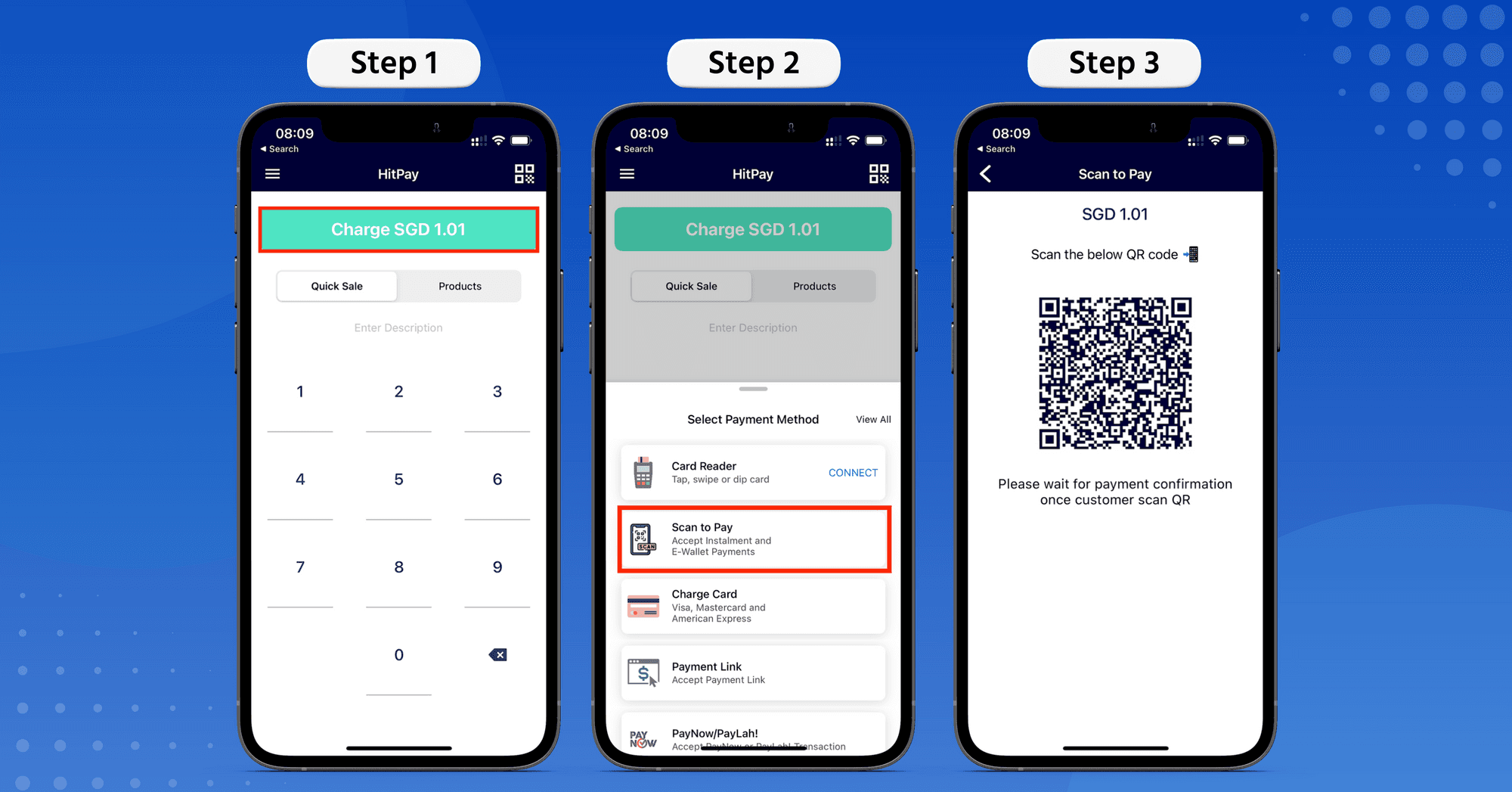
Upon scanning the QR code, the customer can select the payment method of their choice and complete the payment. This is done securely on your customer's phone.
When payment is complete, you'll see the 'Transaction Successful' confirmation screen on your HitPay app.
And you're done!

Try Scan to Pay now on HitPay iOS or Android 📲
Enjoy easier in-person payments with HitPay Scan to Pay
Author:
The HitPay Team
Last Updated:
Accept contactless in-person payments with Scan to Pay! It's simpler than a POS terminal — just use the free HitPay app on your mobile device.
With Scan to Pay, you can accept in-person payments directly through the HitPay app! It's simpler than a POS terminal and completely touch-free.
Why use Scan to Pay?
🤳🏻 Completely contactless — With Scan to Pay, you don't need to handle your customer's cards or cash. Your customer simply scans the QR code on your HitPay app, and makes payment on their own phone.
⚡️Extremely efficient — Scan and pay in just seconds. As a merchant, all you need is the HitPay iOS or Android app on your phone.
💰 Full range of HitPay payment methods — Scan to Pay supports:
Credit cards
Apple Pay
Google Pay
Bank transfers
Buy Now Pay Later
E-wallets, including PayNow in Singapore
📧 Easy remarketing — The Scan to Pay feature helps collect customer emails for your future marketing needs.
How does my customer pay using Scan to Pay on the HitPay app?
You can use Scan to Pay in just 3 simple steps.
Step 1: Open the HitPay app on your phone.
Enter the amount to charge and press the green Charge button
Step 2: Select Scan to Pay payment method from the dropdown menu
Step 3: Ask your customer to scan the generated QR using their phone camera or QR code scanner.
Upon scanning the QR code, the customer can select the payment method of their choice and complete the payment. This is done securely on your customer's phone.
When payment is complete, you'll see the 'Transaction Successful' confirmation screen on your HitPay app.
And you're done!
Try Scan to Pay now on HitPay iOS or Android 📲
Enjoy easier in-person payments with HitPay Scan to Pay
Author:
The HitPay Team
Last Updated:
Accept contactless in-person payments with Scan to Pay! It's simpler than a POS terminal — just use the free HitPay app on your mobile device.
With Scan to Pay, you can accept in-person payments directly through the HitPay app! It's simpler than a POS terminal and completely touch-free.
Why use Scan to Pay?
🤳🏻 Completely contactless — With Scan to Pay, you don't need to handle your customer's cards or cash. Your customer simply scans the QR code on your HitPay app, and makes payment on their own phone.
⚡️Extremely efficient — Scan and pay in just seconds. As a merchant, all you need is the HitPay iOS or Android app on your phone.
💰 Full range of HitPay payment methods — Scan to Pay supports:
Credit cards
Apple Pay
Google Pay
Bank transfers
Buy Now Pay Later
E-wallets, including PayNow in Singapore
📧 Easy remarketing — The Scan to Pay feature helps collect customer emails for your future marketing needs.
How does my customer pay using Scan to Pay on the HitPay app?
You can use Scan to Pay in just 3 simple steps.
Step 1: Open the HitPay app on your phone.
Enter the amount to charge and press the green Charge button
Step 2: Select Scan to Pay payment method from the dropdown menu
Step 3: Ask your customer to scan the generated QR using their phone camera or QR code scanner.
Upon scanning the QR code, the customer can select the payment method of their choice and complete the payment. This is done securely on your customer's phone.
When payment is complete, you'll see the 'Transaction Successful' confirmation screen on your HitPay app.
And you're done!
Try Scan to Pay now on HitPay iOS or Android 📲

Ready to apply what you just read?
Turn payment insights into action with HitPay’s online and in-person payment tools for growing businesses.
Ready to apply what you just read?
Turn payment insights into action with HitPay’s online and in-person payment tools for growing businesses.
Ready to apply what you just read?
Turn payment insights into action with HitPay’s online and in-person payment tools for growing businesses.
Ready to apply what you just read?
Turn payment insights into action with HitPay’s online and in-person payment tools for growing businesses.
Ready to apply what you just read?
Turn payment insights into action with HitPay’s online and in-person payment tools for growing businesses.