Online
Cross - Border
See Their Success Stories
Discover how businesses are growing with HitPay, through real stories, results, and experiences from our merchants.
See How Merchants Use HitPay
Developer Resources
Explore our comprehensive developer resources designed to enhance your experience. From detailed API documentation to interactive tutorials.
HitPay Now Offers Tap to Pay on iPhone for Merchants to Accept Contactless Payments
Author:
The HitPay Team
Last Updated:
An easy, secure and private way to accept contactless payments with only an iPhone and a supporting iOS app, no additional hardware needed
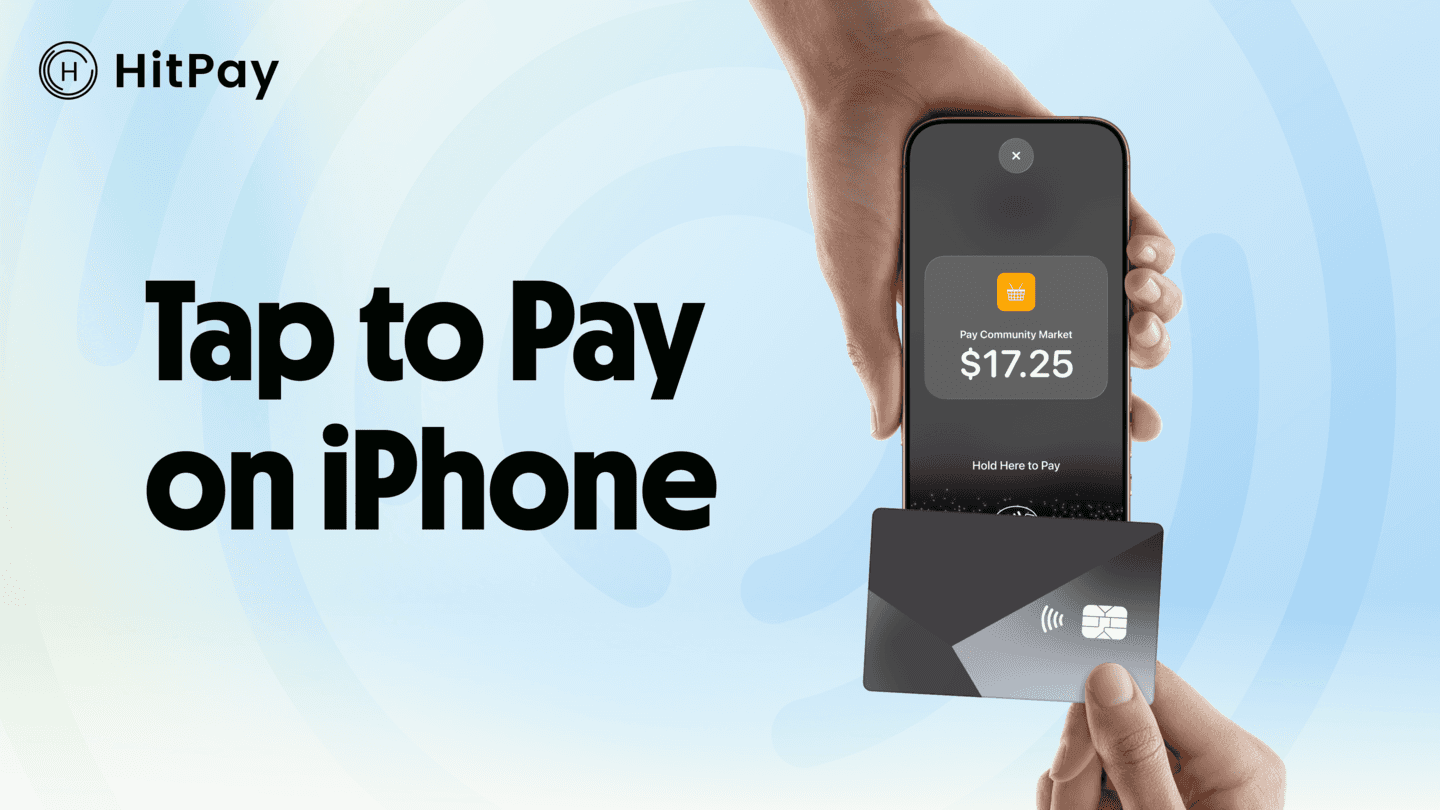
SINGAPORE — 2nd December 2025 — HitPay, an all-in-one payments platform for businesses, now enables its users to seamlessly and securely accept in-person contactless payments with Tap to Pay on iPhone. Tap to Pay on iPhone allows merchants to accept all forms of contactless payments, including contactless credit and debit cards, Apple Pay, and other digital wallets, using only an iPhone and the HitPay iOS app — no additional hardware or payment terminal needed.
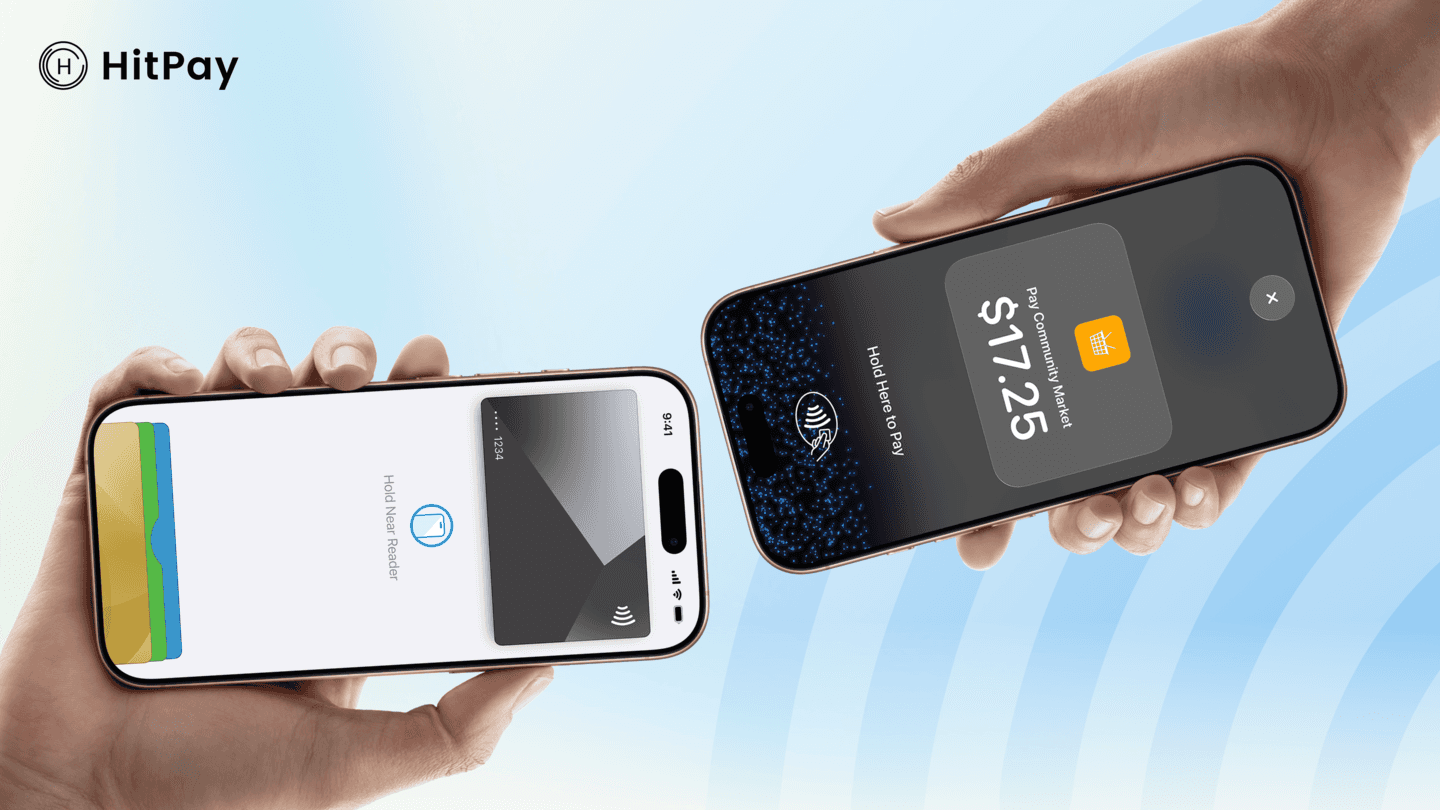
Using Tap to Pay on iPhone is easy, secure and private. With Tap to Pay on iPhone, at checkout, merchants will simply prompt the customer to hold their contactless payment near the merchant’s iPhone, and the payment will be securely completed using NFC technology. Tap to Pay on iPhone also supports PIN entry, which includes accessibility options.
Apple’s Tap to Pay on iPhone accepts all types of contactless payments, from physical debit and credit cards to Apple Pay and other digital wallets. Apple doesn’t store card numbers or transaction information on the device or on Apple servers, so merchants and customers can rest assured that their data stays theirs.*
Tap to Pay on iPhone enables HitPay customers to use a contactless payment acceptance solution that is easy to set up and use. Merchants can unlock contactless payment acceptance within minutes through the HitPay iOS app on iPhone XS or later, running the latest version of iOS.
“Tap to Pay on iPhone transforms how small businesses do commerce,” said Aditya Haripurkar, CEO of HitPay. “Whether you’re at a weekend pop-up or en route to your next customer, your iPhone is now your checkout. We are excited to offer merchants Tap to Pay on iPhone in the HitPay app, and bring this innovation to life for businesses across the region.”
*Encrypted card numbers are temporarily stored on iPhone only for transactions made in Store and Forward mode.
Frequently Asked Questions
What is Tap to Pay on iPhone with HitPay?
It lets merchants accept in-person contactless payments using only an iPhone and the HitPay iOS app, with no additional hardware or payment terminal.
Which payments does it accept?
All forms of contactless payment: contactless credit and debit cards, Apple Pay, and other digital wallets.
Which iPhones support it?
iPhone XS or later, running the latest version of iOS. Merchants can unlock contactless acceptance within minutes through the HitPay iOS app.
How does a customer pay?
At checkout the merchant prompts the customer to hold their contactless payment near the merchant's iPhone, and NFC completes the payment securely. PIN entry is supported, including accessibility options.
Is customer card data stored on the device?
Apple does not store card numbers or transaction information on the device or on Apple servers. Encrypted card numbers are held on the iPhone only temporarily, for transactions made in Store and Forward mode.
When did HitPay launch Tap to Pay on iPhone?
2 December 2025, announced from Singapore.
HitPay Now Offers Tap to Pay on iPhone for Merchants to Accept Contactless Payments
Author:
The HitPay Team
Last Updated:
An easy, secure and private way to accept contactless payments with only an iPhone and a supporting iOS app, no additional hardware needed
SINGAPORE — 2nd December 2025 — HitPay, an all-in-one payments platform for businesses, now enables its users to seamlessly and securely accept in-person contactless payments with Tap to Pay on iPhone. Tap to Pay on iPhone allows merchants to accept all forms of contactless payments, including contactless credit and debit cards, Apple Pay, and other digital wallets, using only an iPhone and the HitPay iOS app — no additional hardware or payment terminal needed.
Using Tap to Pay on iPhone is easy, secure and private. With Tap to Pay on iPhone, at checkout, merchants will simply prompt the customer to hold their contactless payment near the merchant’s iPhone, and the payment will be securely completed using NFC technology. Tap to Pay on iPhone also supports PIN entry, which includes accessibility options.
Apple’s Tap to Pay on iPhone accepts all types of contactless payments, from physical debit and credit cards to Apple Pay and other digital wallets. Apple doesn’t store card numbers or transaction information on the device or on Apple servers, so merchants and customers can rest assured that their data stays theirs.*
Tap to Pay on iPhone enables HitPay customers to use a contactless payment acceptance solution that is easy to set up and use. Merchants can unlock contactless payment acceptance within minutes through the HitPay iOS app on iPhone XS or later, running the latest version of iOS.
“Tap to Pay on iPhone transforms how small businesses do commerce,” said Aditya Haripurkar, CEO of HitPay. “Whether you’re at a weekend pop-up or en route to your next customer, your iPhone is now your checkout. We are excited to offer merchants Tap to Pay on iPhone in the HitPay app, and bring this innovation to life for businesses across the region.”
*Encrypted card numbers are temporarily stored on iPhone only for transactions made in Store and Forward mode.
Frequently Asked Questions
What is Tap to Pay on iPhone with HitPay?
It lets merchants accept in-person contactless payments using only an iPhone and the HitPay iOS app, with no additional hardware or payment terminal.
Which payments does it accept?
All forms of contactless payment: contactless credit and debit cards, Apple Pay, and other digital wallets.
Which iPhones support it?
iPhone XS or later, running the latest version of iOS. Merchants can unlock contactless acceptance within minutes through the HitPay iOS app.
How does a customer pay?
At checkout the merchant prompts the customer to hold their contactless payment near the merchant's iPhone, and NFC completes the payment securely. PIN entry is supported, including accessibility options.
Is customer card data stored on the device?
Apple does not store card numbers or transaction information on the device or on Apple servers. Encrypted card numbers are held on the iPhone only temporarily, for transactions made in Store and Forward mode.
When did HitPay launch Tap to Pay on iPhone?
2 December 2025, announced from Singapore.
HitPay Now Offers Tap to Pay on iPhone for Merchants to Accept Contactless Payments
Author:
The HitPay Team
Last Updated:
An easy, secure and private way to accept contactless payments with only an iPhone and a supporting iOS app, no additional hardware needed
SINGAPORE — 2nd December 2025 — HitPay, an all-in-one payments platform for businesses, now enables its users to seamlessly and securely accept in-person contactless payments with Tap to Pay on iPhone. Tap to Pay on iPhone allows merchants to accept all forms of contactless payments, including contactless credit and debit cards, Apple Pay, and other digital wallets, using only an iPhone and the HitPay iOS app — no additional hardware or payment terminal needed.
Using Tap to Pay on iPhone is easy, secure and private. With Tap to Pay on iPhone, at checkout, merchants will simply prompt the customer to hold their contactless payment near the merchant’s iPhone, and the payment will be securely completed using NFC technology. Tap to Pay on iPhone also supports PIN entry, which includes accessibility options.
Apple’s Tap to Pay on iPhone accepts all types of contactless payments, from physical debit and credit cards to Apple Pay and other digital wallets. Apple doesn’t store card numbers or transaction information on the device or on Apple servers, so merchants and customers can rest assured that their data stays theirs.*
Tap to Pay on iPhone enables HitPay customers to use a contactless payment acceptance solution that is easy to set up and use. Merchants can unlock contactless payment acceptance within minutes through the HitPay iOS app on iPhone XS or later, running the latest version of iOS.
“Tap to Pay on iPhone transforms how small businesses do commerce,” said Aditya Haripurkar, CEO of HitPay. “Whether you’re at a weekend pop-up or en route to your next customer, your iPhone is now your checkout. We are excited to offer merchants Tap to Pay on iPhone in the HitPay app, and bring this innovation to life for businesses across the region.”
*Encrypted card numbers are temporarily stored on iPhone only for transactions made in Store and Forward mode.
Frequently Asked Questions
What is Tap to Pay on iPhone with HitPay?
It lets merchants accept in-person contactless payments using only an iPhone and the HitPay iOS app, with no additional hardware or payment terminal.
Which payments does it accept?
All forms of contactless payment: contactless credit and debit cards, Apple Pay, and other digital wallets.
Which iPhones support it?
iPhone XS or later, running the latest version of iOS. Merchants can unlock contactless acceptance within minutes through the HitPay iOS app.
How does a customer pay?
At checkout the merchant prompts the customer to hold their contactless payment near the merchant's iPhone, and NFC completes the payment securely. PIN entry is supported, including accessibility options.
Is customer card data stored on the device?
Apple does not store card numbers or transaction information on the device or on Apple servers. Encrypted card numbers are held on the iPhone only temporarily, for transactions made in Store and Forward mode.
When did HitPay launch Tap to Pay on iPhone?
2 December 2025, announced from Singapore.

Ready to apply what you just read?
Turn payment insights into action with HitPay’s online and in-person payment tools for growing businesses.
Ready to apply what you just read?
Turn payment insights into action with HitPay’s online and in-person payment tools for growing businesses.
Ready to apply what you just read?
Turn payment insights into action with HitPay’s online and in-person payment tools for growing businesses.
Ready to apply what you just read?
Turn payment insights into action with HitPay’s online and in-person payment tools for growing businesses.
Ready to apply what you just read?
Turn payment insights into action with HitPay’s online and in-person payment tools for growing businesses.