Payments
Get started with HitPay
Our team is here to answer your questions and help you get started with ease
How to lower transaction fees with HitPay Pass the Fees
Author:
The HitPay Team
Last Updated:
Learn how to lower merchant transaction fees so they don't eat into your revenue.
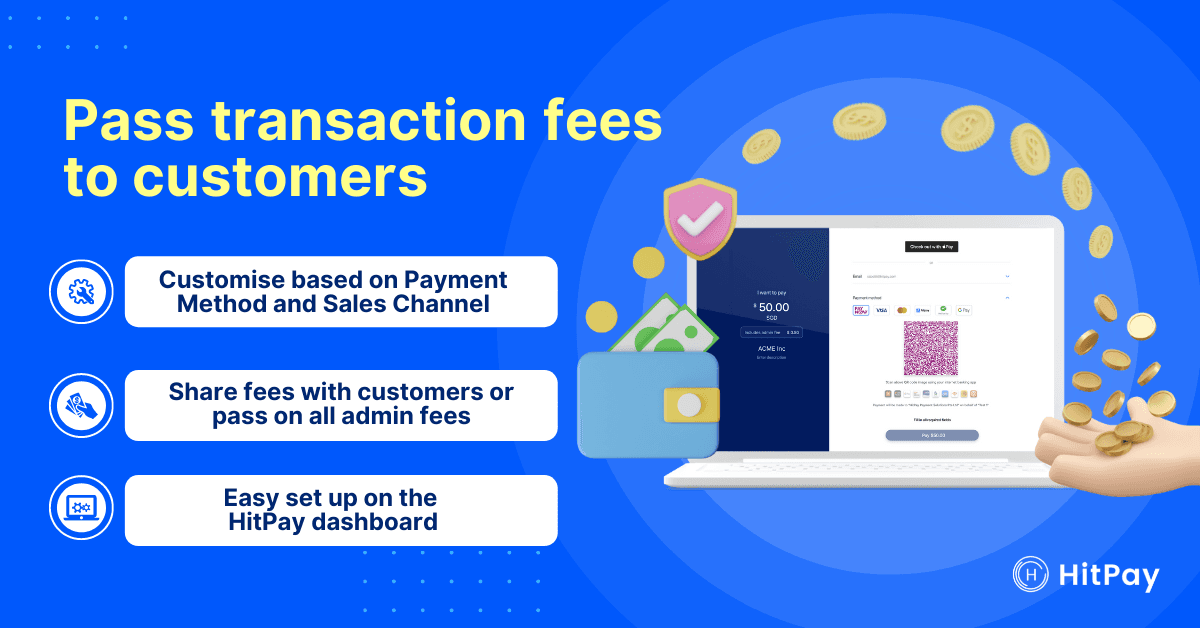
Digital payments became more popular than cash for the first time in 2021, and are only going to become even more popular. This is great news for business owners — digital payments make it easy to collect and track transactions, saving you time and money!
However, while they're more convenient than cash, digital payments also come with transaction fees. Read on to learn how to lower merchant transaction fees so they don't eat into your revenue. ⤵️
How to lower payment processing fees
One simple method is to either share or pass on transaction fees to your customers. But be careful how you communicate these costs to your customers, as higher fees may drive them away. Depending on your payment method, you could either include them in your pricing strategy or as a separate customer surcharge.
Both approaches have pros and cons, which we'll explain below.
Merchant fee passing methods – Pros and cons
1) Indirect: Transaction fees are included in overall product costs
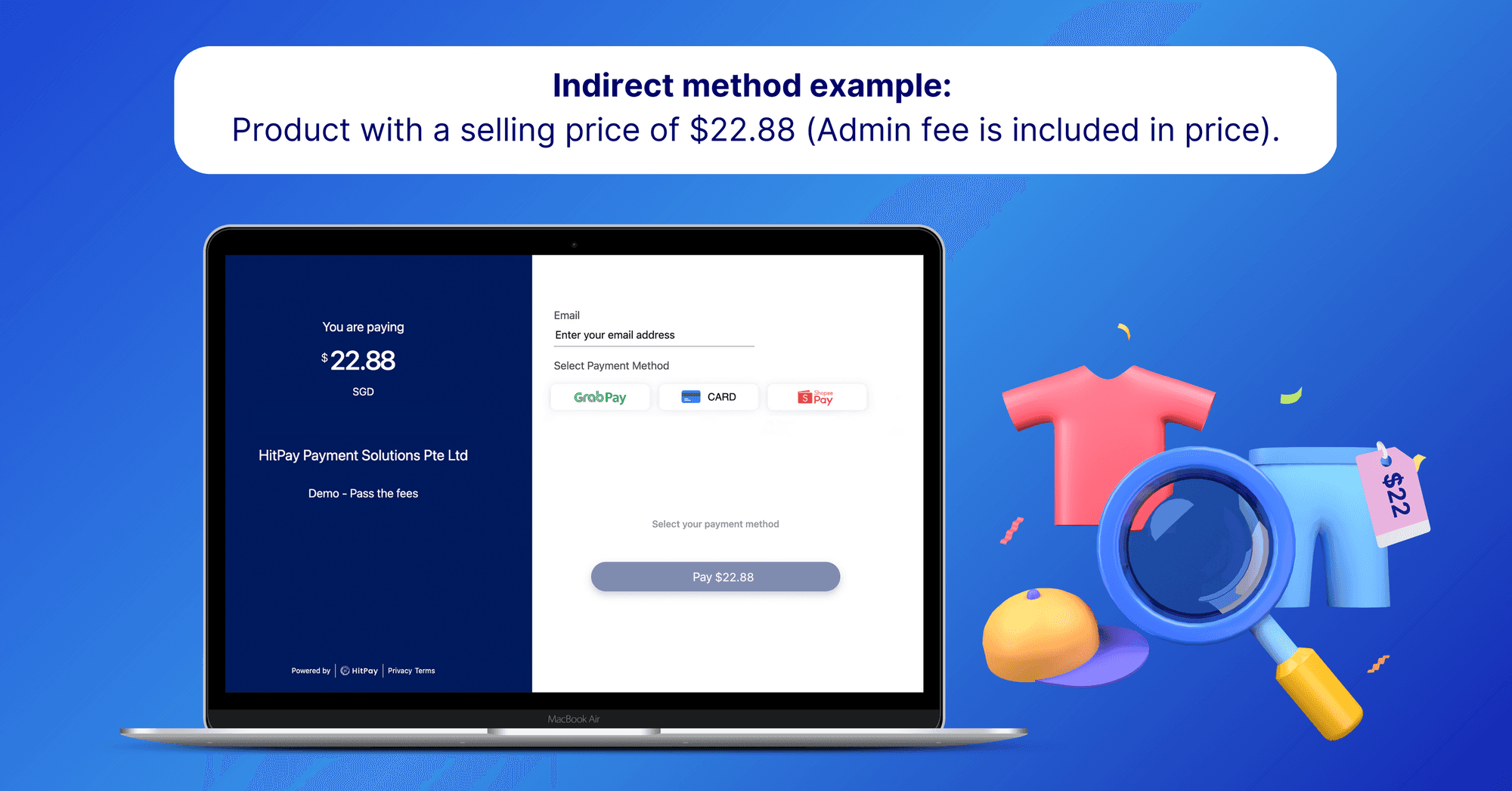
Indirect method: Transaction fees are included in the product cost
Pros:
Customers only see one price, leading to a smoother checkout
Can pass on some of the costs that come with offering cashless payments
Cons:
Cannot customize fees based on payment methods or channels
Store-wide price increases without clear communication can harm customer trust
2) Direct: Processing fees are displayed as a separate surcharge
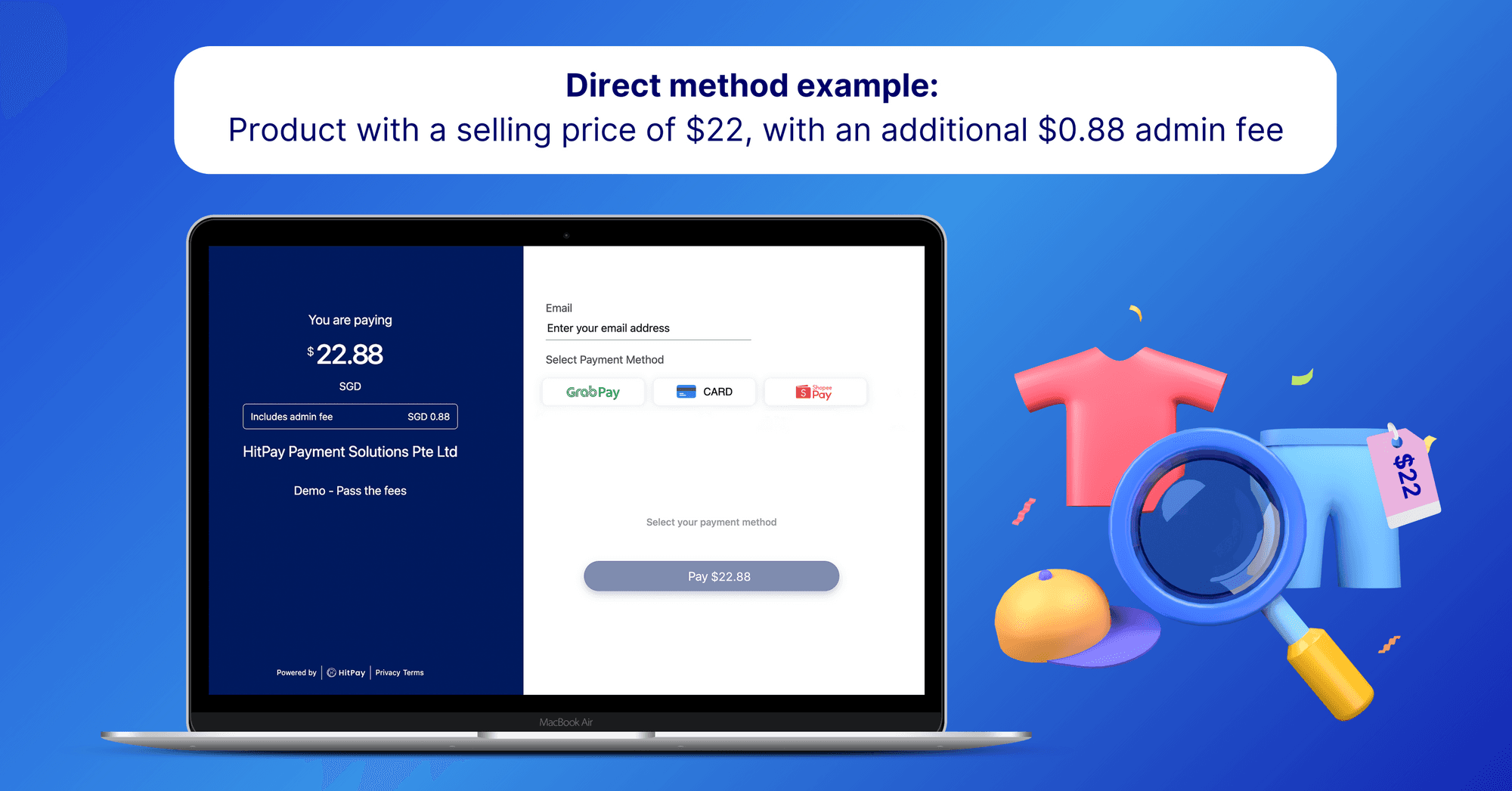
Direct method example: Product with a selling price of $22, with an additional $0.88 surcharge
Pros:
Customers are fully aware of surcharges on any payment method
You can encourage customers to choose payment methods with the lowest merchant fees
Can pass on some of the costs that come with offering cashless payments
Cons:
Need to follow state or country-specific regulations.
In the United States: California, Colorado, Connecticut, Florida, Kansas, Maine, Massachusetts, New York, Oklahoma, Texas, and Puerto Rico have laws that prevent merchants from charging surcharges on credit card transactions.
In Australia: A ban on excessive payment surcharges applies to all businesses. You can only charge surcharges if the amount does not exceed your transaction fee for each payment type.
A step-by-step guide to pass fees to customers
If you choose the direct method — with processing fees displayed as a separate surcharge — here's how to set it up.
Step 1: Decide how much processing fees to pass on to your customers
Based on your financials, decide whether you should pass on all the fees to your customers or share a percentage the fees with them.
Step 2: Choose which payment methods to apply a surcharge to
Different payment methods have different pricing-per-transaction. In Singapore, for example, PayNow QR and GrabPay transactions have lower transaction fees than credit cards, which can cost up to 4% in processing fees. In this case, you may choose to pass the fees only for credit card transactions, since these are the most expensive fees.
Step 3: Choose which sales channels to apply a surcharge to
You can also customise your surcharge fees based on your sales channels (e.g. website, payment link, etc.) For your sales channels, look at the overall sales volume of each channel and the transaction fees that they charge.
Step 4: Ensure any fees are clearly displayed to the customer upon checkout.
Make sure that all additional fees are clearly displayed to customers. This lets them choose a payment method with fees that they are comfortable with.
Get the lowest merchant fees with Pass the Fees
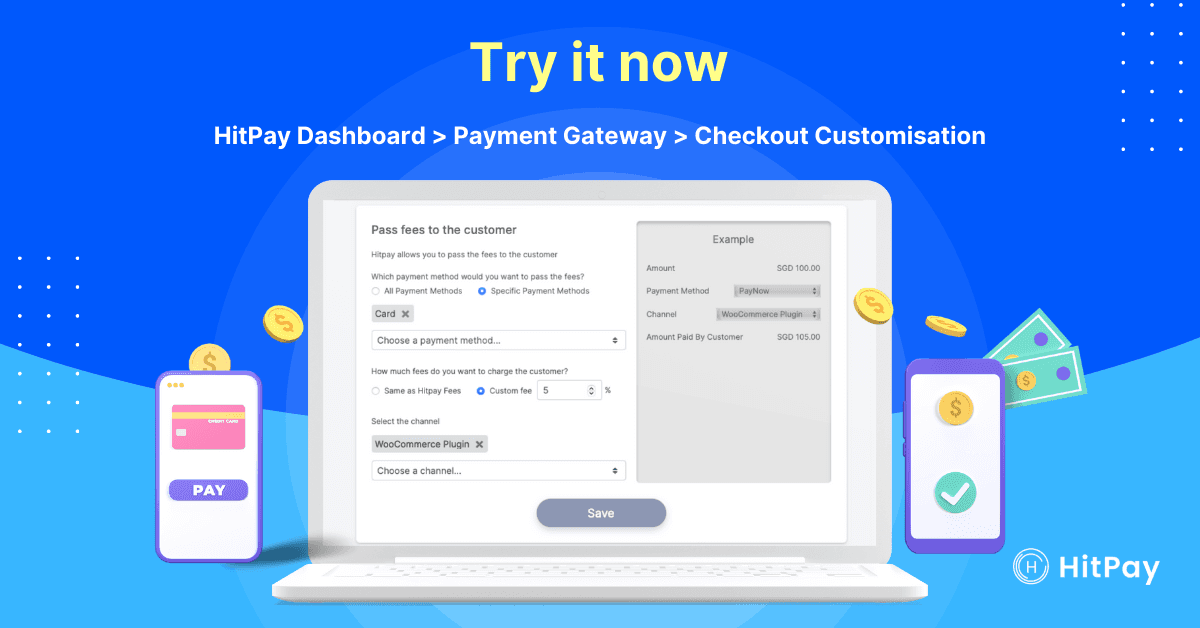
Why use HitPay to pass surcharge fees to your customer?
Build trust by clearly communicating transaction fees upon checkout: Your customers will know exactly how much of what they’re paying goes to you and what goes to payment transaction fees.
Fully customisable based on what you need: Easily apply different fees depending on the payment method or sales channels. You can share a percentage of the fees or pass full fees to your customers.
Supports multiple payment methods and sales channels: This feature is available to all payment methods and sales channels supported in HitPay, including PayNowQR, Zip BNPL instalments in Singapore, and WooCommerce and FPX in Malaysia.
Easy setup: All customisation options are included with your free HitPay account. No coding required!
Try HitPay Pass the Fees and save on transaction fees
Follow our step-by-step guide to set up HitPay’s free Pass the Fees feature in just minutes.
How to lower transaction fees with HitPay Pass the Fees
Author:
The HitPay Team
Last Updated:
Learn how to lower merchant transaction fees so they don't eat into your revenue.
Digital payments became more popular than cash for the first time in 2021, and are only going to become even more popular. This is great news for business owners — digital payments make it easy to collect and track transactions, saving you time and money!
However, while they're more convenient than cash, digital payments also come with transaction fees. Read on to learn how to lower merchant transaction fees so they don't eat into your revenue. ⤵️
How to lower payment processing fees
One simple method is to either share or pass on transaction fees to your customers. But be careful how you communicate these costs to your customers, as higher fees may drive them away. Depending on your payment method, you could either include them in your pricing strategy or as a separate customer surcharge.
Both approaches have pros and cons, which we'll explain below.
Merchant fee passing methods – Pros and cons
1) Indirect: Transaction fees are included in overall product costs
Indirect method: Transaction fees are included in the product cost
Pros:
Customers only see one price, leading to a smoother checkout
Can pass on some of the costs that come with offering cashless payments
Cons:
Cannot customize fees based on payment methods or channels
Store-wide price increases without clear communication can harm customer trust
2) Direct: Processing fees are displayed as a separate surcharge
Direct method example: Product with a selling price of $22, with an additional $0.88 surcharge
Pros:
Customers are fully aware of surcharges on any payment method
You can encourage customers to choose payment methods with the lowest merchant fees
Can pass on some of the costs that come with offering cashless payments
Cons:
Need to follow state or country-specific regulations.
In the United States: California, Colorado, Connecticut, Florida, Kansas, Maine, Massachusetts, New York, Oklahoma, Texas, and Puerto Rico have laws that prevent merchants from charging surcharges on credit card transactions.
In Australia: A ban on excessive payment surcharges applies to all businesses. You can only charge surcharges if the amount does not exceed your transaction fee for each payment type.
A step-by-step guide to pass fees to customers
If you choose the direct method — with processing fees displayed as a separate surcharge — here's how to set it up.
Step 1: Decide how much processing fees to pass on to your customers
Based on your financials, decide whether you should pass on all the fees to your customers or share a percentage the fees with them.
Step 2: Choose which payment methods to apply a surcharge to
Different payment methods have different pricing-per-transaction. In Singapore, for example, PayNow QR and GrabPay transactions have lower transaction fees than credit cards, which can cost up to 4% in processing fees. In this case, you may choose to pass the fees only for credit card transactions, since these are the most expensive fees.
Step 3: Choose which sales channels to apply a surcharge to
You can also customise your surcharge fees based on your sales channels (e.g. website, payment link, etc.) For your sales channels, look at the overall sales volume of each channel and the transaction fees that they charge.
Step 4: Ensure any fees are clearly displayed to the customer upon checkout.
Make sure that all additional fees are clearly displayed to customers. This lets them choose a payment method with fees that they are comfortable with.
Get the lowest merchant fees with Pass the Fees
Why use HitPay to pass surcharge fees to your customer?
Build trust by clearly communicating transaction fees upon checkout: Your customers will know exactly how much of what they’re paying goes to you and what goes to payment transaction fees.
Fully customisable based on what you need: Easily apply different fees depending on the payment method or sales channels. You can share a percentage of the fees or pass full fees to your customers.
Supports multiple payment methods and sales channels: This feature is available to all payment methods and sales channels supported in HitPay, including PayNowQR, Zip BNPL instalments in Singapore, and WooCommerce and FPX in Malaysia.
Easy setup: All customisation options are included with your free HitPay account. No coding required!
Try HitPay Pass the Fees and save on transaction fees
Follow our step-by-step guide to set up HitPay’s free Pass the Fees feature in just minutes.
How to lower transaction fees with HitPay Pass the Fees
Author:
The HitPay Team
Last Updated:
Learn how to lower merchant transaction fees so they don't eat into your revenue.
Digital payments became more popular than cash for the first time in 2021, and are only going to become even more popular. This is great news for business owners — digital payments make it easy to collect and track transactions, saving you time and money!
However, while they're more convenient than cash, digital payments also come with transaction fees. Read on to learn how to lower merchant transaction fees so they don't eat into your revenue. ⤵️
How to lower payment processing fees
One simple method is to either share or pass on transaction fees to your customers. But be careful how you communicate these costs to your customers, as higher fees may drive them away. Depending on your payment method, you could either include them in your pricing strategy or as a separate customer surcharge.
Both approaches have pros and cons, which we'll explain below.
Merchant fee passing methods – Pros and cons
1) Indirect: Transaction fees are included in overall product costs
Indirect method: Transaction fees are included in the product cost
Pros:
Customers only see one price, leading to a smoother checkout
Can pass on some of the costs that come with offering cashless payments
Cons:
Cannot customize fees based on payment methods or channels
Store-wide price increases without clear communication can harm customer trust
2) Direct: Processing fees are displayed as a separate surcharge
Direct method example: Product with a selling price of $22, with an additional $0.88 surcharge
Pros:
Customers are fully aware of surcharges on any payment method
You can encourage customers to choose payment methods with the lowest merchant fees
Can pass on some of the costs that come with offering cashless payments
Cons:
Need to follow state or country-specific regulations.
In the United States: California, Colorado, Connecticut, Florida, Kansas, Maine, Massachusetts, New York, Oklahoma, Texas, and Puerto Rico have laws that prevent merchants from charging surcharges on credit card transactions.
In Australia: A ban on excessive payment surcharges applies to all businesses. You can only charge surcharges if the amount does not exceed your transaction fee for each payment type.
A step-by-step guide to pass fees to customers
If you choose the direct method — with processing fees displayed as a separate surcharge — here's how to set it up.
Step 1: Decide how much processing fees to pass on to your customers
Based on your financials, decide whether you should pass on all the fees to your customers or share a percentage the fees with them.
Step 2: Choose which payment methods to apply a surcharge to
Different payment methods have different pricing-per-transaction. In Singapore, for example, PayNow QR and GrabPay transactions have lower transaction fees than credit cards, which can cost up to 4% in processing fees. In this case, you may choose to pass the fees only for credit card transactions, since these are the most expensive fees.
Step 3: Choose which sales channels to apply a surcharge to
You can also customise your surcharge fees based on your sales channels (e.g. website, payment link, etc.) For your sales channels, look at the overall sales volume of each channel and the transaction fees that they charge.
Step 4: Ensure any fees are clearly displayed to the customer upon checkout.
Make sure that all additional fees are clearly displayed to customers. This lets them choose a payment method with fees that they are comfortable with.
Get the lowest merchant fees with Pass the Fees
Why use HitPay to pass surcharge fees to your customer?
Build trust by clearly communicating transaction fees upon checkout: Your customers will know exactly how much of what they’re paying goes to you and what goes to payment transaction fees.
Fully customisable based on what you need: Easily apply different fees depending on the payment method or sales channels. You can share a percentage of the fees or pass full fees to your customers.
Supports multiple payment methods and sales channels: This feature is available to all payment methods and sales channels supported in HitPay, including PayNowQR, Zip BNPL instalments in Singapore, and WooCommerce and FPX in Malaysia.
Easy setup: All customisation options are included with your free HitPay account. No coding required!
Try HitPay Pass the Fees and save on transaction fees
Follow our step-by-step guide to set up HitPay’s free Pass the Fees feature in just minutes.

Ready to apply what you just read?
Turn payment insights into action with HitPay’s online and in-person payment tools for growing businesses.
Ready to apply what you just read?
Turn payment insights into action with HitPay’s online and in-person payment tools for growing businesses.
Ready to apply what you just read?
Turn payment insights into action with HitPay’s online and in-person payment tools for growing businesses.
Ready to apply what you just read?
Turn payment insights into action with HitPay’s online and in-person payment tools for growing businesses.
Ready to apply what you just read?
Turn payment insights into action with HitPay’s online and in-person payment tools for growing businesses.