Online
Cross - Border
See Their Success Stories
Discover how businesses are growing with HitPay, through real stories, results, and experiences from our merchants.
See How Merchants Use HitPay
Developer Resources
Explore our comprehensive developer resources designed to enhance your experience. From detailed API documentation to interactive tutorials.
How to accept POS payments without a credit card terminal
Author:
The HitPay Team
Last Updated:
Accept POS payments without a credit card terminal! Learn how to use HitPay Tap To Phone and Scan To Pay — free on the HitPay mobile app.
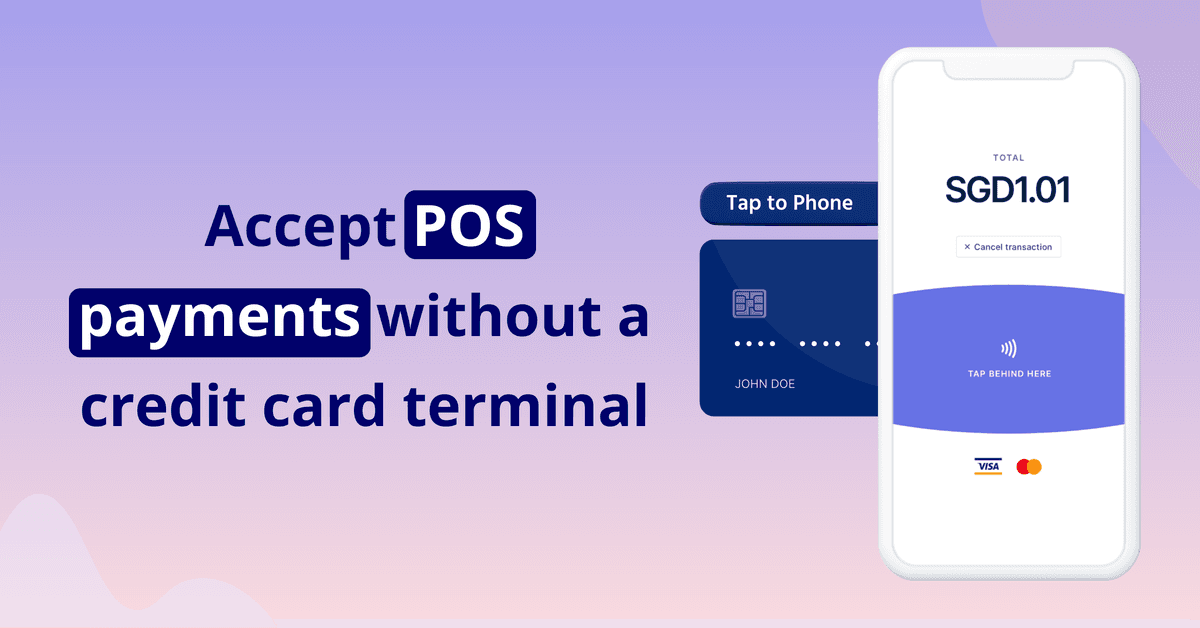
Want to accept card payments but don't want the hassle of bringing a credit card terminal around? Guess what — you can now accept credit card payments on your phone!
In today's digital era, mobile point of sale (mPOS) technology has emerged as a crucial tool for businesses to keep up with the increasing demand for flexible, secure, and convenient payment solutions.
mPOS systems allow merchants to accept payments anytime, anywhere, without the need for traditional credit card terminals. In this article, we will discuss the importance of mPOS systems in modern business settings and introduce such as HitPay's mobile app, designed to simplify the payment process for SMEs.
The HitPay mobile app has free tools for in-person, contactless payments, providing a seamless and secure alternative to traditional credit card terminals.
The first tool, Tap To Pay, allows your mobile device to work as a credit card terminal. By tapping the customer's card to the back of your phone, you can accept credit card payments with ease. This feature supports cards such as Visa and Mastercard, as well as NFC wallet payments like Apple Pay and Google Pay. The HitPay app ensures that Tap To Pay transactions are completely secure, making it an ideal solution for merchants seeking a seamless credit card terminal experience without additional costs or hardware.
On the other hand, Scan To Pay enables merchants to accept payments by asking customers to scan a QR code generated on the merchant's phone. This tool supports a wide range of payment methods, including credit cards, NFC wallet payments, bank transfers, BNPL installments, and e-wallets. Scan To Pay is best suited for merchants who want to offer a comprehensive suite of payment methods for in-person sales.
Here's how they work:
HitPay Mobile App: Tap To Pay
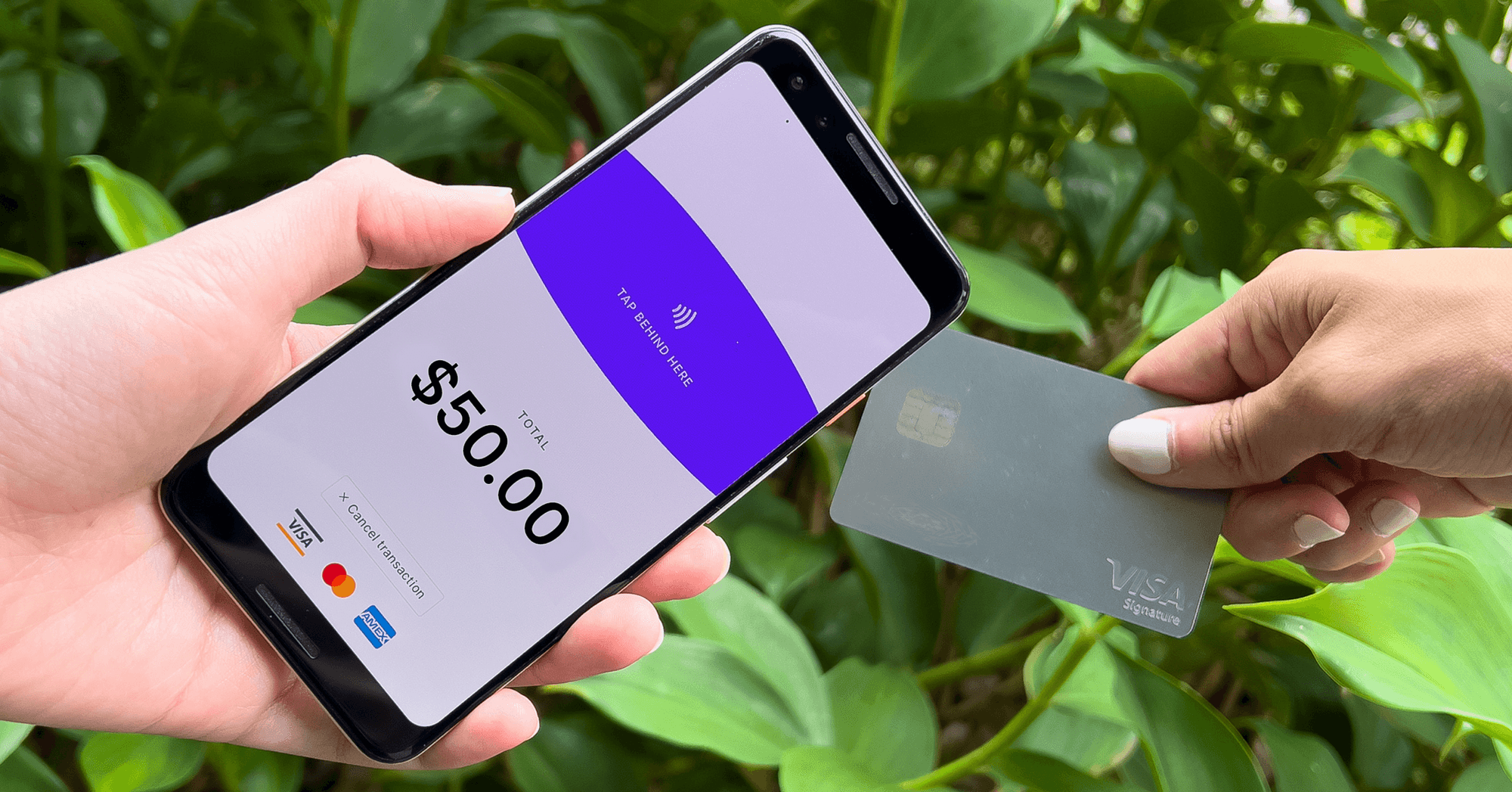
HitPay Tap To Pay lets your mobile device work as a credit card terminal.
Accept credit card payments by simply tapping your customer's card to the back of your phone. Completely secure through the HitPay app.
Best suited for: Merchants who want a seamless credit card terminal experience, without any setup costs or physical hardware.
Cost: Tap To Pay is free on the HitPay app. Pay per transaction based on your payment method. See pricing here.
Payment methods: HitPay Tap To Pay supports credit cards including Visa and Mastercard, and NFC wallet payments like Apple Pay and Google Pay
Compatible devices: See which devices Tap To Pay works with
Set up Tap To Pay with this easy step-by-step guide.
Scan To Pay
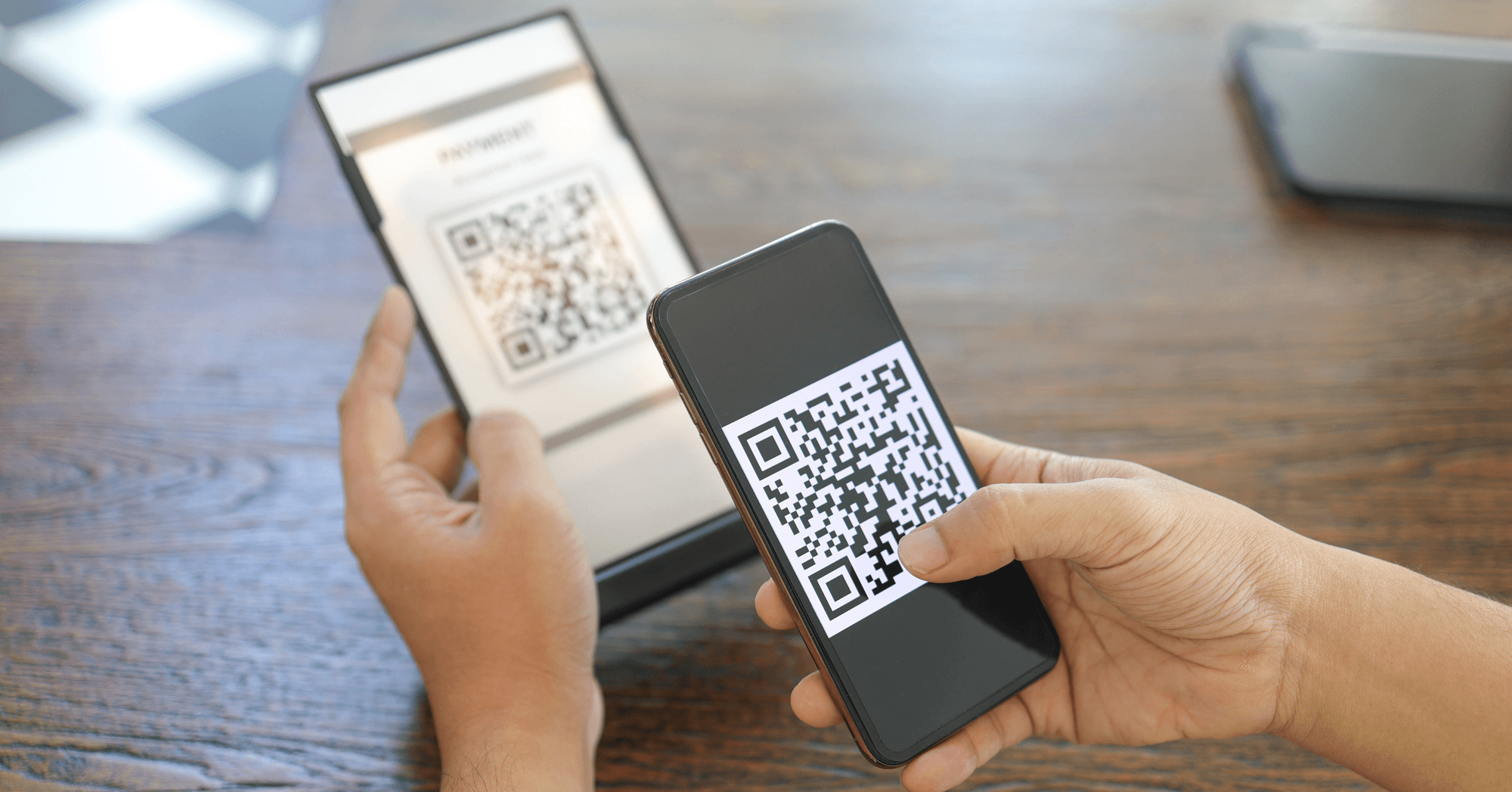
Accept in-person payments by asking your customer to scan the QR code generated on your phone.
Best suited for: Merchants who want to offer a full suite of payment methods for in-person sales.
Cost: Scan To Pay is free on the HitPay app. Pay per transaction based on your payment method. See pricing here.
Payment methods: HitPay Scan To Pay supports the full range of HitPay payment methods — credit cards, NFC wallet payments (Apple Pay, Google Pay), bank transfers, BNPL installments, and e-wallets
Compatible devices: Works with all Android and iOS devices
Set up Scan To Pay with this easy step-by-step guide.
Accept POS payments without a credit card terminal
When comparing Tap To Pay and Scan To Pay, both options offer unique advantages depending on your business needs. While Tap To Pay focuses on a seamless credit card terminal experience, Scan To Pay provides more versatility in terms of accepted payment methods. Regardless of the chosen tool, HitPay's mobile app offers several advantages over traditional credit card terminals.
Firstly, there are no setup costs or physical hardware requirements, making it a cost-effective solution for merchants. Secondly, the app works with all Android and iOS devices, ensuring compatibility across various smartphones and tablets. Lastly, HitPay's mobile app makes it easy and convenient for merchants to sell through their phones, eliminating the need to purchase and carry around additional hardware.
HitPay Tap To Pay and Scan To Pay are great mPOS technology alternatives to credit card terminals. No need to purchase and carry around additional hardware — just sell easily through your phone.
Setting Up HitPay for Your Business
Getting started with HitPay's mobile app is a straightforward process. To set up Tap To Pay and Scan To Pay, simply download the HitPay app, sign up for an account, and follow the step-by-step guide provided within the app. Once your account is set up, you can start accepting in-person payments with ease.
To optimize the use of HitPay's mobile app for in-person sales, consider offering both Tap To Pay and Scan To Pay options to cater to a wider range of customer preferences. Additionally, ensure that your device is compatible with the app and has a stable internet connection for smooth transactions.
While both Tap To Pay and Scan To Pay are free to use on HitPay's mobile app, transaction fees vary based on the chosen payment method.
Set up your POS system for free on HitPay iOS or Android 📲
Frequently Asked Questions
Can I accept card payments without a credit card terminal?
Yes. HitPay Tap To Pay turns your mobile device into the terminal. The customer taps their card against the back of your phone and the payment goes through the HitPay app.
What is the difference between Tap To Pay and Scan To Pay?
Tap To Pay is the closest thing to a card terminal experience. Scan To Pay generates a QR code on your phone for the customer to scan, which covers a wider range of payment methods.
What does Scan To Pay cost?
Scan To Pay is free on the HitPay app. You pay per transaction rather than for the tool.
How do I set up a mobile POS on HitPay?
Download the HitPay app, sign up for an account, and follow the setup guide inside the app. It is available on both iOS and Android.
How to accept POS payments without a credit card terminal
Author:
The HitPay Team
Last Updated:
Accept POS payments without a credit card terminal! Learn how to use HitPay Tap To Phone and Scan To Pay — free on the HitPay mobile app.
Want to accept card payments but don't want the hassle of bringing a credit card terminal around? Guess what — you can now accept credit card payments on your phone!
In today's digital era, mobile point of sale (mPOS) technology has emerged as a crucial tool for businesses to keep up with the increasing demand for flexible, secure, and convenient payment solutions.
mPOS systems allow merchants to accept payments anytime, anywhere, without the need for traditional credit card terminals. In this article, we will discuss the importance of mPOS systems in modern business settings and introduce such as HitPay's mobile app, designed to simplify the payment process for SMEs.
The HitPay mobile app has free tools for in-person, contactless payments, providing a seamless and secure alternative to traditional credit card terminals.
The first tool, Tap To Pay, allows your mobile device to work as a credit card terminal. By tapping the customer's card to the back of your phone, you can accept credit card payments with ease. This feature supports cards such as Visa and Mastercard, as well as NFC wallet payments like Apple Pay and Google Pay. The HitPay app ensures that Tap To Pay transactions are completely secure, making it an ideal solution for merchants seeking a seamless credit card terminal experience without additional costs or hardware.
On the other hand, Scan To Pay enables merchants to accept payments by asking customers to scan a QR code generated on the merchant's phone. This tool supports a wide range of payment methods, including credit cards, NFC wallet payments, bank transfers, BNPL installments, and e-wallets. Scan To Pay is best suited for merchants who want to offer a comprehensive suite of payment methods for in-person sales.
Here's how they work:
HitPay Mobile App: Tap To Pay
HitPay Tap To Pay lets your mobile device work as a credit card terminal.
Accept credit card payments by simply tapping your customer's card to the back of your phone. Completely secure through the HitPay app.
Best suited for: Merchants who want a seamless credit card terminal experience, without any setup costs or physical hardware.
Cost: Tap To Pay is free on the HitPay app. Pay per transaction based on your payment method. See pricing here.
Payment methods: HitPay Tap To Pay supports credit cards including Visa and Mastercard, and NFC wallet payments like Apple Pay and Google Pay
Compatible devices: See which devices Tap To Pay works with
Set up Tap To Pay with this easy step-by-step guide.
Scan To Pay
Accept in-person payments by asking your customer to scan the QR code generated on your phone.
Best suited for: Merchants who want to offer a full suite of payment methods for in-person sales.
Cost: Scan To Pay is free on the HitPay app. Pay per transaction based on your payment method. See pricing here.
Payment methods: HitPay Scan To Pay supports the full range of HitPay payment methods — credit cards, NFC wallet payments (Apple Pay, Google Pay), bank transfers, BNPL installments, and e-wallets
Compatible devices: Works with all Android and iOS devices
Set up Scan To Pay with this easy step-by-step guide.
Accept POS payments without a credit card terminal
When comparing Tap To Pay and Scan To Pay, both options offer unique advantages depending on your business needs. While Tap To Pay focuses on a seamless credit card terminal experience, Scan To Pay provides more versatility in terms of accepted payment methods. Regardless of the chosen tool, HitPay's mobile app offers several advantages over traditional credit card terminals.
Firstly, there are no setup costs or physical hardware requirements, making it a cost-effective solution for merchants. Secondly, the app works with all Android and iOS devices, ensuring compatibility across various smartphones and tablets. Lastly, HitPay's mobile app makes it easy and convenient for merchants to sell through their phones, eliminating the need to purchase and carry around additional hardware.
HitPay Tap To Pay and Scan To Pay are great mPOS technology alternatives to credit card terminals. No need to purchase and carry around additional hardware — just sell easily through your phone.
Setting Up HitPay for Your Business
Getting started with HitPay's mobile app is a straightforward process. To set up Tap To Pay and Scan To Pay, simply download the HitPay app, sign up for an account, and follow the step-by-step guide provided within the app. Once your account is set up, you can start accepting in-person payments with ease.
To optimize the use of HitPay's mobile app for in-person sales, consider offering both Tap To Pay and Scan To Pay options to cater to a wider range of customer preferences. Additionally, ensure that your device is compatible with the app and has a stable internet connection for smooth transactions.
While both Tap To Pay and Scan To Pay are free to use on HitPay's mobile app, transaction fees vary based on the chosen payment method.
Set up your POS system for free on HitPay iOS or Android 📲
Frequently Asked Questions
Can I accept card payments without a credit card terminal?
Yes. HitPay Tap To Pay turns your mobile device into the terminal. The customer taps their card against the back of your phone and the payment goes through the HitPay app.
What is the difference between Tap To Pay and Scan To Pay?
Tap To Pay is the closest thing to a card terminal experience. Scan To Pay generates a QR code on your phone for the customer to scan, which covers a wider range of payment methods.
What does Scan To Pay cost?
Scan To Pay is free on the HitPay app. You pay per transaction rather than for the tool.
How do I set up a mobile POS on HitPay?
Download the HitPay app, sign up for an account, and follow the setup guide inside the app. It is available on both iOS and Android.
How to accept POS payments without a credit card terminal
Author:
The HitPay Team
Last Updated:
Accept POS payments without a credit card terminal! Learn how to use HitPay Tap To Phone and Scan To Pay — free on the HitPay mobile app.
Want to accept card payments but don't want the hassle of bringing a credit card terminal around? Guess what — you can now accept credit card payments on your phone!
In today's digital era, mobile point of sale (mPOS) technology has emerged as a crucial tool for businesses to keep up with the increasing demand for flexible, secure, and convenient payment solutions.
mPOS systems allow merchants to accept payments anytime, anywhere, without the need for traditional credit card terminals. In this article, we will discuss the importance of mPOS systems in modern business settings and introduce such as HitPay's mobile app, designed to simplify the payment process for SMEs.
The HitPay mobile app has free tools for in-person, contactless payments, providing a seamless and secure alternative to traditional credit card terminals.
The first tool, Tap To Pay, allows your mobile device to work as a credit card terminal. By tapping the customer's card to the back of your phone, you can accept credit card payments with ease. This feature supports cards such as Visa and Mastercard, as well as NFC wallet payments like Apple Pay and Google Pay. The HitPay app ensures that Tap To Pay transactions are completely secure, making it an ideal solution for merchants seeking a seamless credit card terminal experience without additional costs or hardware.
On the other hand, Scan To Pay enables merchants to accept payments by asking customers to scan a QR code generated on the merchant's phone. This tool supports a wide range of payment methods, including credit cards, NFC wallet payments, bank transfers, BNPL installments, and e-wallets. Scan To Pay is best suited for merchants who want to offer a comprehensive suite of payment methods for in-person sales.
Here's how they work:
HitPay Mobile App: Tap To Pay
HitPay Tap To Pay lets your mobile device work as a credit card terminal.
Accept credit card payments by simply tapping your customer's card to the back of your phone. Completely secure through the HitPay app.
Best suited for: Merchants who want a seamless credit card terminal experience, without any setup costs or physical hardware.
Cost: Tap To Pay is free on the HitPay app. Pay per transaction based on your payment method. See pricing here.
Payment methods: HitPay Tap To Pay supports credit cards including Visa and Mastercard, and NFC wallet payments like Apple Pay and Google Pay
Compatible devices: See which devices Tap To Pay works with
Set up Tap To Pay with this easy step-by-step guide.
Scan To Pay
Accept in-person payments by asking your customer to scan the QR code generated on your phone.
Best suited for: Merchants who want to offer a full suite of payment methods for in-person sales.
Cost: Scan To Pay is free on the HitPay app. Pay per transaction based on your payment method. See pricing here.
Payment methods: HitPay Scan To Pay supports the full range of HitPay payment methods — credit cards, NFC wallet payments (Apple Pay, Google Pay), bank transfers, BNPL installments, and e-wallets
Compatible devices: Works with all Android and iOS devices
Set up Scan To Pay with this easy step-by-step guide.
Accept POS payments without a credit card terminal
When comparing Tap To Pay and Scan To Pay, both options offer unique advantages depending on your business needs. While Tap To Pay focuses on a seamless credit card terminal experience, Scan To Pay provides more versatility in terms of accepted payment methods. Regardless of the chosen tool, HitPay's mobile app offers several advantages over traditional credit card terminals.
Firstly, there are no setup costs or physical hardware requirements, making it a cost-effective solution for merchants. Secondly, the app works with all Android and iOS devices, ensuring compatibility across various smartphones and tablets. Lastly, HitPay's mobile app makes it easy and convenient for merchants to sell through their phones, eliminating the need to purchase and carry around additional hardware.
HitPay Tap To Pay and Scan To Pay are great mPOS technology alternatives to credit card terminals. No need to purchase and carry around additional hardware — just sell easily through your phone.
Setting Up HitPay for Your Business
Getting started with HitPay's mobile app is a straightforward process. To set up Tap To Pay and Scan To Pay, simply download the HitPay app, sign up for an account, and follow the step-by-step guide provided within the app. Once your account is set up, you can start accepting in-person payments with ease.
To optimize the use of HitPay's mobile app for in-person sales, consider offering both Tap To Pay and Scan To Pay options to cater to a wider range of customer preferences. Additionally, ensure that your device is compatible with the app and has a stable internet connection for smooth transactions.
While both Tap To Pay and Scan To Pay are free to use on HitPay's mobile app, transaction fees vary based on the chosen payment method.
Set up your POS system for free on HitPay iOS or Android 📲
Frequently Asked Questions
Can I accept card payments without a credit card terminal?
Yes. HitPay Tap To Pay turns your mobile device into the terminal. The customer taps their card against the back of your phone and the payment goes through the HitPay app.
What is the difference between Tap To Pay and Scan To Pay?
Tap To Pay is the closest thing to a card terminal experience. Scan To Pay generates a QR code on your phone for the customer to scan, which covers a wider range of payment methods.
What does Scan To Pay cost?
Scan To Pay is free on the HitPay app. You pay per transaction rather than for the tool.
How do I set up a mobile POS on HitPay?
Download the HitPay app, sign up for an account, and follow the setup guide inside the app. It is available on both iOS and Android.

Ready to apply what you just read?
Turn payment insights into action with HitPay’s online and in-person payment tools for growing businesses.
Ready to apply what you just read?
Turn payment insights into action with HitPay’s online and in-person payment tools for growing businesses.
Ready to apply what you just read?
Turn payment insights into action with HitPay’s online and in-person payment tools for growing businesses.
Ready to apply what you just read?
Turn payment insights into action with HitPay’s online and in-person payment tools for growing businesses.
Ready to apply what you just read?
Turn payment insights into action with HitPay’s online and in-person payment tools for growing businesses.