

Light to dark blue smooth gradient transition.
A smooth blue gradient transitioning from light to darker shades, evoking a calm and serene atmosphere.

WooCommerce payment gateway for Singapore — PayNow & cards

WooCommerce payment gateway for Singapore — PayNow & cards

WooCommerce payment gateway for Singapore — PayNow & cards

To accept PayNow on WooCommerce, install the HitPay plugin from WordPress.org (search “HitPay” in Plugins → Add New), paste your HitPay API key and salt under WooCommerce → Settings → Payments → HitPay, click Test Connection, then save. PayNow costs 0.65% + S$0.30 on S$100 and above, or 0.9% (min S$0.20) below. The WooCommerce plugin adds 0.2%. No setup or monthly fee.

Get the plugin on WordPress.org → · Full setup guide →

To accept PayNow on WooCommerce, install the HitPay plugin from WordPress.org (search “HitPay” in Plugins → Add New), paste your HitPay API key and salt under WooCommerce → Settings → Payments → HitPay, click Test Connection, then save. PayNow costs 0.65% + S$0.30 on S$100 and above, or 0.9% (min S$0.20) below. The WooCommerce plugin adds 0.2%. No setup or monthly fee.

Get the plugin on WordPress.org → · Full setup guide →

To accept PayNow on WooCommerce, install the HitPay plugin from WordPress.org (search “HitPay” in Plugins → Add New), paste your HitPay API key and salt under WooCommerce → Settings → Payments → HitPay, click Test Connection, then save. PayNow costs 0.65% + S$0.30 on S$100 and above, or 0.9% (min S$0.20) below. The WooCommerce plugin adds 0.2%. No setup or monthly fee.

Get the plugin on WordPress.org → · Full setup guide →

QUICK ANSWER

QUICK ANSWER

To accept PayNow on WooCommerce in Singapore, install the free HitPay plugin from WordPress.org, paste your HitPay API key and salt, and turn on PayNow. Online PayNow is 0.65% + S$0.30 from S$100 and 0.9% (min S$0.20) below S$100. The plugin adds 0.2%. There’s no setup or monthly fee.

To accept PayNow on WooCommerce in Singapore, install the free HitPay plugin from WordPress.org, paste your HitPay API key and salt, and turn on PayNow. Online PayNow is 0.65% + S$0.30 from S$100 and 0.9% (min S$0.20) below S$100. The plugin adds 0.2%. There’s no setup or monthly fee.

Accept popular payment methods on WooCommerce

Accept popular payment methods on WooCommerce

Accept popular payment methods on WooCommerce

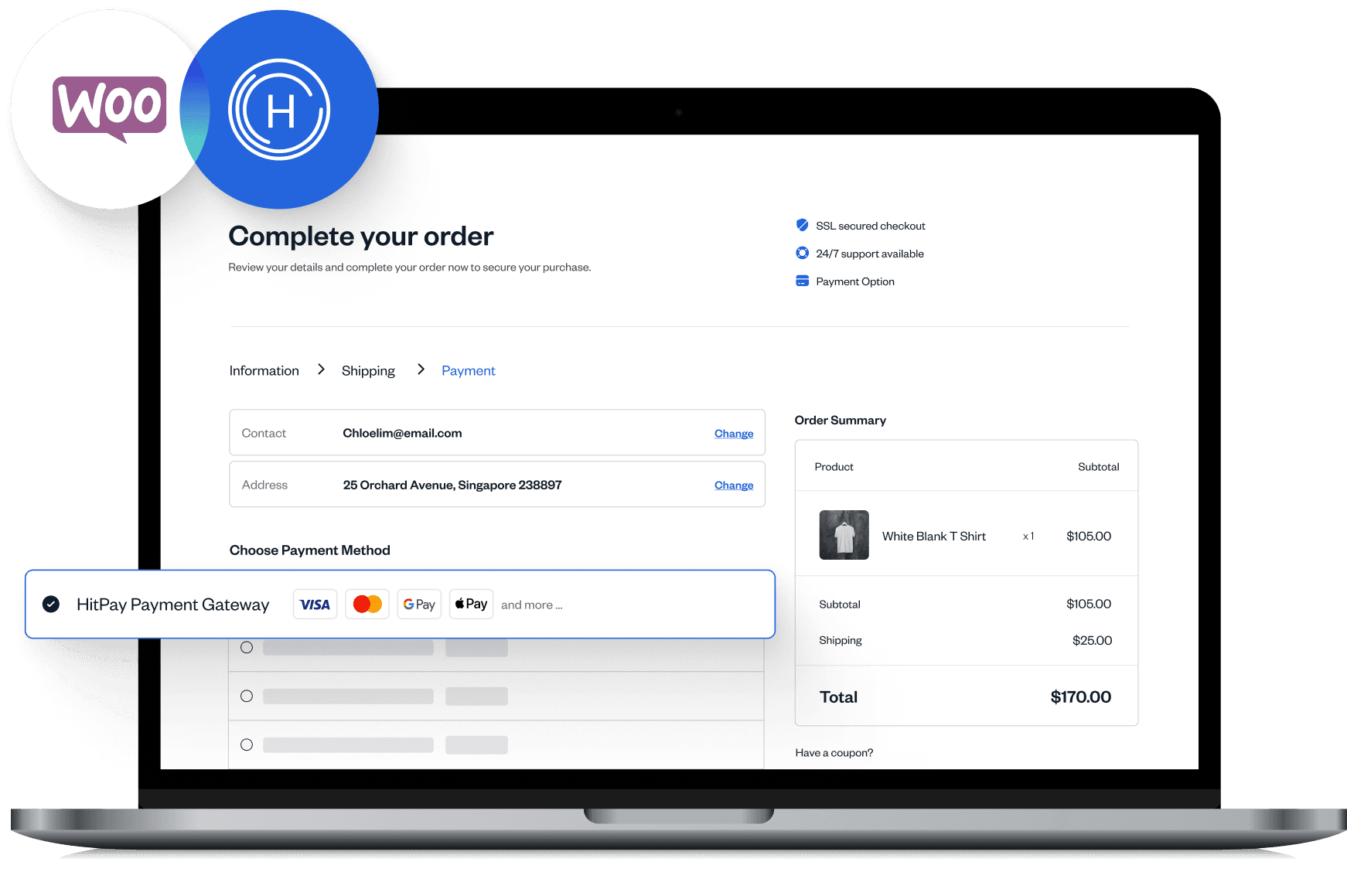
Take PayNow, cards, GrabPay, ShopeePay and BNPL on one WooCommerce plugin.

Take PayNow, cards, GrabPay, ShopeePay and BNPL on one WooCommerce plugin.

Take PayNow, cards, GrabPay, ShopeePay and BNPL on one WooCommerce plugin.

Why Singapore WooCommerce stores use HitPay

Why Singapore WooCommerce stores use HitPay

Why Singapore WooCommerce stores use HitPay

HitPay is a full-stack payments platform designed for growing businesses in APAC and beyond.

HitPay is a full-stack payments platform designed for growing businesses in APAC and beyond.

HitPay is a full-stack payments platform designed for growing businesses in APAC and beyond.

Trusted and secure

Trusted and secure

HitPay Payment Solutions Pte Ltd is licensed by the Monetary Authority of Singapore as a Major Payment Institution (PS20200643), and is backed by Tiger Global, Y Combinator, Global Founders Capital and HOF Capital.

No monthly fees, no hidden costs

No monthly fees, no hidden costs

No setup fee and no monthly fee. You pay per successful transaction; method fees are on /sg/pricing.

Fees (Singapore, online): PayNow 0.65% + S$0.30 (S$100 and above) or 0.9%, min S$0.20 (below S$100) · Domestic cards 2.8% + S$0.50 · International cards 3.65% + S$0.50 · GrabPay 3% · WooCommerce plugin add-on 0.2% · No setup or monthly fee. See all fees →

Accept global and

local payments

PayNow, Visa, Mastercard, AMEX, GrabPay, ShopeePay and BNPL — all on the same HitPay plugin.

Quick & easy integration

Quick & easy integration

Install the HitPay WooCommerce plugin directly from WordPress and set up payments in minutes—no coding required.

PCI-DSS compliant

PCI-DSS compliant

All transactions are protected by advanced fraud detection and encryption, ensuring safe and reliable WooCommerce payments.

Optimized for businesses of all sizes

Optimized for businesses of all sizes

Whether you're a startup or an enterprise, HitPay scales with your WooCommerce store’s growth.

"HitPay POS has saved us lots of time and resources with daily automated reports and reconciliation. Our sales SOP is much more efficient now. "

"HitPay POS has saved us lots of time and resources with daily automated reports and reconciliation. Our sales SOP is much more efficient now. "

Flag of Singapore: red and white bands with a white crescent moon and five stars in the top left.
Flag of Singapore featuring red and white colors with five stars and a crescent moon on the left.

Travel Agency

Read more ->

"HitPay POS has saved us lots of time and resources with daily automated reports and reconciliation. Our sales SOP is much more efficient now. "

Flag of Singapore: red and white bands with a white crescent moon and five stars in the top left.
Flag of Singapore featuring red and white colors with five stars and a crescent moon on the left.

Travel Agency

No-code WooCommerce payment gateway integration

No-code WooCommerce payment gateway integration

No-code WooCommerce payment gateway integration

Follow these simple steps to integrate HitPay’s WooCommerce payment gateway with your store:

Follow these simple steps to integrate HitPay’s WooCommerce payment gateway with your store:

Follow these simple steps to integrate HitPay’s WooCommerce payment gateway with your store:

01

01

Sign up with HitPay

Sign up with HitPay

Create a free HitPay account and complete Singapore business verification, then make sure PayNow and the other methods you want are activated.

Create a free HitPay account and complete Singapore business verification, then make sure PayNow and the other methods you want are activated.

Create a free HitPay account and complete Singapore business verification, then make sure PayNow and the other methods you want are activated.

02

02

Install the plugin on WooCommerce

Install the plugin on WooCommerce

In WordPress go to Plugins → Add New, search “HitPay” and install HitPay Payment Gateway for WooCommerce, then click Activate.

In WordPress go to Plugins → Add New, search “HitPay” and install HitPay Payment Gateway for WooCommerce, then click Activate.

In WordPress go to Plugins → Add New, search “HitPay” and install HitPay Payment Gateway for WooCommerce, then click Activate.

03

03

Enable payment methods

Enable payment methods

In HitPay, open Developers → API and Salt Keys and copy both. In WooCommerce → Settings → Payments, click Manage next to HitPay, paste them, click Test Connection and save. Untick Live Mode to test with sandbox keys first.

In HitPay, open Developers → API and Salt Keys and copy both. In WooCommerce → Settings → Payments, click Manage next to HitPay, paste them, click Test Connection and save. Untick Live Mode to test with sandbox keys first.

In HitPay, open Developers → API and Salt Keys and copy both. In WooCommerce → Settings → Payments, click Manage next to HitPay, paste them, click Test Connection and save. Untick Live Mode to test with sandbox keys first.

04

04

Start accepting WooCommerce payments

Start accepting WooCommerce payments

Place a small test order and confirm PayNow shows at checkout. Refunds made from the WooCommerce order go back to the customer automatically.

Step-by-step guide with screenshots →

Place a small test order and confirm PayNow shows at checkout. Refunds made from the WooCommerce order go back to the customer automatically.

Step-by-step guide with screenshots →

Place a small test order and confirm PayNow shows at checkout. Refunds made from the WooCommerce order go back to the customer automatically.

Step-by-step guide with screenshots →

Frequently Asked Questions

Frequently Asked Questions

Does WooCommerce support PayNow in Singapore?

Not natively. Install the HitPay plugin from WordPress.org, connect it with your HitPay API key and salt, and PayNow appears at checkout.

What WooCommerce payments does HitPay support?

HitPay’s WooCommerce payment solution in Singapore supports PayNow, GrabPay, ShopeePay, credit cards, BNPL, and more. See the full list of supported Singapore payment methods here.

Can I accept both local and international payments?

Yes. You can accept international Visa, Mastercard and AMEX alongside PayNow. International cards are 3.65% + S$0.50, and foreign-currency card payments carry an extra 2% (see /sg/pricing).

Are there any setup or monthly fees?

No! HitPay charges zero setup fees and no monthly costs. You only pay a small transaction fee for successful payments.

How long does it take to integrate HitPay with WooCommerce?

Usually a few minutes once your HitPay account is verified: install the plugin, paste your API key and salt, test the connection and save. No coding needed.

Is HitPay secure?

Yes. HitPay is PCI-DSS compliant and uses advanced fraud detection to protect your business.

How much does PayNow cost on WooCommerce?

Online PayNow is 0.65% + S$0.30 for S$100 and above, or 0.9% (min S$0.20) below S$100. The WooCommerce plugin adds 0.2% on top. No setup or monthly fee. See /sg/pricing for every method.

Can I refund WooCommerce orders paid with HitPay?

Yes. Refund from the WooCommerce order and HitPay refunds the customer automatically, if the payment method allows refunds. If a refund fails, retry from the HitPay dashboard under Transactions to see the exact error.

Can I test before going live?

Yes. Untick Live Mode in the plugin settings and use the API key and salt from your HitPay sandbox account.

What does PayNow on WooCommerce cost in total?

The PayNow rate plus the 0.2% plugin fee. On a S$100 order: S$0.95 + S$0.20 = S$1.15.

Is the HitPay WooCommerce plugin free to install?

Yes. The plugin is free on WordPress.org. You pay only per successful transaction: the method rate plus 0.2%.

What's the best WooCommerce payment gateway in Singapore?

One with PayNow, no monthly fee and a free plugin. HitPay adds PayNow, cards, GrabPay and ShopeePay; you pay the method rate plus 0.2%. Card rates: domestic 2.8% + S$0.50, international 3.65% + S$0.50 (plus 0.2%).

Still have questions?

Contact our team.

Let's get you set up

Create an account instantly or contact us to create a custom package for your business.

Let's get you set up

Create an account instantly or contact us to create a custom package for your business.

Let's get you set up

Create an account instantly or contact us to create a custom package for your business.

Let's get you set up

Create an account instantly or contact us to create a custom package for your business.

Let's get you set up

Create an account instantly or contact us to create a custom package for your business.